

Choosing a UV printer based only on the total number of items in an order can lead to the wrong production setup. An order for 500 identical products is very different from an order for 500 products divided among 50 designs—or 500 individually personalized items.
For a small business, the more useful question is not simply “How many pieces do we print?” It is “How many pieces are printed before the artwork, product position or print settings must change?”
When comparing a compact UV printer for small-business production, order size and artwork variation should therefore be evaluated together. They affect bed utilization, positioning methods, file preparation, operator workload and the practical output that can be completed during a shift.
Why Is Total Order Quantity Not Enough?
Total quantity describes how many products the customer wants, but it does not describe how the job moves through production. Consider three orders that each contain 500 pieces:
| Order | Artwork structure | Main workflow issue |
|---|---|---|
| 500 identical items | One design repeated 500 times | Batch loading and consistent positioning |
| 500 mixed items | 50 designs, 10 pieces per design | Frequent artwork changes and job identification |
| 500 personalized items | A different name, number or image on every piece | Variable files, matching and error prevention |
The first order may allow the operator to prepare one layout and repeat it throughout the run. The other two require more file handling, checking and changeovers. Even if the printer’s physical print speed remains the same, their effective production rates can be very different.
How Does Order Size Affect Printer Selection?
Order size matters because it determines how often the print bed must be loaded and unloaded and how many production cycles are required. However, the most useful quantity is usually the number of compatible items that can be processed in one cycle.
Before selecting a compact UV printer, record:
- The average and maximum order quantity
- The dimensions and thickness of each product
- The number of products that fit safely on the print bed
- The required spacing between products
- Whether every item uses the same artwork
- Whether white ink or varnish is required
- The time required to load, position and remove each batch
A large order of small, regularly shaped items may be suitable for batch printing on a compact flatbed. A large order of oversized panels, however, may require a larger print area even if the design never changes.
The printer should therefore be matched to both the physical product and the actual order pattern—not to quantity alone.
How Does Artwork Variation Change the Workflow?
Artwork variation includes more than changing an entire design. It may involve different names, serial numbers, logos, languages, colors, dates, photographs or customer-specific information.
Every variation creates a point where the operator must confirm that the correct digital file is being printed on the correct physical item. As the number of variations increases, file organization and product tracking become more important.
For example, a promotional-products order may contain the same company logo on every item but a different employee name underneath it. The physical products may be identical, yet each printed result is unique. This workflow requires careful matching even though the total order appears simple.
A useful way to evaluate variation is to calculate the average quantity per artwork:
Quantity per artwork = total number of products ÷ number of artwork versions
An order of 500 pieces using one design has 500 pieces per artwork. An order of 500 pieces using 50 designs has only 10 pieces per artwork. The second job will normally require more digital preparation and more frequent production decisions.
When Are Fixtures Useful?
Fixtures are useful when products have consistent dimensions and must be placed in repeatable positions. A well-designed fixture can reduce alignment time, prevent movement and allow a prepared print layout to be reused across multiple batches.
They are particularly practical for:
- Repeated production of the same product shape
- Orders with one design or a small number of designs
- Products that can move during printing
- Jobs requiring consistent spacing and orientation
- Regular reorders using an established workflow
The limitation is that a fixture is normally designed around a specific product size or shape. If a small business changes products frequently, it may need multiple fixtures and separate artwork templates. The time and storage required for these fixtures should be included in the production plan.

When Can Visual Positioning Help?
Visual positioning can be useful when products vary in placement or when the operator wants greater flexibility in arranging compatible items on the bed. A camera-based workflow may reduce dependence on a dedicated fixture for every layout.
This can be valuable for businesses handling:
- Short runs across many product variations
- Irregularly arranged compatible products
- Frequent artwork changes
- Samples and one-off personalized orders
- Mixed production where rigid fixtures would be used infrequently
However, visual positioning does not eliminate the need for process control. Products must still remain stable, the printable area must be defined correctly and the artwork must be associated with the correct item. A test should be performed using the actual product, material and artwork before production quantities are confirmed.
How Do White Ink and Varnish Affect Capacity?
Artwork variation is not the only factor that changes production time. Ink-layer structure also matters.
A color-only design on a compatible white surface may follow a simpler printing sequence than artwork requiring a white underbase, color and selected varnish. Transparent, colored or dark products may require additional white-ink preparation to achieve the desired opacity. Decorative gloss or raised effects can add further printing passes.
When estimating capacity, group jobs according to their actual ink structure:
- Color only
- White plus color
- Color plus varnish
- White, color and varnish
Do not apply the output of the simplest workflow to every order. The required resolution, number of layers, coverage area and quality setting can all influence practical production time.
How Should a Small Business Estimate Daily Output?
A realistic output estimate should include the complete production cycle rather than only the time when the printheads are moving.
For each representative job, record:
- File preparation and RIP processing time
- Product loading and positioning time
- Printing time for the selected quality and ink layers
- Unloading and inspection time
- Artwork or product changeover time
- Cleaning, testing and routine maintenance time
You can then estimate:
Approximate daily capacity = available production time ÷ average complete cycle time × pieces per cycle
This is still an estimate, but it is more useful than relying on a maximum-speed figure without considering the actual job structure.
What Should You Test Before Choosing a Compact UV Printer?
Prepare a representative test set based on real or expected orders. It should include more than the easiest product and the simplest artwork.
A practical evaluation may include:
- A repeated batch using one design
- A batch containing several artwork versions
- A personalized job with unique names or numbers
- A product requiring white ink
- A product requiring selective varnish
- A product that needs a fixture or visual positioning
- The largest and thickest item expected in normal production
Check print quality, adhesion, positioning accuracy, loading time and file-handling requirements. If the intended product material has not already been approved, request a sample test before making production claims.
Where Does the AndresJet AJ1206 Fit?
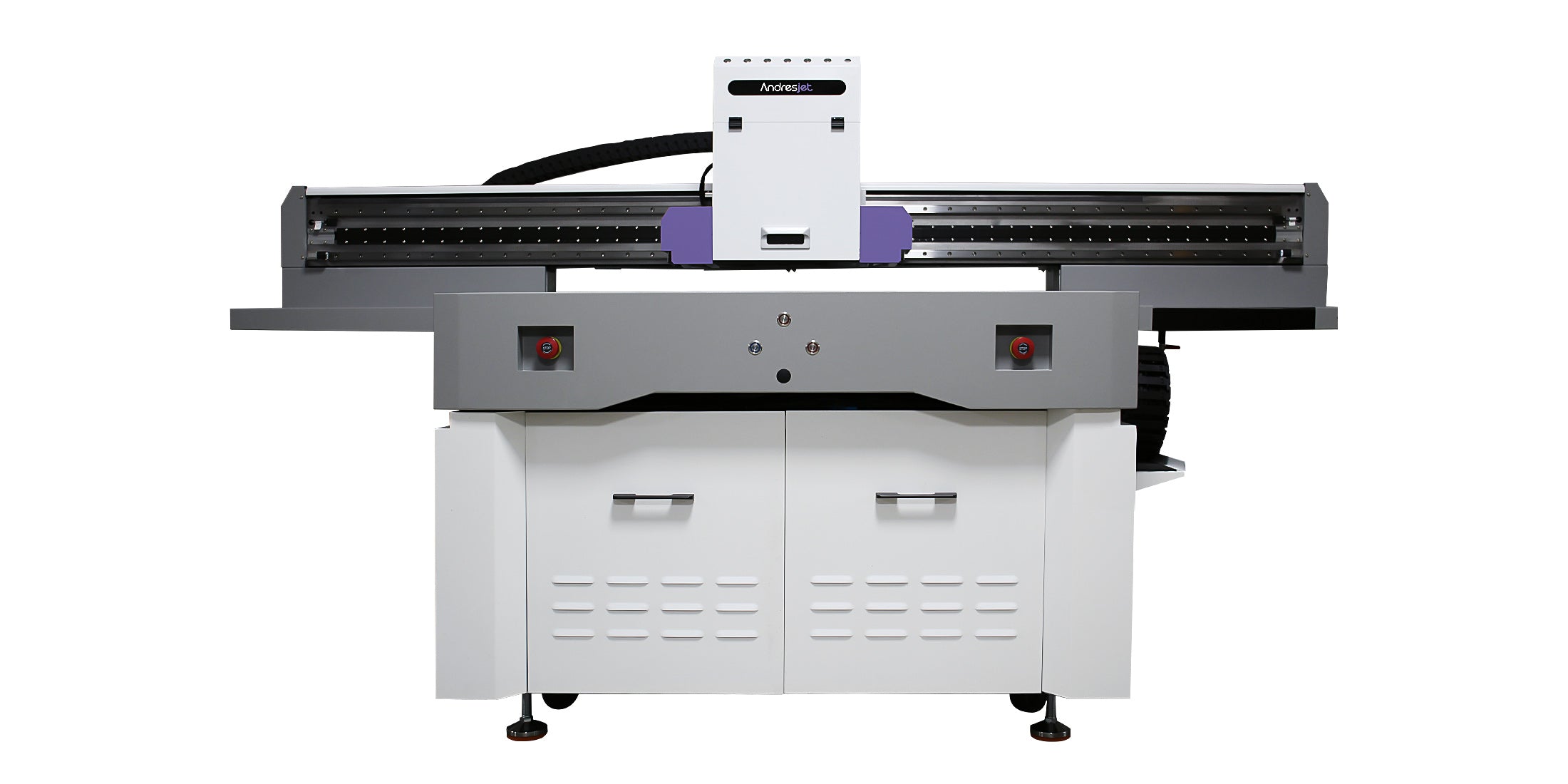
The AndresJet AJ1206 Small UV Flatbed Printer provides a 1200 × 600 mm printing area and supports CMYK, white and varnish configurations. It can handle compatible media from 0 to 35 mm thick, subject to testing and the machine’s loading limits.
Its optional wide-beam CCD scanning system is intended to support positioning for small custom items. This can make the model relevant to businesses producing gifts, promotional items, medals, coins, tags and other compatible flat products across mixed or changing artwork.
The AJ1206 should still be evaluated using the customer’s real product mix. A business producing repeated batches of one standard item may prioritize fixture efficiency, while a business receiving frequent one-off designs may place more value on flexible positioning and digital job organization.
A Practical Selection Checklist
Before requesting a recommendation, prepare the following information:
- Product photographs and dimensions
- Material type and surface finish
- Average order quantity
- Maximum expected order quantity
- Number of designs per typical order
- Whether individual personalization is required
- Required white-ink and varnish effects
- Expected production hours per day
- Available workshop space and power supply
- Target completion time for representative orders
This information allows the printer, positioning method and workflow to be evaluated together.
Final Recommendation
Order quantity determines how much work must be produced, but artwork variation determines how often the workflow changes. Both factors should be considered when selecting a compact UV printer.
For repeated batches, bed utilization and fixture efficiency may have the greatest impact. For mixed designs and personalization, file organization, visual positioning and changeover control may become more important than nominal print speed.
If your business handles changing products, short runs or personalized orders, review the available compact UV printers for small-business workflows. Send AndresJet your product dimensions, materials, artwork examples and expected order structure to discuss an appropriate sample test and production configuration.
Frequently Asked Questions
Does a larger order always require a larger UV printer?
No. Product dimensions, pieces per bed, artwork structure and required completion time are also important. A compact printer may handle batches of small products effectively, while large panels may require a larger-format machine even at lower quantities.
Why can personalized orders take longer than identical orders?
Personalized jobs require additional file preparation, matching and inspection. The printer may operate at the same physical setting, but the complete workflow contains more decisions and opportunities for error.
Are fixtures always better for batch production?
Fixtures are effective for repeatable products and established layouts. They may be less efficient when product shapes and dimensions change frequently because a different fixture or template may be needed.
Can CCD positioning replace every fixture?
Not necessarily. Visual positioning can improve flexibility, but some products still require mechanical support to prevent movement or maintain orientation. The appropriate method should be tested with the actual item.
What information should be provided before requesting a printer recommendation?
Provide product dimensions, materials, photographs, artwork examples, average order quantities, number of designs per order, required ink effects and expected production schedules.
Follow AndresJet:
Share:
Phone Case UV Printing Pre-Production Checklist
What Affects 360-Degree Bottle Printing Speed and Quality?