

- by John White
What Affects 360-Degree Bottle Printing Speed and Quality?
- by John White
Curved surfaces? Print straight onto bottles, tubes and cylinders — no labels needed.

A cylindrical UV printer may have a specified production speed, but the time required to print each bottle depends on more than the machine itself. Bottle diameter, print length, artwork coverage, white ink, varnish, resolution, surface preparation and fixture changeovers can all affect practical output.
This is why two bottle-printing jobs produced on the same machine may have very different cycle times and results. A simple logo on a white cylindrical bottle is not equivalent to a full 360-degree design printed with white ink and varnish on a dark tapered tumbler.
Businesses evaluating a digital cylinder printer should test representative products rather than relying on one speed figure for every application.
The complete production cycle includes much more than the time during which ink is deposited. A realistic calculation should include:
Printer speed should therefore be treated as one part of the workflow rather than the complete production rate.
In 360-degree printing, the printable circumference increases as the bottle diameter increases.
The approximate circumference can be calculated as:
Bottle circumference = bottle diameter × 3.1416
An 80 mm diameter bottle has a circumference of approximately 251 mm. A 160 mm diameter object has a circumference of approximately 503 mm. If both designs cover the complete circumference, the larger object requires the printer to cover approximately twice the horizontal artwork distance.
Diameter can also affect:
For this reason, a speed stated for one bottle diameter should not automatically be applied to bottles of every size.
Print length is the distance covered along the axis of the bottle. A small logo may use only part of the available printable length, while a full product decoration may extend across most of the container.
A longer printed area normally requires more printhead travel and greater ink coverage. It may also increase the effect of alignment errors, especially when text, borders or repeated patterns extend close to the edges of the product.
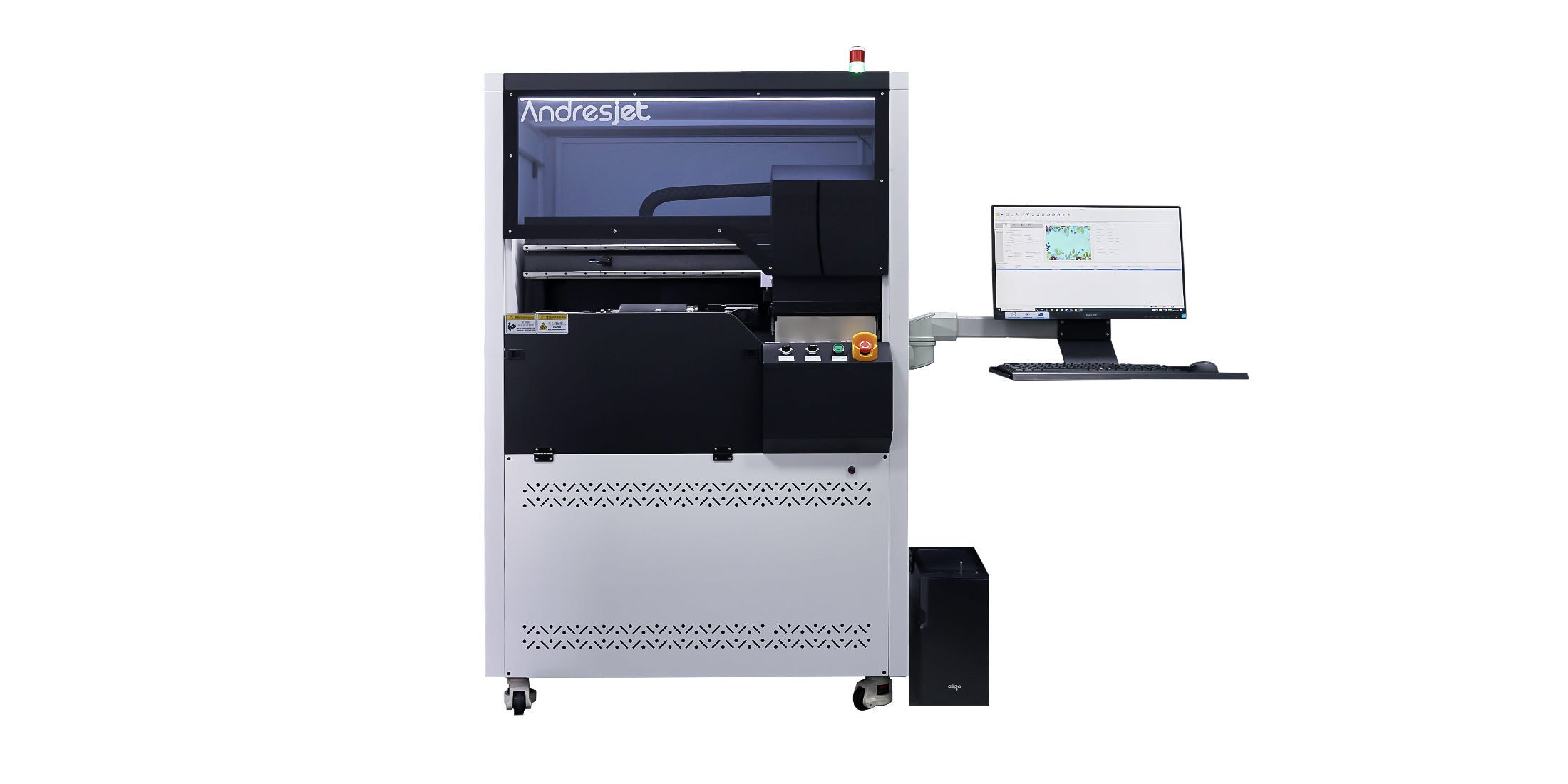
The AndresJet AJ360i supports print lengths from 40 to 270 mm. The actual usable design area must still be confirmed for the specific product shape, fixture and artwork.
Not every 360-degree job covers the complete available surface. Artwork can generally be divided into several categories:
| Artwork type | Typical coverage | Production consideration |
|---|---|---|
| Small logo | Limited area on one side | Lower coverage but position must be precise |
| Partial wrap | Part of the circumference | Artwork width and start position must be controlled |
| Full wrap | Nearly the entire circumference | Seam placement and rotational calibration become critical |
| Full-coverage decoration | Large circumference and print length | Higher ink use and potentially longer cycle time |
A simple logo should not be used as the only test when the intended business mainly produces full-wrap graphics.
White ink is often required when printing on transparent, colored or dark bottles. It may be used as a complete underbase or applied only beneath selected design elements.
Varnish may be added to create gloss, highlight specific areas or build a decorative raised effect. These additional ink layers can change both cycle time and ink consumption.
Separate expected orders into categories such as:
The official AJ360i specification lists CMYK, white and varnish capability. For planning purposes, test each required layer structure using the actual product and approved quality setting.
The AJ360i product information lists approximately 60 items per hour in production mode and approximately 40 items per hour in high-quality mode. These figures are reference points, and speed varies according to product size and print coverage.
Higher-quality settings may be needed for:
The fastest mode is not automatically the correct mode. Print quality should be approved at the intended viewing distance and under the lighting conditions in which the product will be used or sold.
The fixture holds the product during rotation. If the bottle slips, vibrates or is mounted off-center, print alignment can change during the job.
A suitable fixture should:
The AJ360i uses a pneumatic clamping system and provides standard fixtures for products within its standard diameter range. Products outside that range or objects with unusual necks, bases or internal shapes may require a different fixture.
Fixture changeover time must also be included in the daily output calculation. A factory printing one bottle model throughout a shift has a different workflow from a customization business changing between several products every hour.
A tapered product has different circumferences at its top and bottom. If flat rectangular artwork is applied without compensation, images and text may distort as the bottle rotates.
The AJ360i is designed for straight and tapered products and supports taper angles from 0 to 7 degrees. However, the exact bottle geometry should still be measured and tested.
Pay particular attention to:
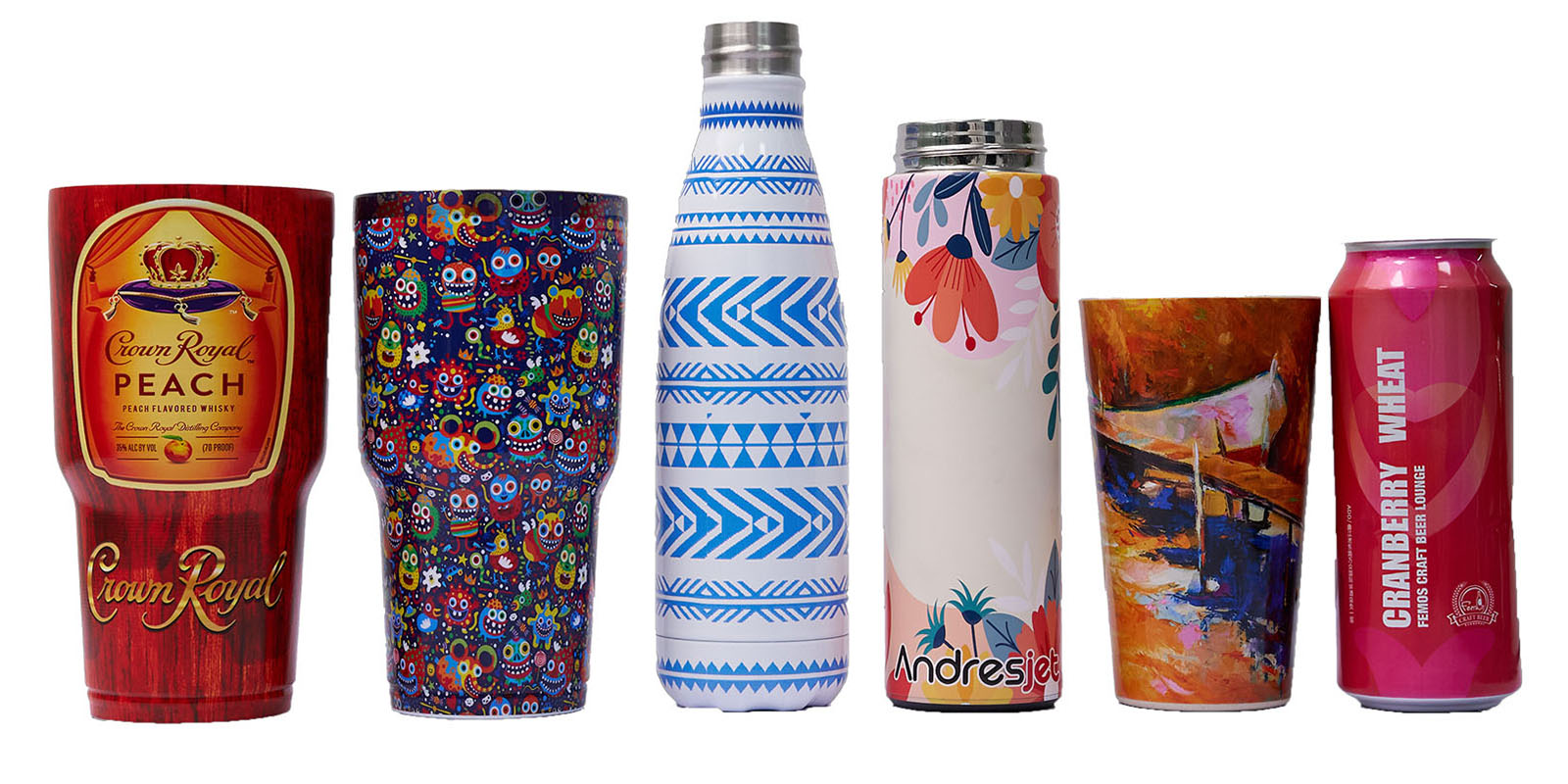
Bottles can be manufactured from glass, coated metal and different types of plastic. Products that look similar may still have different coatings, surface energies or release agents.
Before production:
Increasing UV curing energy cannot correct every adhesion problem. Excessive curing may also make some ink layers brittle. Material preparation, ink compatibility and curing settings must be evaluated together.
Full-wrap artwork must meet near the starting point after the product completes one rotation. A visible gap, overlap or misalignment may result from:
A test file containing alignment marks, circles, horizontal lines and a controlled seam area can help identify the cause before customer artwork is printed.
Calculate daily capacity using the complete cycle:
Approximate daily output = available production minutes ÷ average complete cycle time per product
The complete cycle should include:
Measure several consecutive cycles rather than timing only one ideal product. A longer test is more likely to reveal the real effect of operator handling and product variation.
Send the actual product whenever possible, together with:
Request a production-style sample rather than only a visually attractive demonstration. The sample should use the intended ink structure, coverage and quality mode.
Practical 360-degree bottle-printing speed is determined by the complete combination of product geometry, artwork coverage, ink layers, quality settings, fixtures and operator workflow.
The AndresJet AJ360i Digital Cylinder Printer supports straight and tapered products, CMYK, white and varnish printing, and multiple production modes. Its suitability should be confirmed using representative bottles and artwork.
Explore the AndresJet digital cylinder printer solution, or send your bottle samples, dimensions and artwork requirements to AndresJet for a fixture review and sample-print evaluation.
For the complete decision path, continue with the rotary uv printing technology guide.
Not always, but a larger diameter or longer printable area usually increases the surface that must be covered. Artwork coverage, ink layers and print mode must also be considered.
A full wrap requires accurate circumference measurement and seam alignment. Small rotational or scaling errors can create a visible gap or overlap.
White ink adds another layer to the workflow and may increase cycle time. The effect depends on coverage, printing sequence and the selected configuration.
No. Fixture compatibility depends on diameter, neck, base, internal opening, weight and shape. Unusual products may require a custom fixture.
Run several representative products through the complete workflow, including loading, printing, unloading, inspection and average changeover time.
Follow AndresJet:
