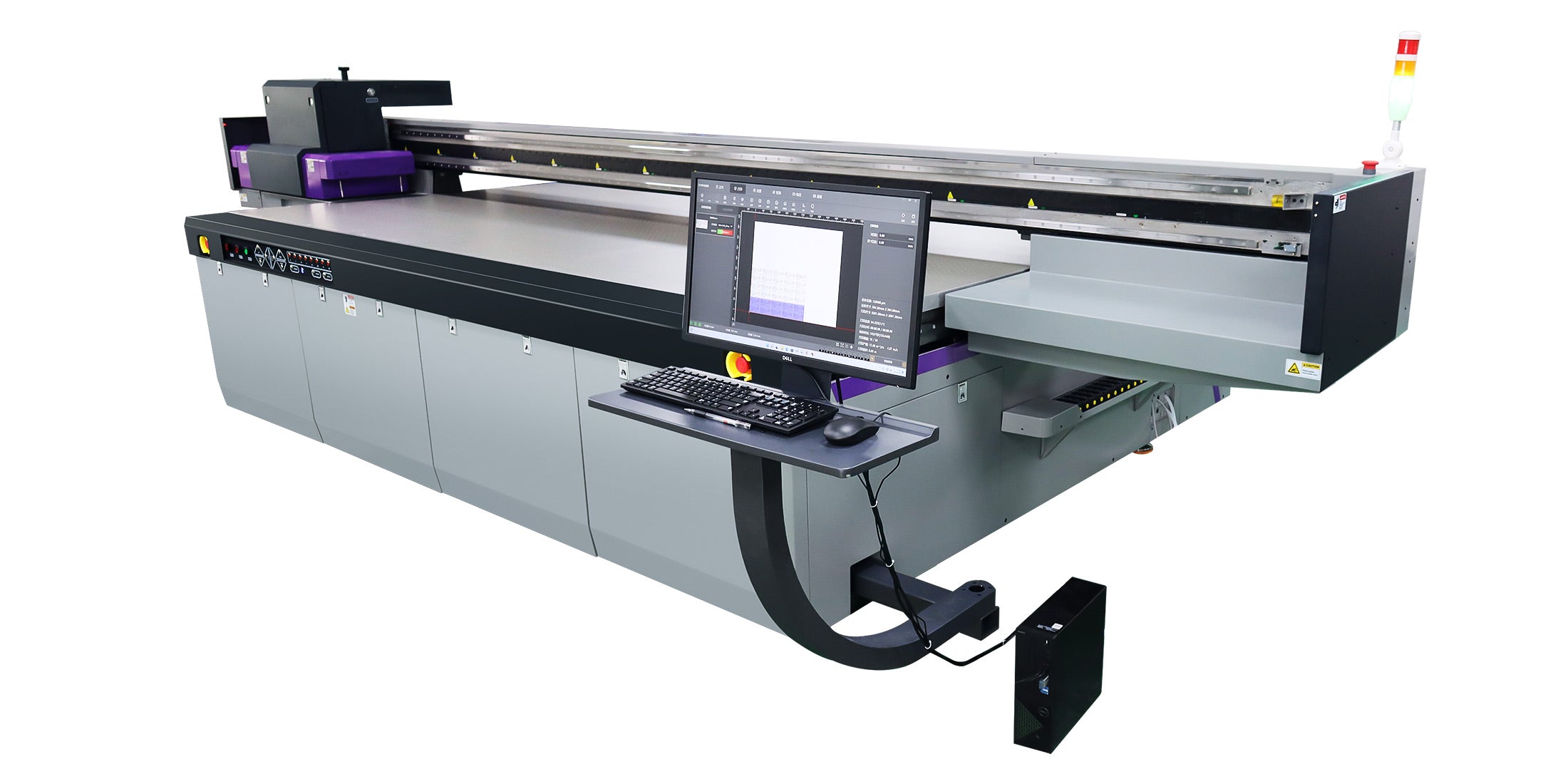
For B2B manufacturers and OEM partners, first-surface UV printing on acrylic applies ink directly to the front viewing side, while second-surface printing places ink on the rear so the image is viewed through the material. This choice affects durability, visual depth, substrate handling, and workflow in industrial UV flatbed production lines. AndresJet supports both approaches within Custom Digital Printing Solution workflows, helping factories select the right method for their application mix and After-Sale Service requirements.
What Are First-Surface and Second-Surface UV Printing on Acrylic?
First-surface printing deposits UV-curable ink on the front (viewer-facing) side of the acrylic sheet. Second-surface printing places the ink on the back, with the image viewed through the clear substrate from the opposite side.
In industrial UV flatbed printing, first-surface is common for opaque or colored acrylic where the print must sit on top for maximum color impact and straightforward workflow. Second-surface is preferred for clear or translucent acrylic, where viewing through the material adds depth, protects the ink layer, and can create a "framed" appearance without additional hardware. For B2B production lines, this decision influences substrate preparation, artwork setup, and quality testing.
How Does Viewing Direction Change With First-Surface vs. Second-Surface?
Viewing direction is the core difference: in first-surface printing, the ink is closest to the viewer; in second-surface printing, the acrylic sits between the viewer and the ink. This affects perceived sharpness, color vibrancy, and the sense of depth.
First-surface viewing: Ink on top produces bold, direct color with minimal optical diffusion. On clear acrylic, edges may show slight shadowing due to ink thickness, but the image appears crisp from the primary viewing angle.
Second-surface viewing: Viewing through the acrylic can soften fine detail slightly while increasing perceived depth and gloss. The substrate itself becomes part of the optical stack, enhancing premium aesthetics for architectural signage and high-end displays.
For large-format digital printing in factories, this means second-surface is often chosen when the sign will be wall-mounted with a clear front face, while first-surface is used where the print must be directly touched or where the substrate is not transparent.
Why Do B2B Factories Choose First-Surface UV Printing on Acrylic?
Factories often choose first-surface UV printing when speed, simplicity, and direct color control are priorities. It is well-suited to applications where the acrylic is opaque, back-painted, or where the print does not need to be protected by the substrate.
Key reasons include:
Simpler artwork workflow: No need to mirror the image; standard RIP output can be used directly.
Compatibility with non-transparent substrates: Ideal for colored, frosted, or laminated acrylic where second-surface viewing offers no benefit.
Easier inspection and touch-up: Operators can visually inspect ink placement and perform spot checks without flipping panels.
Faster setup for mixed-substrate lines: In high-mix production, first-surface reduces job-change complexity for acrylic alongside wood, metal, or ACP.
AndresJet's Custom Flatbed Printer configurations support first-surface workflows with white ink underbase options, enabling vibrant prints even on darker or semi-transparent acrylic when required by the application.
Why Do B2B Factories Choose Second-Surface UV Printing on Acrylic?
Second-surface UV printing is favored when durability, protection, and premium visual effects are critical. By printing on the back, the clear acrylic front face acts as a physical barrier against abrasion, cleaning chemicals, and UV exposure.
Common drivers for B2B adoption:
Enhanced durability: Ink is shielded by the substrate, reducing wear in high-traffic environments such as retail, hospitality, and public spaces.
Premium aesthetic: Viewing through acrylic adds depth and a "framed" look, often eliminating the need for additional framing hardware.
Backlit and light-diffusing applications: Second-surface pairs well with edge-lit or rear-lit installations where light passes through the printed layer.
Reduced risk of surface damage: The printed face is never the handling surface during installation or cleaning.
For OEM brand managers and plant managers, second-surface can lower long-term warranty claims and maintenance costs, especially in applications where panels are frequently cleaned or exposed to harsh environments.
How Should Artwork and RIP Settings Be Prepared for Each Method?
Artwork preparation differs significantly between first-surface and second-surface UV printing on acrylic. Incorrect setup leads to reversed text, misaligned layers, or reduced color fidelity.
First-Surface Artwork Workflow
Output artwork in normal orientation (non-mirrored).
Use white underbase beneath CMYK for clear or translucent acrylic to maintain color vibrancy.
Slightly "choke" the white layer (shrink by 1–2 pixels) to prevent white fringing at color edges.
For opaque acrylic, CMYK-only may suffice if the substrate is white or light-colored.
Second-Surface Artwork Workflow
Mirror (flip horizontally) the entire design so it reads correctly when viewed through the acrylic.
Print order is typically CMYK first, then white backing last, so the white appears behind the colors from the viewer's perspective.
Confirm with the RIP that white ink is set as a flood or backing layer, not as a top layer.
Validate orientation with a small test print before full production to avoid costly substrate waste.
In AndresJet's Custom Digital Printing Solution engagements, application engineers often build RIP templates for both methods, ensuring operators can switch between first- and second-surface jobs with minimal setup risk.
Which Method Offers Better Durability and Protection for Industrial Applications?
Second-surface UV printing generally provides superior durability and protection in industrial and commercial applications. Because the ink is behind the acrylic, it is shielded from direct abrasion, cleaning solvents, and environmental exposure.
Abrasion resistance: Second-surface prints benefit from the acrylic's inherent hardness protecting the ink. First-surface prints are more exposed and may require additional varnish or protective coatings in high-wear applications.
Chemical resistance: Cleaning agents contact the acrylic surface, not the ink, reducing the risk of ink degradation over time.
UV and lightfastness: The substrate can filter some UV energy before it reaches the ink, potentially improving long-term color stability in sun-exposed installations.
For B2B buyers evaluating total cost of ownership, second-surface can reduce long-term maintenance and replacement frequency, especially in high-traffic architectural and retail environments.
How Do Substrate Thickness and Clarity Affect First-Surface vs. Second-Surface Results?
Substrate thickness and clarity directly influence image quality, perceived depth, and color shift in both methods.
Thickness: Thicker acrylic (e.g., 5–10 mm / 0.2–0.4 in) enhances the depth effect in second-surface printing but may slightly soften fine detail due to light refraction. First-surface is less affected by thickness but may show edge shadows more prominently on thick clear panels.
Clarity and tint: High-clarity, low-iron acrylic preserves color accuracy for second-surface viewing. Any green or blue tint in lower-grade acrylic will shift perceived color, especially in large solid areas.
Surface finish: Glossy acrylic enhances depth and vibrancy in second-surface; matte or textured finishes diffuse light and may reduce the "premium" effect.
For procurement engineers, specifying acrylic grade and thickness as part of the Custom Flatbed Printer specification checklist ensures consistent results across production batches.
What Are the Key Production and Quality-Control Considerations for Each Method?
Production planning and quality control differ between first- and second-surface workflows in industrial UV flatbed environments.
First-Surface Production Considerations
Easier visual inspection during and after printing.
Less risk of orientation errors; standard RIP output applies.
May require additional varnish or protective overcoat for high-wear applications.
Second-Surface Production Considerations
Mandatory artwork mirroring and layer-order validation.
Requires careful handling to avoid scratching the front (viewing) surface during loading and unloading.
Adhesion testing should be performed on the actual back surface, which may differ from the front due to protective films or coatings.
AndresJet's Design and Manufacture support includes helping factories define acceptance testing protocols for both methods, including adhesion checks, visual inspection criteria, and packaging guidelines to prevent surface damage before installation.
How Do LED-UV Curing and Ink Choices Impact First-Surface vs. Second-Surface Printing?
LED-UV curing and ink formulation affect adhesion, durability, and optical performance differently depending on the printing method.
Curing energy: Both methods rely on proper LED-UV dose to ensure full cure. Under-curing can lead to poor adhesion or blocking in stacked panels, especially in second-surface where the ink is enclosed.
White ink performance: In second-surface, white ink acts as a backing layer and must be opaque enough to prevent substrate show-through. In first-surface, white underbase improves color vibrancy on clear or dark acrylic.
Varnish and effects: First-surface more easily accommodates raised varnish, texture, or embossed effects because they sit on the outer surface. Second-surface varnish is less common and must be compatible with the substrate's back-face treatment.
For B2B production lines, LED-UV wavelength (e.g., 385–405 nm) and ink chemistry should be validated with the substrate supplier to ensure consistent cure and adhesion across batches.
How Should B2B Buyers Plan a Custom Flatbed Printer Specification for Acrylic Work?
When specifying a Custom Flatbed Printer for acrylic-first or acrylic-dominant production, buyers should consider more than nominal speed. Key factors include vacuum table design, print-head height adjustment, white ink capability, and RIP features for second-surface workflows.
Planning Item
First-Surface Focus
Second-Surface Focus
Artwork & RIP
Standard orientation; white underbase optional
Mirrored artwork; CMYK then white backing
Substrate Handling
Standard vacuum hold-down; film removal before print
Careful handling to protect front face; film strategy
Print-Head Setup
Standard height; direct ink-on-surface
Same, but validate adhesion on back surface
Quality Control
Visual inspection from front; scratch tests
Orientation checks; back-surface adhesion tests
After-Sale Service
Nozzle health, head alignment, white ink maintenance
Same, plus artwork template support and training
AndresJet's Custom Digital Printing Solution process includes requirement scoping sessions to align machine configuration, substrate mix, and operator training with the intended first- or second-surface workflow.
AndresJet Expert Views
"In acrylic projects, the choice between first-surface and second-surface is less about which is 'better' and more about matching the method to the application's risk profile and aesthetic goals. For high-traffic architectural signage, we often recommend second-surface because the substrate itself becomes the protective layer, reducing long-term warranty exposure. For decorative panels where texture or special effects are key, first-surface gives more flexibility. In both cases, we advise customers to validate adhesion on the exact surface to be printed, confirm artwork orientation with a small test run, and plan After-Sale Service around operator training and spare parts—because consistent results depend more on disciplined workflow than on nominal print speed." – AndresJet Application Engineering Team
Conclusion
For B2B manufacturers and OEM partners, first-surface and second-surface UV printing on acrylic serve different production and performance goals. First-surface offers simpler workflow and direct color control, while second-surface provides enhanced durability and premium depth by viewing through the substrate.
Key takeaways for procurement engineers and plant managers:
Define viewing direction and durability requirements before selecting the method.
Prepare artwork correctly: normal orientation for first-surface, mirrored with CMYK-then-white for second-surface.
Validate adhesion and curing on the actual surface to be printed.
Plan Custom Flatbed Printer specifications around substrate handling, white ink, and RIP capabilities.
Include After-Sale Service and operator training in total cost of ownership models.
Before committing to a Custom Digital Printing Solution, ask potential UV printer Manufacturers about their experience with acrylic substrate testing, second-surface artwork templates, and commissioning support for mixed first- and second-surface lines. AndresJet can assist with Design and Manufacture consultation, factory evaluation, and long-term lifecycle support for B2B acrylic printing applications.
What is the main visual difference between first-surface and second-surface UV printing on acrylic? First-surface printing places ink on the front viewing side, producing bold, direct color. Second-surface printing puts ink on the back, so the image is viewed through the acrylic, adding depth and a premium, "framed" appearance while protecting the ink layer.
Which method is more durable for high-traffic commercial installations? Second-surface UV printing is generally more durable because the acrylic front face shields the ink from abrasion, cleaning chemicals, and UV exposure. This makes it suitable for retail, hospitality, and architectural signage where panels are frequently cleaned or touched.
Do I need to mirror my artwork for second-surface UV printing on acrylic? Yes. For second-surface printing, artwork must be mirrored horizontally so that text and graphics read correctly when viewed through the acrylic from the front. White ink is typically printed last as a backing layer behind the colors.
Can the same UV flatbed printer handle both first-surface and second-surface acrylic jobs? Yes. Most industrial UV flatbed printers can handle both methods. The key differences are in artwork setup, substrate handling, and quality control. AndresJet supports both workflows within its Custom Digital Printing Solution engagements, including RIP templates and operator training.
How should I evaluate a UV printer Manufacturer for acrylic printing projects? Ask about their experience with acrylic substrate testing, second-surface artwork support, LED-UV curing validation, and After-Sale Service scope. Request references for similar applications and confirm that their commissioning process includes adhesion and orientation checks for both first- and second-surface workflows.