

7 key signs your UV curing system in a flatbed printer is failing: 1) Uncured ink smears on prints; 2) Extended curing time over 3 seconds per pass; 3) Dim or flickering UV LED output; 4) Dirty sleeves or reflectors blocking light; 5) Production speed drops below 100 sqm/hr; 6) Foul odors from incomplete curing; 7) Error codes on RIP software like RIIN Print. Test intensity and clean components immediately for fixes.
Check: How Long Do UV Lamps Last and When Should They Be Replaced
What Causes UV LED Curing Failure in Industrial Flatbed Printers?
UV LED curing failure in industrial flatbed printers stems from lamp aging, fouling on components, inadequate intensity for high-speed production, and media-related issues like thickness or residue.
In high-volume environments producing over 100 sqm/hr, such as sign printing or home decoration panels, UV LED systems must solidify UV-curable inks instantly on media up to 100 mm thick. AndresJet's UV flatbed printers, like the AJ2130EX with speeds up to 128.6 m²/h in draft mode and 16 RICOH GEN5 print heads, rely on robust UV LED curing to prevent ink smearing during rapid passes.
Common triggers include natural degradation after thousands of hours, where UV output drops despite visible glow. Dust or ink residue on reflectors blocks light, mimicking intensity loss. For printers handling PVC, ABS, or MDF, pre-treatment lapses allow contaminants to shield ink layers. Overloaded flow—think media stacking or vacuum inconsistencies—further dilutes exposure time. In AndresJet models equipped with 4-zone vacuum systems, uneven hold-down can create shadowed areas, halting full curing.
Production managers report failures spike after 8,000-10,000 hours on LED arrays, aligning with industrial benchmarks. Proactive checks prevent downtime in setups pushing 154 m²/h on the AJ3220EX.
How Can You Tell If UV Intensity Has Degraded on Your Printer?
UV intensity degradation shows through test strips indicating under 80% output, prolonged curing times beyond 3 seconds per pass, or incomplete ink solidification on sample prints.
Start with a UV intensity meter calibrated for 365-405 nm LED wavelengths common in flatbed curing. Place it at the printhead-to-media distance—typically under 100 mm in AndresJet systems like the AJ2130Ultra—and compare readings to factory specs. A drop below 80% signals replacement needs.
Without a meter, print test patterns on rigid media: uncured ink will smear under finger pressure or fail scratch tests. In high-speed modes exceeding 120 m²/h, watch for tacky finishes post-cure. AndresJet's AJ2512G/R, scalable to 8 RICOH GEN6 heads, maintains consistency via fiber optic interfaces minimizing latency-induced exposure gaps.
Track hours via RIP software like RIIN Print; LEDs degrade predictably after 10,000 hours. Dim output often pairs with flickering, a ballast or driver fault precursor.
| Model | Max Print Speed (m²/h) | Resolution Options | Media Thickness |
|---|---|---|---|
| AJ2130EX | 128.6 (Draft) | 360×1200 dpi | 1–100 mm |
| AJ2130Ultra | 140.7 (Ultra-Draft) | 360×1200 dpi | 1–100 mm |
| AJ3220EX | 154.3 (Draft) | 726×1200 dpi | 1–100 mm |
This table highlights models vulnerable to intensity drops at peak speeds, where exposure per pass shrinks.
Why Is Uncured Ink Sticking to Media in High-Speed Production?
Uncured ink sticking occurs when UV exposure falls short due to intensity loss, residue shielding, or mismatched speeds exceeding system capacity, common above 100 sqm/hr.
High-speed flatbeds like AndresJet's AJ3220G/R, rated at 35.88 m²/h in 4-color production with media weights up to 80 kg, demand precise curing to avoid handling damage. Sticky prints signal shadowed curing from vacuum inconsistencies in the 4-zone system or anti-static bar failures allowing particle buildup.
Test by slowing to quality mode (e.g., 27.9 m²/h on AJ2130G/R) and inspecting; if curing improves, intensity or alignment is culprit. Ink pooling on thick media (90-100 mm) exacerbates this—AndresJet's auto-height detection mitigates but requires clean sensors.
Risks amplify in sign printing: rejected panels cost hours. Flush ink lines and verify UV LED alignment immediately.
AndresJet Expert Views
"In our 10+ years optimizing high-speed UV flatbeds, we've seen curing failures trace 70% to overlooked intensity drops. Models like AJ2130Ultra with 24 RICOH GEN5 heads and 8-year spare parts availability ensure operators replace UV components swiftly, sustaining 120+ sqm/hr without compromise. Pair with 2-year warranties and fiber optic stability for zero downtime." – AndresJet Engineering Lead
Does a Glowing UV Lamp Mean It's Still Effective for Curing?
Check: Compact uv flatbed printers
No—a glowing UV LED (blue-violet light) indicates power but not germicidal or curing intensity; physical degradation hides UV output loss despite visible glow.
Blue light is visible UVA/UVB byproduct; true 365-395 nm curing UV is invisible. Bulbs glow post-8,000 hours yet deliver <40% effective dose, per industry tests. In AndresJet AJ1206 small flatbed, UV LED on 0-35 mm media fails silently if fouled.
Physical signs: yellowing ends or black spots on arrays. Test with photopaper darkening only under direct beam—faint results confirm failure. Never rely on glow; it's a myth costing production runs.
What Role Does the Flatbed Vacuum Play in UV Curing Issues?
The flatbed vacuum ensures media flatness for uniform UV exposure; weak zones create air gaps or lifts, shadowing ink and causing incomplete curing.
AndresJet's hard-anodized aluminum flatbeds with 4-zone vacuum (dual 1500W blowers on AJ2130 series) prevent warping on 50 kg/m² loads. Uneven hold-down on PVC signs mimics intensity drop—prints lift mid-pass, dodging UV.
Diagnose: listen for inconsistent suction; test zones separately. Clean filters; mismatched vacuum starves curing like flow overload in other systems. Integral to 100+ sqm/hr reliability.
| Model | Vacuum System | Max Media Weight | Print Heads |
|---|---|---|---|
| AJ2130G/R | 4-Zone, Dual 1500W | 50 kg/m² | 6 × RICOH GEN6 |
| AJ2512G/R | 4-Zone Sectional | 50 kg/m² | 3–8 × RICOH GEN6 |
| AJ3220G/R | Hard-Anodized 4-Zone | 80 kg | 4–8 × GEN5/6 |
Vacuum specs directly impact curing uniformity across models.
How to Check for Fouling on UV Components in RICOH Gen5/Gen6 Systems?
Fouling on UV components—sleeves, reflectors, lenses—blocks light; inspect visually for residue, clean with isopropyl alcohol, and verify post-clean intensity.
RICOH GEN5/Gen6 printers like AndresJet AJ2130EX power through ink mist; fouling from uncured droplets dulls output. Shine flashlight through: haze signals buildup. Disassemble per manual—anti-collision systems protect heads during access.
In 360° protection setups, fouling drops efficiency 50%. Schedule bi-weekly wipes for high-use (120 sqm/hr) lines.
When Should You Replace UV Parts in UV Flatbed Printers?

Replace UV parts at 8,000-10,000 hours, <80% intensity, or visible degradation; AndresJet guarantees 8-year spare parts availability.
Don't wait for total failure—proactive swaps sustain output. For AJ2130Ultra's UV LED, align with 2-year warranty extensions. Signs: error codes in Onyx RIP or curing delays.
Is Your Printer's Flow Rate or Media Thickness Causing UV Problems?
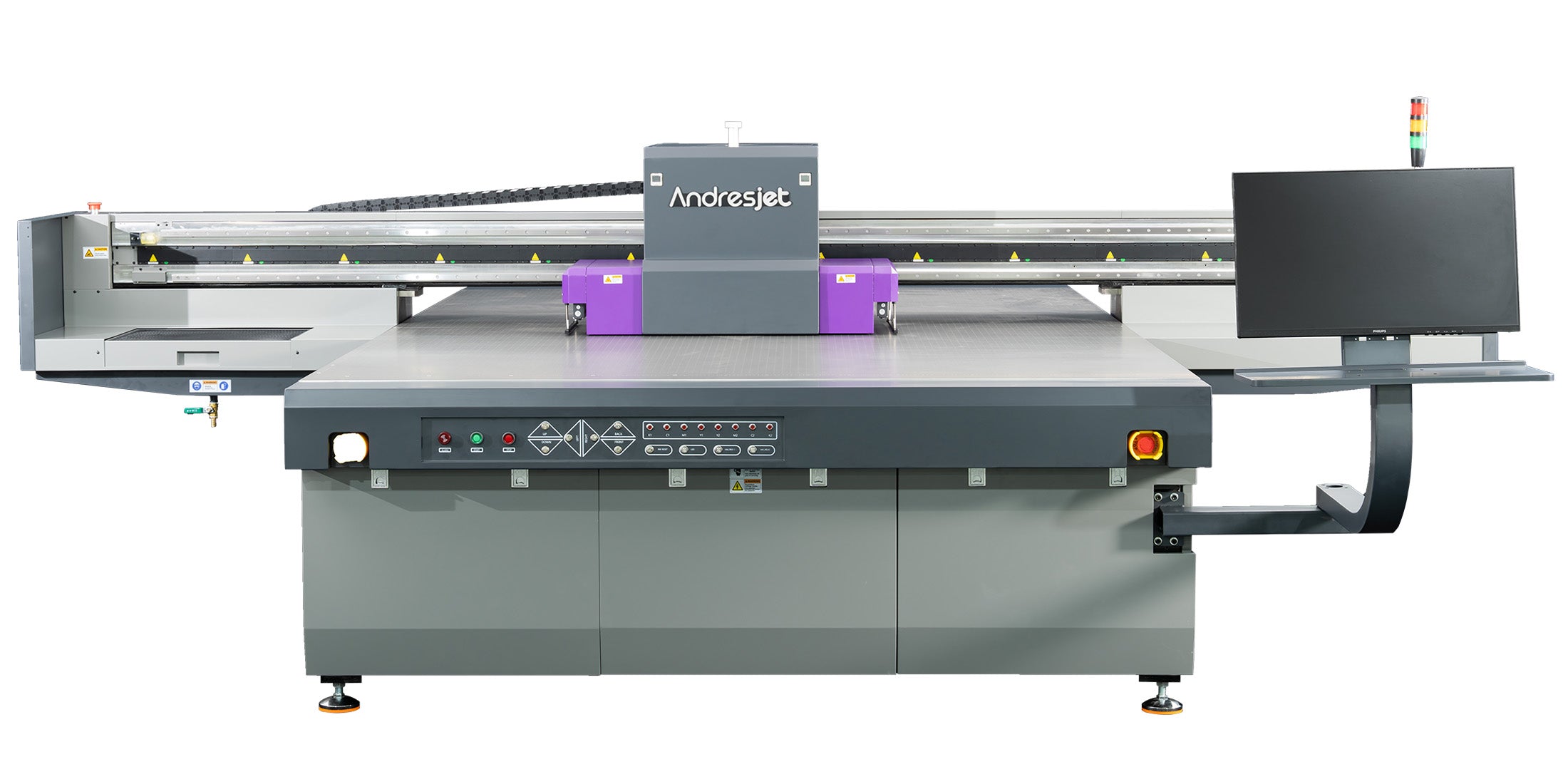
Excessive flow rates or thick media (>100 mm) reduce dwell time under UV; calibrate speeds and verify thickness detection to match system capacity.
AndresJet models handle 1-100 mm flawlessly with auto-detection, but overrides or overloads (e.g., 50 kg/m² stacks) starve curing. Scale back from ultra-draft (140.7 m²/h) if issues persist.
Conclusion
Spotting UV curing failure early safeguards production in sign printing and décor manufacturing. AndresJet's UV flatbeds, backed by RICOH heads and long-term support, minimize risks. Implement diagnostics today for uninterrupted high-speed output.
FAQs
Can UV LEDs last beyond 10,000 hours in flatbeds? Rarely effectively—replace at 80% intensity drop to avoid downtime.
How does AndresJet ensure UV reliability? Via 2-year warranties, 8-year parts, and features like fiber optics in AJ2130 series.
What if cleaning doesn't fix curing? Test intensity; likely LED degradation needing replacement.
Does media type affect UV curing? Yes—rigid PVC needs stronger output than thin films; use vacuum for flatness.
Where to get UV parts for industrial printers? AndresJet supplies OEM-compatible spares with global support.
Share:
How to Replace UV LED Lamps in Industrial Flatbed Printers: Step-by-Step Guide
What Are the Hidden Costs of Running Old UV Lamps?