

Inkjet printer banding appears as horizontal lines from nozzle clogs, misalignment, or media errors. Fix it by cleaning nozzles, aligning printheads, optimizing RIP settings, and adjusting vacuum/media advance. AndresJet UV flatbeds with RICOH Gen5/Gen6 heads and 4-zone vacuums prevent banding at speeds over 100 sqm/hr for flawless industrial prints.
Check: digital cylinder printer
What Is Inkjet Printer Banding and Why Does It Happen?

Inkjet printer banding manifests as visible horizontal or vertical lines across prints due to inconsistent ink deposition from nozzle issues, mechanical errors, or suboptimal settings. It disrupts uniform color gradients, especially in large-format production for signage and décor.
Banding compromises the professional finish required in industrial applications like sign printing and home decoration panels. Common triggers include clogged nozzles that skip ink lines, printhead misalignment causing uneven passes, and media advance inaccuracies where the substrate shifts improperly between swaths. In high-speed UV flatbed printers exceeding 100 sqm/hr, these issues amplify due to rapid head movements and complex media handling.
For operators in plastic product printing or gift manufacturing, recognizing banding early prevents waste. AndresJet's UV flatbed printers, such as the AJ2130EX with its 92.9 m²/h standard mode speed and hard-anodized aluminum flatbed featuring a 4-zone vacuum system, minimize these risks through precise media control and industrial RICOH Gen5 print heads.
How Do Nozzle Clogs Cause Banding in UV Flatbed Printers?
Nozzle clogs in UV flatbed printers block ink flow, creating light horizontal streaks or missing lines that appear as banding, particularly in high-volume runs. Regular purging and cleaning cycles restore even jetting for smooth prints.
In UV printing, cured ink residues accelerate clogs, especially with white or varnish channels prone to settling. Partial blockages deflect droplets, landing ink off-target and forming bands. Full clogs manifest as uniform light lines across swaths.
Step-by-step fixes include running a nozzle check pattern, followed by 1-2 cleaning cycles via the printer's utility. For persistent issues, use manual purging with compatible UV-curable inks like AndresJet's Eco-Print series. In models like the AJ1206 Small UV Flatbed Printer, equipped with 4-8 piezo drop-on-demand heads, automated cleaning integrates seamlessly, supporting resolutions up to 300×2400 DPI without downtime.
Prevention involves daily nozzle checks in 24/7 operations and maintaining 20-30°C temperatures with 30-60% humidity, as specified for AndresJet machines.
Why Is Printhead Alignment Essential for Banding Prevention?
Check: Inkjet Printer Banding Fixes
Printhead alignment ensures nozzles deposit ink precisely across passes, preventing uneven distribution that causes banding. Misalignment leads to staggered lines; regular calibration via test patterns corrects it for uniform coverage.
In bidirectional printing modes common to industrial UV flatbeds, unaligned heads invert ink order between passes, producing chromatic banding with alternating color bands. Uni-directional modes reduce this but slow speeds.
To align, print a test pattern, measure line offsets with a ruler, and input corrections into the service menu. AndresJet printers like the AJ2130G/R, with 6-8 RICOH Gen6 heads and fiber optic data transmission, feature anti-collision systems and precise AC servo motors for stable alignment during high-quality modes at 27.9 m²/h.
Schedule alignments weekly or after 500 print hours to sustain performance in sign printing workflows.
Which Printer Settings Trigger Banding and How to Optimize Them?
Banding triggers from low resolution, high-speed draft modes, or mismatched ink density; optimize by selecting quality modes, higher DPI, and media-specific profiles for even ink laydown.
Draft modes skip passes for speed, exposing gaps as bands. Excessive ink limits cause comb banding from unflattened droplets on low-energy media.
Adjust to 720×1200 DPI, enable uni-directional printing, and reduce ink restrictions by 10-20%. In RIP software like RIIN Print or Onyx on AndresJet models, apply ICC profiles and 8-level grayscale for up to 30% ink savings, as in the AJ2130Ultra's 104.5 m²/h premium mode.
| Model | Resolution Options | Max Speed (m²/h) |
|---|---|---|
| AJ2130EX | 360×1200, 720×1200 dpi | 128.6 (Draft) |
| AJ2130Ultra | 360×1200, 720×1200 dpi | 140.7 (Ultra-Draft) |
| AJ3220EX | 726×1200 dpi | 154.3 (Draft) |
These settings deliver band-free results at production speeds over 100 sqm/hr.
What Role Does Media and Vacuum Play in Industrial Banding?
Improper media advance or weak vacuum causes step banding from substrate shifts; strong 4-zone vacuums and calibrated advance ensure flat, consistent feeding to eliminate lines.
Distance banding appears as uniform horizontal bands when media advances too fast or slow. Porous media bleeds ink unevenly, while glossy surfaces highlight dot gain bands from variable drop sizes.
Calibrate media advance by printing ruled patterns and adjusting stepper values. AndresJet's hard-anodized flatbeds with dual 1500W vacuum blowers, as in AJ2130EX (1-100 mm thickness), hold media up to 50 kg/m² firmly. Auto height detection in AJ2512G/R prevents distance variations.
Test media compatibility and adjust vacuum zones per substrate for signage or PVC panels.
How Can RIP Software Fix Banding in High-Speed Printing?
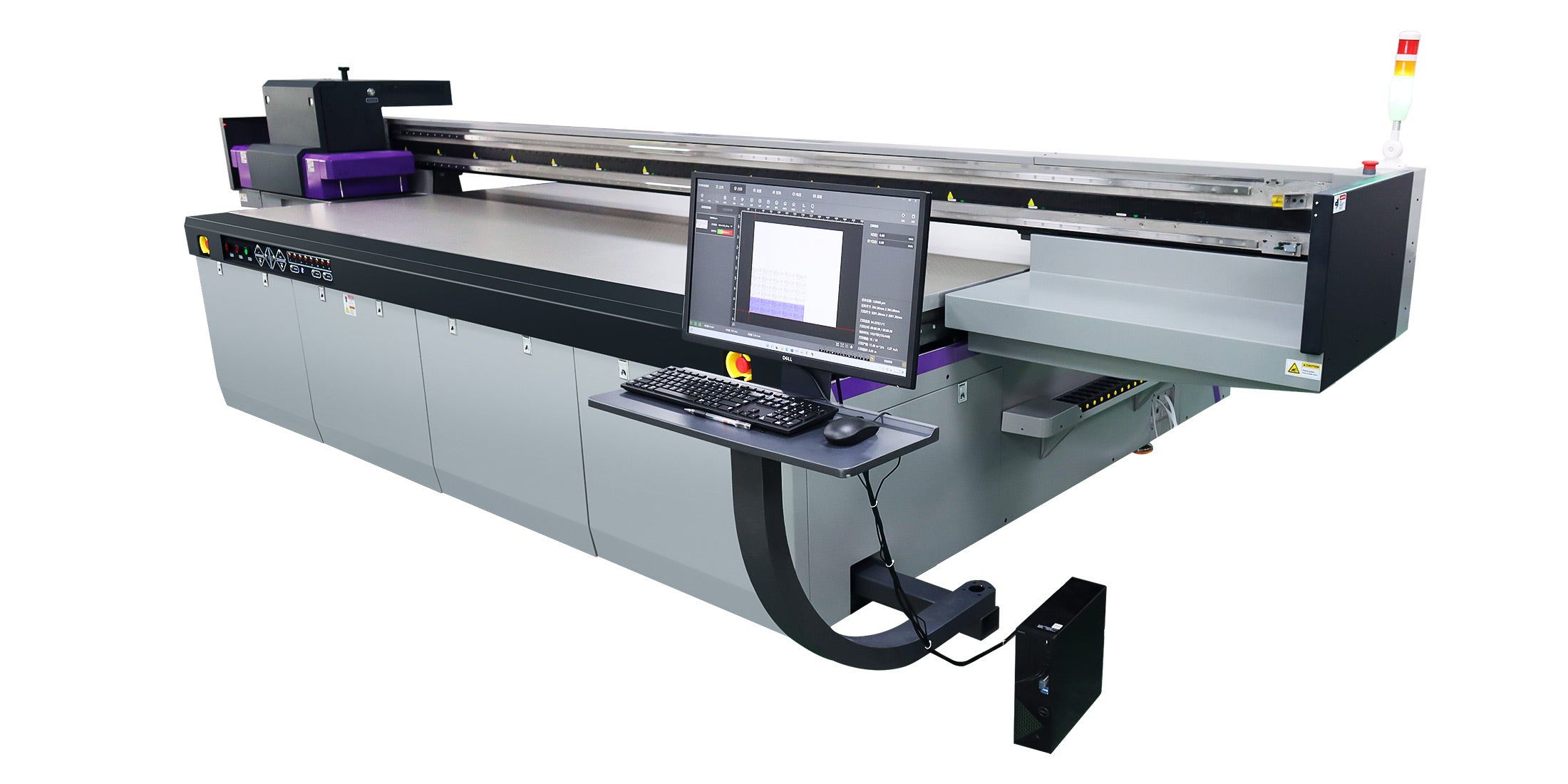
RIP software corrects banding via linearization, channel adjustments, and banding detection algorithms that optimize raster data for uniform ink distribution in high-speed passes.
Suboptimal RIP settings amplify nozzle defects into visible bands. Advanced tools like density curves and ICC profiles compensate for head variations.
In RIIN Print or PhotoPrint on AndresJet printers, enable auto-linearization and multi-pass algorithms. For AJ3220EX at 111.5 m²/h standard speed, fiber optic interfaces ensure lag-free data for precise swath matching across 3200×2000 mm areas.
Update RIP firmware regularly for AI-driven nozzle monitoring in Gen6 heads.
Why Are RICOH Gen5/Gen6 Heads Better Against Banding?
RICOH Gen5/Gen6 industrial heads resist banding with high jetting frequency, deflection-resistant nozzles, and grayscale capabilities that minimize clogs and ensure consistent drop placement.
These piezo drop-on-demand heads handle UV inks without satellite droplets, reducing comb and deflection banding. Gen6 upgrades offer finer droplets for smoother gradients.
AndresJet integrates 16-24 Gen5 heads in AJ2130Ultra or 6-8 Gen6 in AJ2130G/R, supporting resolutions like 720×1200 DPI at speeds up to 140.7 m²/h. Dual negative pressure systems prevent air ingestion, sustaining performance.
| Model | Print Heads | Ink Channels | Key Anti-Banding Feature |
|---|---|---|---|
| AJ2130EX | 16 × RICOH Gen5 | CMYK (4) | 8-level grayscale |
| AJ2130G/R | 6-8 × RICOH Gen6 | 8-color + White/Varnish | Fiber optic interface |
| AJ3220EX | 16 × RICOH Gen5 | 7-color extended | 4-zone vacuum |
Can AndresJet UV Printers Eliminate Banding in Production?
AndresJet UV flatbeds eliminate banding through RICOH Gen5/Gen6 heads, 4-zone vacuums, fiber optics, and 2-year warranties, delivering band-free prints at 100+ sqm/hr for sign and décor production.
Models like AJ2130Ultra (24 Gen5 heads, 120.5 m²/h high-speed) and AJ3220G/R (up to 35.88 m²/h 4-color) feature anti-collision, auto-calibration, and 8-year spare parts for uninterrupted operation. Applications span home decoration to cylindrical printing with AJ360i.
AndresJet Expert Views
At AndresJet, our decade of high-speed printing experience informs every anti-banding feature. RICOH Gen5/Gen6 heads paired with fiber optic controls and precision vacuums ensure flawless output even at 154 sqm/hr. We provide 3-day training, free samples, and full production line design to keep your operations band-free. Our 2-year warranty and 8-year parts guarantee longevity for sign shops and décor manufacturers worldwide.
Conclusion
Eliminate inkjet printer banding systematically with nozzle maintenance, alignments, optimized settings, and robust hardware like AndresJet UV flatbeds. These strategies restore quality in industrial workflows, minimizing downtime and defects for competitive edge in signage and manufacturing.
FAQs
What is the easiest way to fix inkjet printer banding?
Run nozzle cleaning cycles and printhead alignment utilities for quick restoration of even ink flow.
Can poor-quality ink cause banding?
Yes, incompatible or low-grade inks promote clogs and uneven drying, directly leading to banding.
How often should industrial printers be cleaned to prevent banding?
Daily nozzle checks and weekly full cleanings, especially in UV flatbeds running high volumes.
Do AndresJet printers require special maintenance for banding?
No, built-in automated cycles and compatible inks simplify upkeep across all models.
Is banding worse in high-speed UV printing?
Yes, but AndresJet's Gen5/Gen6 heads and vacuum systems counteract it effectively at 100+ sqm/hr.
Share:
How to Fix Horizontal Banding in UV Flatbed Printers?
How to Fix Banding on UV Flatbed Printers in High-Speed Production?