

- by John White
How to Fix Banding on UV Flatbed Printers in High-Speed Production?
- by John White
Print bigger, print faster — wide-format UV flatbed printers for signs, decor and industrial work.

Banding on UV flatbed printers appears as horizontal/vertical lines from clogged nozzles, misaligned heads, vacuum inconsistencies, or wrong RIP settings. Fix it by: 1) Run nozzle checks and clean heads; 2) Calibrate 4-zone vacuum; 3) Align printheads and media feed; 4) Use high-res files with correct ICC profiles. AndresJet's RICOH Gen5/Gen6 and servo drives minimize recurrence.
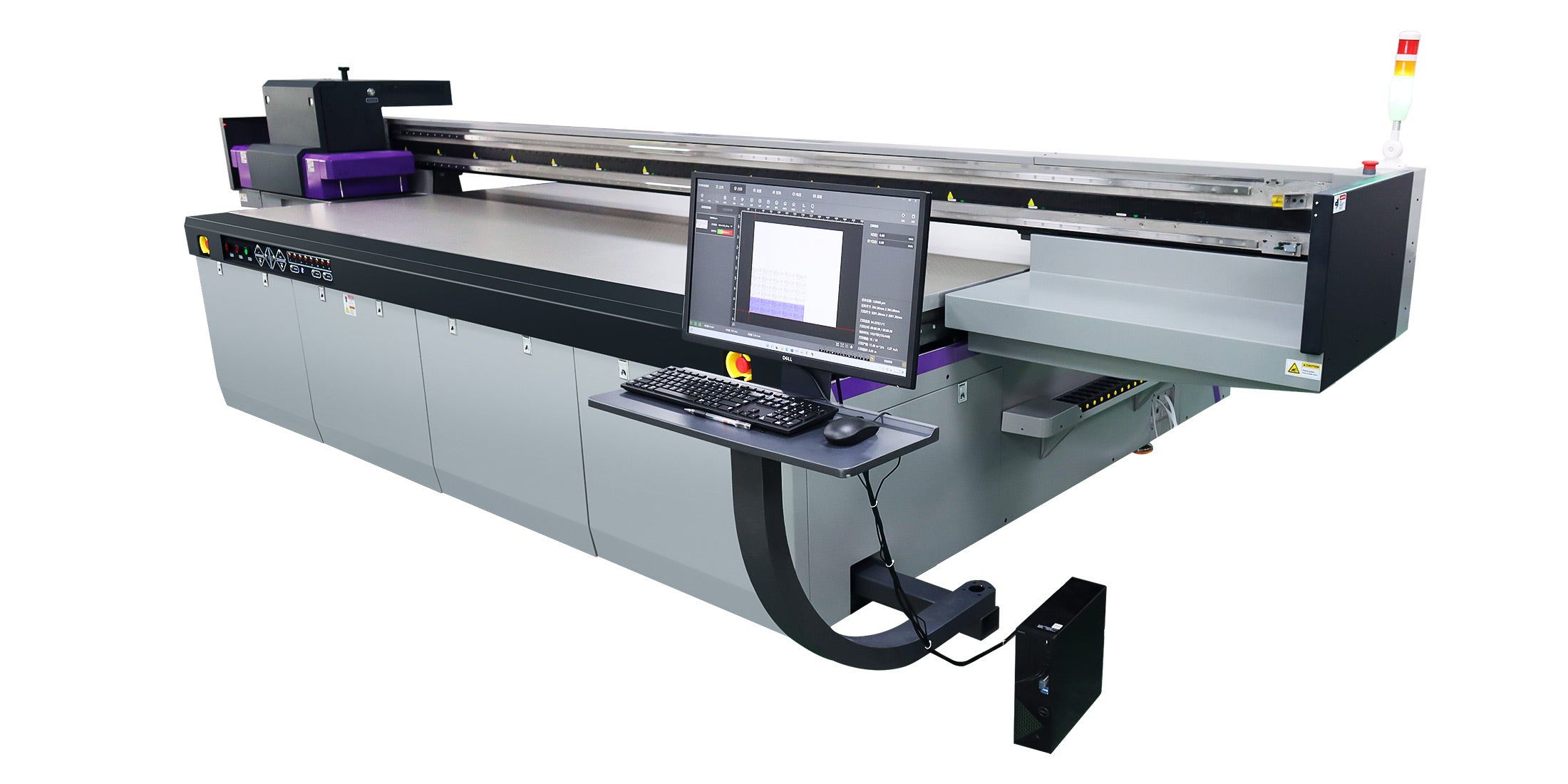
Check: Wide Format UV Flatbed Printer
Printer banding manifests as visible horizontal or vertical lines or streaks in prints, disrupting color uniformity and image quality. In UV flatbed printers, it stems from inconsistent ink deposition, media movement errors, or processing issues, critical in high-speed production exceeding 100 sqm/hr where precision is essential for sign printing and home decoration panels.
Banding compromises the professional finish required for rigid substrates like PVC, MDF, and acrylic in industrial applications. Operators notice it as light/dark bands across gradients or solid fills, often worsening at high speeds like the AJ2130Ultra's 140.7 m²/h ultra-draft mode. Unlike desktop printers, UV flatbeds handle thick media (1–100 mm) with vacuum systems, amplifying issues from media advancement or vacuum inconsistencies. In sign and décor production, even minor banding leads to rejects, increasing waste and downtime. AndresJet printers, equipped with industrial RICOH Gen5/Gen6 printheads and 4-zone vacuum beds, reduce these risks through precise control.
Common causes include clogged nozzles, media advancement errors, vacuum inconsistencies, misaligned printheads, suboptimal RIP settings, and environmental factors. High-speed UV flatbeds amplify these due to rapid passes and rigid media handling.
In production environments pushing 120+ sqm/hr, banding arises from multiple sources. Distance banding shows uniform horizontal lines from imprecise media steps, while chromatic banding creates color shifts in bidirectional modes. Vertical banding occurs from ink drop inconsistencies on uneven substrates. For AndresJet models like the AJ2130EX with 16 RICOH Gen5 heads, fiber optic data transmission ensures stable signals, but operators must check servo motor alignment. Vacuum lapses cause media lift, exacerbating issues on heavy loads up to 50 kg/m². RIP misconfigurations, such as incorrect halftones, compound hardware problems. Proactive diagnosis prevents escalation in high-volume sign printing workflows.
| AndresJet Model | Max Print Speed (m²/h) | Printheads | Key Banding Prevention Feature |
|---|---|---|---|
| AJ2130EX | 128.6 (Draft) | 16 × RICOH Gen5 | 4-zone vacuum + MagLev motor |
| AJ2130Ultra | 140.7 (Ultra-Draft) | 24 × RICOH Gen5 | High-performance vacuum |
| AJ3220EX | 154.3 (Draft) | 16 × RICOH Gen5 | Fiber optic interface |
Clogged nozzles on RICOH Gen5/Gen6 heads deflect ink drops, creating gaps or streaks that appear as horizontal bands. Regular cleaning and checks prevent inconsistent flow in UV-curable inks.
RICOH Gen5 and Gen6 piezo drop-on-demand heads in AndresJet printers deliver precise drops, but UV ink's viscosity can lead to partial blockages, causing deflected nozzles and light/dark streaks. In high-speed modes, like AJ2130G/R's 48.3 m²/h draft, unaddressed clogs amplify banding across large formats (2100 × 3000 mm). Operators should run nozzle checks daily, inspecting for breaks under magnification. Cleaning cycles purge residue, while white ink channels in models like AJ2130G/R require dual negative pressure monitoring. AndresJet's anti-collision and redesigned capping systems minimize exposure, extending head life. Neglect here directly impacts resolutions up to 720×1200 dpi.
Improper vacuum calibration causes media lift or uneven hold, leading to advancement errors and distance banding on rigid substrates. 4-zone systems allow sectional adjustments for consistent flatness.
AndresJet UV flatbeds feature hard-anodized aluminum beds with 4-zone vacuum powered by dual 1500W blowers, essential for media up to 100 mm thick and 50 kg/m². Inconsistent zones create air pockets, misaligning media during servo-driven passes and producing step banding. Calibrate by testing each zone's hold on sample PVC panels, adjusting for weight distribution in sign printing. For AJ2512G/R (2500 × 1200 mm), sectional control prevents edge lift on 8ft × 4ft sheets. Recalibrate post-media changes to match environmental humidity (20–30°C, 30–60% RH). This fix is vital for high-quality modes at 13–35 sqm/hr.
Optimize RIP settings like ICC profiles, halftones, and uni-directional modes to smooth gradients and prevent chromatic banding. Use RIIN Print or Onyx for precise rasterization.
RIP software in AndresJet printers—RIIN Print, PhotoPrint, or Onyx—handles TIFF, JPEG, EPS, PDF files with ICC-based color management. Gradient banding from 8-bit limits resolves with 16-bit processing or blur additions. Bidirectional modes cause color inversion; switch to uni-directional for AJ2130EX's 720×1200 dpi. Adjust curves and density for UV inks, ensuring ink savings up to 30% via grayscale. Test high-res files (300×2400 dpi on AJ1206) to verify. Incorrect media profiles exaggerate artifacts on acrylic or MDF.
AndresJet Expert Views
"In our 10+ years optimizing high-speed UV flatbeds, banding often traces to overlooked vacuum zoning or RIP halftones. AndresJet's RICOH Gen6 heads with fiber optic interfaces and MagLev drives deliver unmatched stability at 140+ m²/h. Operators report 90% reduction in defects after our 4-zone calibration protocol. With 2-year warranties and 8-year parts, we ensure production continuity for sign and décor shops."
— AndresJet Engineering Team
Check: Banding When Printing
Imprecise media advancement from servo errors or worn guides creates distance banding; high-precision AC servos maintain step accuracy. Align and inspect for flatbed reliability.
AndresJet uses AC high-precision servo motors and THK LM Guides (select models) with IGUS e-chain for smooth carriage motion. Errors in media indexing cause uniform lines, worsened on large formats like AJ3220EX (3200 × 2000 mm). Auto height detection (up to 100 mm) and anti-static bars prevent lift. Check belts and recalibrate post-500 hours. In AJ2130Ultra, precision supports 120.5 m²/h without artifacts.
| Model | Resolution Options | Media Thickness | Drive System |
|---|---|---|---|
| AJ2130G/R | 360×1200, 720×1200 dpi | 1–100 mm | AC servo motors |
| AJ2512G/R | 720×1200 dpi | 1–100 mm | AC high-precision servo |
| AJ3220G/R | 726×1200 dpi | Up to 90 mm | Linear motor |
Humidity fluctuations (outside 30–60% RH) and temperature shifts affect ink flow and media stability, inducing banding. Maintain 20–30°C for optimal UV curing.
Industrial shops printing signs or décor panels must control conditions; high humidity thickens UV inks, clogging RICOH heads, while dry air causes static and media curl. AndresJet specs (e.g., AJ360i: 20–30°C, 30–60%) guide setups. Ionizers and shields mitigate. Test prints in controlled zones to isolate environmental banding.
Upgrade if troubleshooting fails repeatedly, speeds exceed 50 sqm/hr, or maintenance costs rise; AndresJet offers reliable high-speed alternatives. Target 100+ sqm/hr production.
Persistent banding signals hardware limits. AndresJet models like AJ2130EX (92.9 m²/h standard) with CE/RCM/UKCA certifications and 2-year warranties excel. Free samples (AJ360i: first 3) and training validate upgrades for plastic products and gifts. Long-term: 8-year parts ensure uptime.
Mastering banding fixes elevates UV flatbed output in demanding production. AndresJet's industrial features deliver defect-free prints at scale. Contact AndresJet for consultations, samples, or production line design.
What is the first step to fix banding on a UV flatbed? Run a nozzle check and clean printheads to address clogs.
How does vacuum affect UV printer banding? Uneven vacuum causes media lift and step errors; calibrate 4 zones.
Can RIP software cause banding? Yes, wrong profiles or bidirectional settings create artifacts; optimize ICC and modes.
Are AndresJet printers banding-resistant? Yes, with RICOH Gen5/Gen6 heads, servo precision, and vacuum systems for 100+ sqm/hr.
When to call support for banding? After basic checks if issues persist; AndresJet offers engineer training and parts.
For the complete decision path, continue with the UV print quality troubleshooting guide.


