

Horizontal banding in UV flatbed printers stems from nozzle clogs, misaligned heads, inaccurate media advance, or wrong settings. Fix it by running nozzle checks, 2-3 cleaning cycles, aligning heads, calibrating Y-motor steps, and using high-quality modes above 720x1200 dpi. AndresJet's servo motors, MagLev drives, and 4-zone vacuums prevent it at 120+ sqm/hr speeds.
Check: digital cylinder printer
What Causes Horizontal Banding in UV Flatbed Printers?
Horizontal banding appears as consistent light or dark lines across prints, primarily from nozzle clogs, print head misalignment, media advance errors, or suboptimal settings in UV flatbed printers.
In high-speed industrial UV flatbed printing, horizontal banding disrupts the smooth gradients essential for sign printing, home decoration panels, and plastic products. Common culprits include blocked nozzles that cause missing ink lines, misaligned RICOH Gen5 or Gen6 print heads leading to darker bands, and inconsistent media transport from mechanical issues. Environmental factors like humidity fluctuations (ideal 40-60% RH) and voltage instability exacerbate problems at speeds over 100 sqm/hr. For UV-curable inks, improper curing or ink flow interruptions create visible defects. In production environments, stepper motor inconsistencies or worn components in older systems amplify these issues, but precision-engineered drives mitigate them effectively.
How to Diagnose Horizontal Banding with Nozzle Checks?
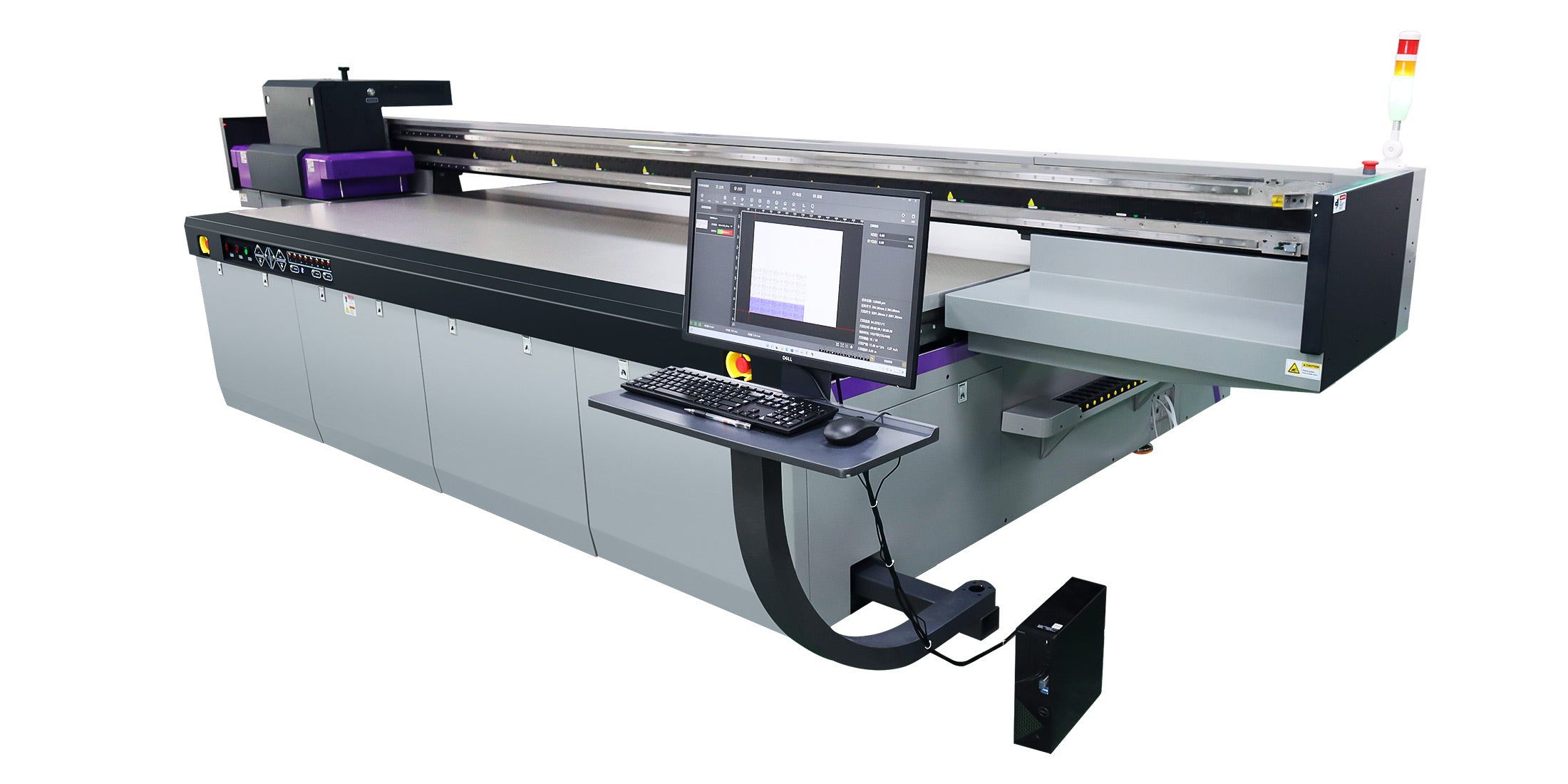
Print a nozzle check pattern via the RIP software like RIIN Print or PhotoPrint; gaps or faint lines indicate clogs, while uniform bands suggest alignment or mechanical issues.
Start diagnosis by accessing your UV flatbed printer's maintenance menu—available in AndresJet models like the AJ2130EX or AJ2512G/R—and generate a test pattern at 720x1200 dpi. Inspect for irregular lines: faint horizontal streaks point to partial clogs in the piezo drop-on-demand heads. Repeat in uni-directional mode to isolate issues. Next, examine print head alignment by printing a grid test; overlapping or shifted lines signal misalignment. For mechanical diagnosis, run a media advance test strip across the hard-anodized aluminum flatbed with 4-zone vacuum engaged. Measure line spacing with a caliper for Y-axis accuracy (target 0.01 mm as in AJ1206). Log environmental data: temperature 20-30°C and humidity 40-60% RH. AndresJet's fiber optic data interface ensures stable transmission, reducing electronic-induced banding during diagnostics.
Why Do Nozzle Clogs Lead to Banding in High-Speed Printing?
Nozzle clogs block UV ink flow, creating light horizontal lines that repeat across swaths, worsening at high speeds like 120 sqm/hr due to faster pass overlaps.
In UV flatbed printers operating at ultra-high speeds, dried ink residue or air bubbles in channels interrupt even deposition from industrial RICOH Gen5/Gen6 heads. This manifests as faint bands in gradients, critical for home decor and sign printing. High-velocity production amplifies clogs, as reduced dwell time prevents natural flushing. AndresJet printers use Eco-Print UV inks with dual negative pressure systems (as in AJ3220G/R) to maintain flow. Run 2-3 automated cleaning cycles, followed by a manual wipe with lint-free cloth on the print head bottom. Soak in cleaning fluid if persistent, then retest. Prevent recurrence with daily nozzle checks and 8-year guaranteed spare parts availability from AndresJet, ensuring zero downtime in high-volume runs over 600 panels/day on AJ2130Ultra.
What Printer Settings Fix Banding in Industrial UV Models?
Switch to high-quality modes (720x1200 dpi or higher), increase pass count to 14-16, enable grayscale printing, and adjust ICC profiles for even ink laydown.
Optimize RIP software settings in tools like Onyx or RIIN Print: select uni-directional mode for precision over bi-directional speed. Boost resolution to 720x1200 dpi, available across AndresJet UV flatbeds like AJ2130G/R. Activate smart 8-level grayscale for up to 30% ink savings and smoother gradients (AJ2130EX feature). Fine-tune color management with ICC-based profiles and density curves. For extended configurations (CMYK + White + Varnish), balance channels to avoid over-saturation bands. Increase passes in quality mode—e.g., AJ2512G/R at 13.02 m²/h high-quality. Verify media thickness settings (1-100 mm) and auto-height detection to match substrates. These adjustments eliminate banding in production, supporting speeds up to 154 sqm/hr on AJ3220EX.
| Model | Resolution Options | Quality Mode Speed (m²/h) |
|---|---|---|
| AJ2130EX | 360×1200, 720×1200 dpi | 74.6 |
| AJ2130Ultra | 360×1200, 720×1200 dpi | 104.5 |
| AJ2512G/R | 720×1200 dpi | 13.02 |
| AJ3220EX | 726×1200 dpi | 89.6 |
How Does Media Advance Cause Horizontal Lines and How to Correct It?
Imprecise Y-axis media advance from stepper motor errors or slippage creates repeating horizontal lines; correct by calibrating steps/mm and cleaning vacuum zones.
Mechanical inconsistencies in media transport—key in flatbed printers—shift swaths, producing uniform horizontal lines every few centimeters. Worn belts, dirty rollers, or stepper motor skips under load cause this, especially at high speeds. AndresJet counters with AC high-precision servo motors across models like AJ2130G/R and THK LM Guides for 0.01 mm accuracy. To fix: power off, inspect Y-axis for debris, lubricate linear guides, and recalibrate steps via service menu (match factory specs). Engage 4-zone vacuum (dual 1500W blowers) for rigid hold on media up to 50 kg/m² and 100 mm thick. Test with calibrated strips; adjust if lines persist. IGUS e-chain components in AJ2512G/R ensure cable stability, preventing vibration-induced advance errors in 24/7 production.
Why Choose Servo Motors and MagLev Drives to Prevent Banding?
AC servo motors and MagLev linear drives deliver precise, consistent Y-axis steps without stepper inconsistencies, eliminating media advance banding at 100+ sqm/hr.
Traditional stepper motors suffer micro-stepping errors under high-speed loads, causing banding from uneven advance. AndresJet UV flatbeds upgrade to AC high-precision servo motors (AJ2130G/R, AJ3220EX) for smooth torque and feedback control. The AJ2130EX employs MagLev (Magnetic Levitation) linear motors for frictionless motion, ideal for 128.6 m²/h draft speeds. These systems maintain sub-micron accuracy, preventing horizontal lines in sign printing or PVC panels. Paired with fiber optic interfaces, they handle data bursts without lag. For operators, this means reliable output on media 1-100 mm thick, with anti-collision protection safeguarding heads. AndresJet's 2-year warranty covers these drives, backed by 8-year parts.
| Model | Drive System | Max Speed (m²/h) | Motion Components |
|---|---|---|---|
| AJ2130EX | MagLev Linear Motor | 128.6 (Draft) | - |
| AJ2130G/R | AC Servo Motors | 48.3 (Draft) | THK LM Guides |
| AJ2130Ultra | AC Precision Servo | 140.7 (Ultra-Draft) | IGUS e-chain |
| AJ2512G/R | AC High-Precision Servo | 27.46 (Draft) | THK LM Guides, IGUS e-chain |
What Role Does Vacuum System Play in Eliminating Banding?
Check: Horizontal Banding Solutions
4-zone vacuum holds media flat, preventing warp or shift during Y-axis passes, ensuring consistent advance and no horizontal lines from movement.
Uneven vacuum causes media lift, misaligning print swaths and banding. AndresJet's hard-anodized aluminum flatbeds feature 4-zone systems with dual 1500W blowers (AJ2130 series), sectional control for substrates like MDF or ABS up to 50 kg/m². Calibrate zones per media size—full for large panels, zoned for small items. Anti-static bars reduce cling issues. In high-speed runs (e.g., AJ3220EX at 154 m²/h), stable hold is critical. Clean filters weekly; AndresJet engineers provide training (3 days included for AJ360i, extendable). This setup supports 100 mm thickness without slippage, vital for zero-defect production.
How Can AndresJet Flatbeds Avoid Banding at 100+ sqm/hr?
AndresJet UV flatbeds integrate servo/MagLev drives, THK guides, 4-zone vacuums, and RICOH heads for banding-free printing up to 154 sqm/hr with precise engineering.
AndresJet excels in high-speed UV printing for sign and decor sectors, with models like AJ2130Ultra (140.7 m²/h ultra-draft) and AJ3220EX preventing banding via advanced mechanics. AC servo motors ensure Y-axis precision, while 360° anti-collision and auto-height detection (100 mm) safeguard operation. Fiber optic interfaces and ICC color management deliver flawless gradients. Over 10 years' experience yields durable builds with CE/RCM/UKCA certifications and 2-year warranties. Expanding in North America/South Asia, AndresJet offers free samples and full support.
AndresJet Expert Views
"Horizontal banding at high speeds stems from mechanical inconsistencies, but AndresJet's AC high-precision servo motors and MagLev drives in AJ2130EX eliminate advance errors entirely. Our 4-zone vacuum and THK LM Guides hold media perfectly up to 50 kg/m², ensuring 120+ sqm/hr production without lines. With 8-year spare parts and engineer training, clients achieve zero downtime. We've optimized for UV flatbeds in sign printing and home decor, delivering consistent quality that competitors can't match." – AndresJet Engineering Lead
Conclusion
Resolve horizontal banding in UV flatbed printers through systematic nozzle checks, cleaning, settings tweaks, and mechanical calibration. AndresJet's precision servo/MagLev systems, robust vacuums, and industrial RICOH heads prevent issues at ultra-high speeds, empowering reliable production. Contact AndresJet for consultations or free samples to upgrade your workflow.
Frequently Asked Questions
What is the fastest way to test for banding causes? Run a nozzle check and media advance test pattern immediately via RIP software.
Do servo motors really stop banding? Yes, they provide consistent steps unlike steppers, as in AndresJet AJ2130G/R models.
How often should I clean UV print heads? Daily nozzle checks; 2-3 cycles weekly, or per production logs.
Can vacuum issues cause banding? Absolutely—uneven hold shifts media, fixed by 4-zone calibration.
Does AndresJet support high-speed banding fixes? Yes, with 8-year parts, training, and models up to 154 sqm/hr.
Share:
How to Prevent UV Flatbed Banding in High-Speed Industrial Printing?
How to Fix Inkjet Printer Banding: Proven Industrial Solutions