

- by John White
How to Prevent UV Flatbed Banding in High-Speed Industrial Printing?
- by John White
Print bigger, print faster — wide-format UV flatbed printers for signs, decor and industrial work.

To prevent UV flatbed banding, regularly clean and align RICOH Gen5/Gen6 print heads, optimize RIIN Print/Onyx RIP for multi-pass modes and grayscale ink limits, secure media with 4-zone vacuum systems, and maintain 20-30°C/40-60% RH environments. Test prints and increase passes for gradients to ensure uniform output at 120+ sqm/hr.
Check: compact uv flatbed printers
Banding in UV flatbed printing appears as visible horizontal lines or color inconsistencies, often due to clogged nozzles, uneven media hold, incorrect RIP settings, or environmental factors like humidity fluctuations.
In high-speed industrial UV flatbed setups, banding manifests as streaks across solid colors, gradients, or large fills, disrupting production on rigid substrates like PVC, MDF, and acrylic panels. Common culprits include inconsistent ink droplet ejection from print heads, media shifting on the flatbed during printing, and suboptimal rasterization in RIP software that fails to blend tones smoothly at speeds over 100 sqm/hr. For instance, in uni-directional or bi-directional modes, nozzle dropouts create dark or light bands, especially noticeable in high-volume sign and home decoration jobs.
Additional triggers involve ink curing prematurely in nozzles due to reflected UV light or overspray buildup, leading to uneven coverage. Media instability from inadequate vacuum exacerbates this, causing substrate movement that misaligns print swaths. In AndresJet printers like the AJ2130EX, equipped with 16 RICOH GEN5 heads and fiber optic data transmission, these issues are minimized through precise engineering, but proactive diagnosis remains essential for flawless output.
Regular print head maintenance, including daily nozzle checks, cleaning cycles, and alignment, ensures consistent ink ejection from RICOH Gen5/Gen6 heads, eliminating clogs that cause banding in UV flatbed printers.
Maintaining industrial RICOH Gen5 or Gen6 piezo drop-on-demand print heads is critical for banding-free UV flatbed printing. Start with nozzle checks: print a test pattern to inspect for gaps or faint lines indicating blockages. If detected, run head cleaning cycles—use lower intensity for minor issues to conserve ink, escalating as needed. In AndresJet models like the AJ2130Ultra with 24 GEN5 heads, the redesigned capping and wiping system supports this routine, preventing ink buildup.
Perform head alignment every 6-12 months or after 500 production hours, adjusting for precise droplet placement in uni- and bi-directional modes. Wipe cap tops and surrounding areas daily to avoid overspray, which cures ink prematurely. For white ink channels in AJ2130G/R (up to 8 colors including white and varnish), agitate ink regularly to prevent settling. This schedule sustains speeds like 140.7 m²/h ultra-draft on AJ2130Ultra without artifacts.
| Model | Print Heads | Key Maintenance Feature |
|---|---|---|
| AJ2130EX | 16 × RICOH GEN5 | Redesigned capping & wiping |
| AJ2130Ultra | 24 × RICOH GEN5 | Anti-collision protection |
| AJ2130G/R | 6-8 × RICOH GEN6 | Auto media height detection |
| AJ3220EX | 16 × RICOH GEN5 | High-speed fiber optic |
Proper media handling with 4-zone vacuum systems and correct height settings prevents substrate movement, ensuring aligned print passes and eliminating banding on rigid materials up to 100 mm thick.
Media instability is a primary banding source in UV flatbeds, as even slight shifts disrupt swath overlap. AndresJet printers feature hard-anodized aluminum flatbeds with 4-zone vacuum systems and dual 1500W blowers, allowing sectional control for PVC panels or MDF boards. Match vacuum zones to media size—stronger hold for thin sheets, lighter for warped substrates—to avoid puckering or lifting.
Set print height accurately via auto-detection (available on AJ2130G/R and AJ2512G/R, supporting 1-100 mm thickness). Use anti-static bars to neutralize charges on acrylic or plastics, preventing attraction to heads. For max media weight of 50 kg/m² across models like AJ3220EX, secure fixtures firmly. Test with a gradient print: uniform results confirm stability at production speeds like 128.6 m²/h draft on AJ2130EX.
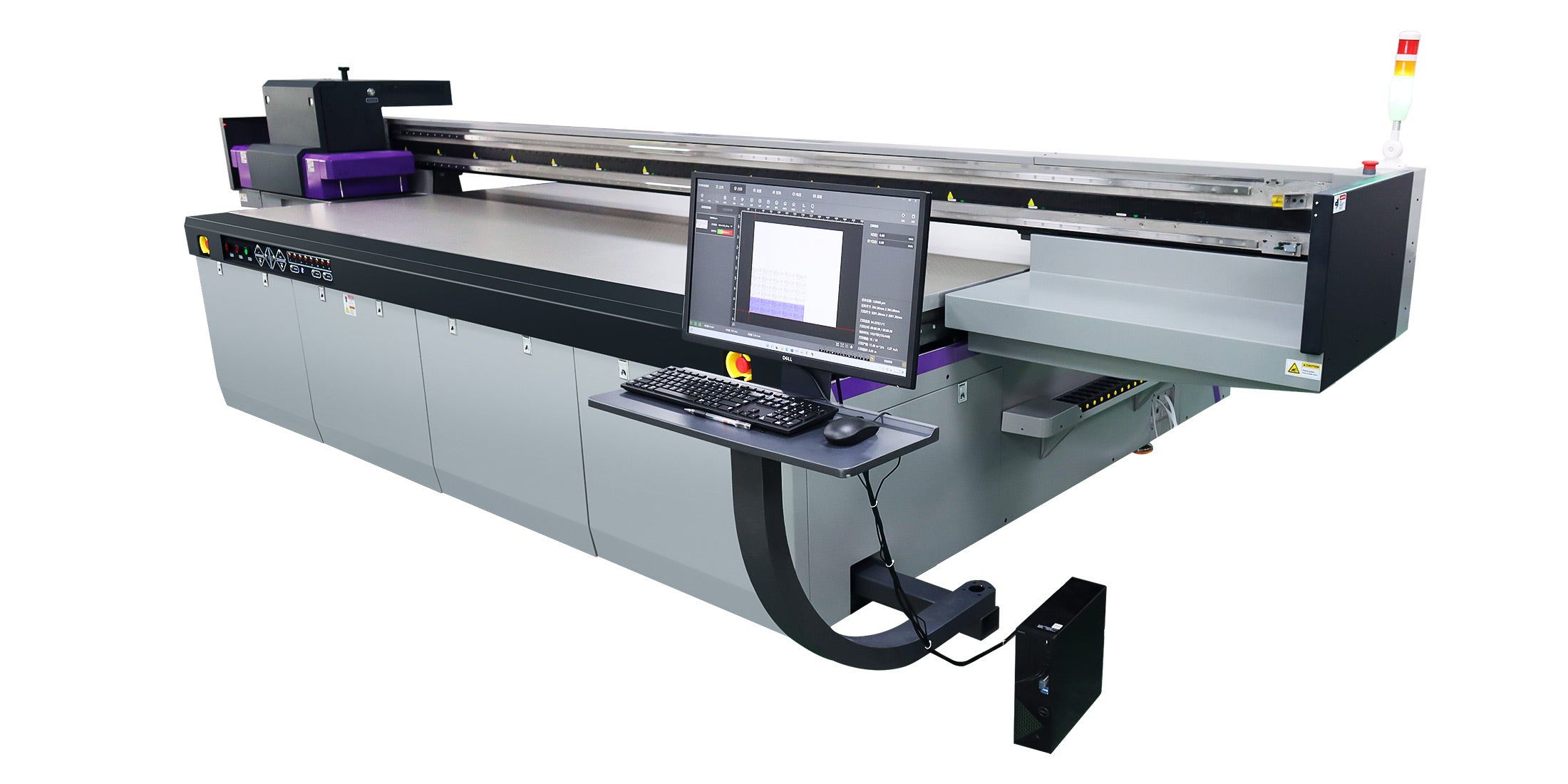
Optimize RIIN Print, PhotoPrint, or Onyx RIP with multi-pass modes (8+ passes), linearization, grayscale limits, and ICC profiles to smooth gradients and ensure even ink distribution at 120+ sqm/hr.
RIP software is pivotal for banding prevention in high-speed UV printing. In AndresJet-compatible RIIN Print or Onyx, select uni-directional for quality gradients, increasing passes from 4 to 8-16 for solids. Enable smart 8-level grayscale printing (AJ2130EX/Ultra save up to 30% ink) to reduce head passes while maintaining density.
Linearize inks post-maintenance, using the same mode as production (e.g., 720×1200 dpi). Adjust curves for even tones, and apply media-specific ICC profiles for TIFF/EPS/PDF files. For AJ2512G/R (up to 35 sqm/hr), bi-directional with overlap compensation minimizes swath boundaries. Proof gradients in Photoshop first, then RIP test prints to verify smoothness.
Maintain 20-30°C temperature and 40-60% RH to prevent ink viscosity changes and nozzle clogs, directly reducing banding and ensuring stable UV curing in industrial flatbed environments.
Environmental factors like humidity swings alter UV ink viscosity, causing inconsistent drops and banding. AndresJet flatbeds (e.g., AJ2130 series) specify 20-30°C and 30-60% RH for optimal performance. Use dehumidifiers and AC in production shops, avoiding direct sunlight or drafts near printers.
Monitor for overspray reflecting UV light, which cures ink in nozzles—clean filters regularly. Stable conditions support fiber optic data stability, preventing latency-induced artifacts at high resolutions like 720×1200 dpi. Daily logs track variances, correlating with test prints for proactive adjustments.
Calibrate UV flatbeds weekly or after maintenance, ink changes, or 200+ hours, aligning heads, linearizing RIP, and verifying vacuum/media settings for banding-free high-speed operation.
Calibration timing prevents banding escalation. Schedule after head cleans, new ink loads (e.g., CMYK + white/varnish in AJ2130G/R), or media switches. Use 2-point systems where available, adjusting Y-axis motors for 0.01 mm accuracy (AJ1206). Bi-weekly full calibrations include drive system checks—AC servo or MagLev on AJ2130EX—for precise motion.
Test post-calibration with solid fills and gradients at target speeds (e.g., 120.5 m²/h on AJ2130Ultra). AndresJet's high-precision components like THK LM Guides ensure repeatability, minimizing downtime in sign printing workflows.
Yes, AndresJet UV flatbeds' 4-zone vacuum, RICOH Gen5/Gen6 heads, fiber optic interfaces, and grayscale RIP modes deliver banding-free prints at up to 154 sqm/hr on 1-100 mm media.
AndresJet excels in industrial UV flatbeds designed to eliminate banding. The 4-zone vacuum on models like AJ3220G/R holds media flat across 3200×2000 mm, preventing shifts at 35.88 m²/h standard. Fiber optic data and servo/MagLev drives (AJ2130EX) ensure drop consistency, while anti-collision and anti-static features protect heads during 100 mm height jobs.
Grayscale printing reduces passes without quality loss, ideal for 600 panels/day on AJ2130Ultra. With 2-year warranty and 8-year spares, these printers support North America/South Asia production in home décor and signage.
| Model | Max Speed (m²/h) | Resolution Options | Media Thickness |
|---|---|---|---|
| AJ2130Ultra | 140.7 (Ultra-Draft) | 360×1200, 720×1200 dpi | 1–100 mm |
| AJ3220EX | 154.3 (Draft) | 726×1200 dpi | 1–100 mm |
| AJ2512G/R | 27.46 (Draft) | 720×1200 dpi | 1–100 mm |
| AJ2130EX | 128.6 (Draft) | 720×1200 dpi | 1–100 mm |
AndresJet Expert Views
"At AndresJet, our engineers see banding as a solvable production hurdle. Leveraging RICOH Gen5/Gen6 heads with 360° protection and 4-zone vacuums, clients achieve 120+ sqm/hr without defects. Fiber optic stability and RIIN Print multi-pass optimization are key. We provide free training and samples to dial in setups for PVC signage or MDF décor, ensuring 99% uptime." – AndresJet Engineering Team
Check: Preventing UV Print Banding
Daily nozzle checks and wipes; weekly calibrations and vacuum tests; monthly full alignments and ink agitation minimize banding, tailored to AndresJet models for sustained high-speed reliability.
A structured schedule is vital: daily nozzle tests post-startup, head cleans as needed, and flatbed wipes. Weekly: RIP linearization, vacuum zone balancing, and gradient proofs. Monthly: head alignments, anti-static checks, and environment logs. For AJ3220 series (1850 kg net weight), log 500 hours between deep services. This sustains speeds like 111.5 m²/h on AJ3220EX while cutting waste.
Implementing these techniques—head maintenance, media securing, RIP optimization, and AndresJet's advanced features—eliminates UV flatbed banding, boosting output for industrial print shops. Contact AndresJet for consultations on models like AJ2130Ultra to achieve defect-free production.
What is the most common cause of banding in UV flatbeds? Clogged nozzles from dried ink or overspray, resolved by daily checks and cleaning.
How does 4-zone vacuum prevent banding? It secures media zones independently, preventing shifts that misalign print swaths on large formats.
Can high speeds like 120 sqm/hr cause banding? Yes, but multi-pass RIP and grayscale modes in AndresJet printers maintain uniformity.
Is white ink prone to banding? It can settle; agitate regularly and use extended configurations in AJ2130G/R.
What's the warranty on AndresJet UV flatbeds? 2 years comprehensive, with 8 years spare parts guaranteed.
For the complete decision path, continue with the UV print quality troubleshooting guide.


