

Prevent UV flatbed banding by aligning print heads precisely, calibrating 4-zone vacuum systems, controlling humidity (40–60%), and using smart grayscale printing with RICOH Gen5/Gen6 heads. Perform daily quick-clean cycles and monthly comprehensive maintenance to ensure consistent ink droplet placement on rigid media at high speeds (>100 sqm/hr) without sacrificing production throughput.
Check: Wide Format UV Flatbed Printer
What Causes Banding in High-Speed UV Flatbed Printers?

Banding in high-speed UV flatbed printers (>100 sqm/hr) stems from print head misalignment, inconsistent media hold-down, variable ink droplet placement, environmental fluctuations, and suboptimal RIP settings, leading to visible lines or streaks on rigid substrates like PVC and MDF panels.
In high-speed industrial UV flatbed printing, banding manifests as horizontal or vertical lines that disrupt smooth gradients and solid fills, particularly noticeable on large-format rigid media such as PVC, ABS, MDF panels used in signage and home decoration. Common culprits include uneven ink laydown from misaligned RICOH Gen5 or Gen6 print heads, which deliver piezo drop-on-demand droplets inconsistently at speeds up to 154 m²/h, as seen in models like the AJ3220EX. Media instability from inadequate vacuum hold-down exacerbates this, causing subtle shifts during uni- or bi-directional passes.
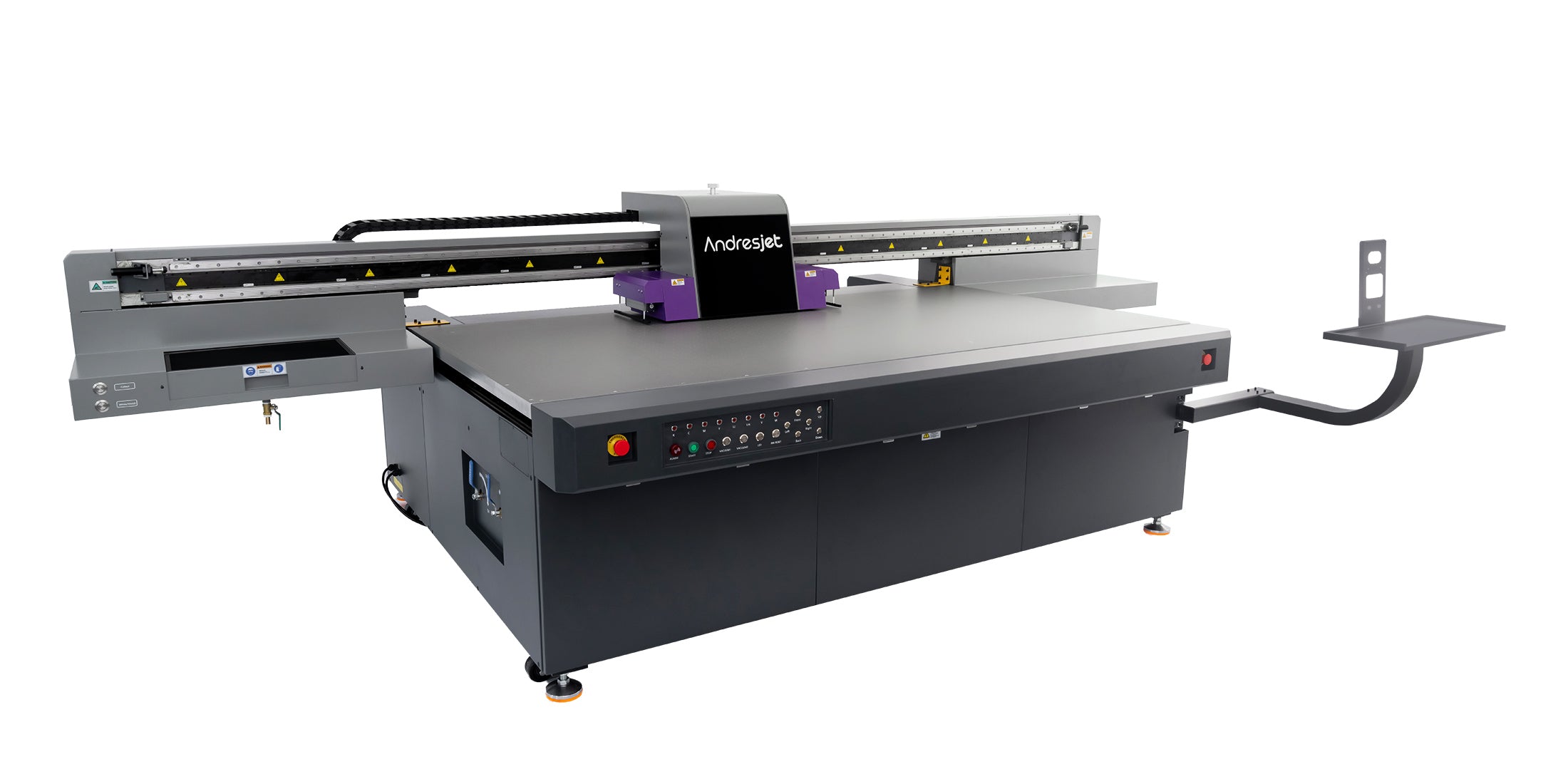
Environmental factors like humidity swings outside 40-60% or temperature variations beyond 20-30°C trigger material expansion or static buildup, while high-velocity production modes amplify nozzle clogs or data transmission delays. In 24/7 operations, these issues compound, reducing uptime for print shops handling over 600 panels daily. AndresJet's high-speed models, such as the AJ2130Ultra with 140.7 m²/h ultra-draft speed and fiber optic interfaces, mitigate these through precision engineering, but proactive diagnostics are essential.
How Does Print Head Alignment Impact Banding Prevention?
Precise print head alignment ensures uniform ink droplet placement across swaths, preventing banding by eliminating overlaps or gaps in high-speed passes; regular calibration of RICOH Gen5/Gen6 heads in industrial UV flatbeds maintains consistency at resolutions up to 720×1200 dpi.
Print head alignment is foundational in UV flatbed systems, where multiple RICOH Gen5 or Gen6 heads (up to 24 in the AJ2130Ultra) must synchronize for flawless coverage on 2100×3000 mm beds. Misalignment causes darker or lighter bands from uneven droplet distribution, especially in bi-directional modes at speeds exceeding 100 sqm/hr. AndresJet printers feature industrial-grade piezo drop-on-demand heads with 360° anti-collision protection, allowing safe height adjustments for media up to 100 mm thick.
To align, perform nozzle checks via RIIN Print or Onyx RIP software, adjusting for 360×1200 dpi or higher resolutions. Test patterns reveal discrepancies; fine-tune via servo motor controls in models like AJ2130EX with MagLev linear motors. Daily alignment verifies fiber optic data flow, preventing latency-induced banding in production runs.
| Model | Print Heads | Resolution Options | Key Alignment Feature |
|---|---|---|---|
| AJ2130EX | 16 × RICOH GEN5 | 360×1200, 720×1200 dpi | MagLev Linear Motor |
| AJ2130Ultra | 24 × RICOH GEN5 | 360×1200, 720×1200 dpi | AC Precision Servo Motors |
| AJ3220EX | 16 × RICOH GEN5 | 726×1200 dpi | High-Precision Servo Motors |
Why Is 4-Zone Vacuum Calibration Critical for Eliminating Banding?
4-zone vacuum calibration secures rigid media (1–100 mm thick) flat against the bed, preventing micro-shifts that cause banding during high-speed carriage passes; dual 1500W blowers in AndresJet systems ensure even hold-down for consistent print quality.
The hard-anodized aluminum flatbed with 4-zone vacuum in AndresJet UV flatbeds like AJ2130G/R and AJ2512G/R divides the table into sections for targeted suction, stabilizing substrates up to 50 kg/m². Uneven calibration leads to warping or lifting, misaligning print paths and inducing banding on large panels. Calibrate by adjusting zones per media type—stronger for thin PVC, balanced for thick MDF—using the control panel to match vacuum to 1–100 mm thicknesses.
Integrated dual 1500W vacuum blowers (2 HP) provide high-performance hold-down, crucial at speeds like 128.6 m²/h draft mode in AJ2130EX. Verify with test prints; recalibrate monthly or after media changes to eliminate feed inconsistencies in sign printing workflows.
How Can Smart Grayscale Printing Reduce Banding on Rigid Media?
Smart 8-level grayscale printing distributes ink variably across passes, smoothing gradients and reducing banding visibility on rigid media without slowing production; up to 30% ink savings enhance uniformity in high-speed UV flatbeds.
Grayscale modes in AndresJet printers like AJ2130EX and AJ2130Ultra employ 8-level variable dot sizes from RICOH Gen5 heads, blending passes for seamless tones on acrylic or MDF. This counters banding from solid color blocks at 120.5 m²/h high-speed production. Configure via RIIN Print or PhotoPrint RIP, selecting uni-directional for precision or bi-directional for throughput.
For 8-color setups in AJ2130G/R (CMYK + LC + LM + White + Varnish), grayscale optimizes light inks, minimizing head strikes on varnish layers. Test gradients post-setup to confirm smoothness, ideal for home decoration panels.
What Role Does Environmental Control Play in Preventing Banding?
Maintain 20–30°C temperature and 40–60% humidity to prevent media expansion, static buildup, and ink inconsistencies that cause banding; AndresJet printers operate optimally in these conditions for 24/7 high-speed reliability.
Stable environments curb substrate warping and static, common banding triggers in North American and South Asian print shops. AndresJet specs mandate 20–30°C and 40–60% RH non-condensing, aligning with anti-static bars in models like AJ3220G/R. Monitor with data loggers; acclimate media 24 hours prior to avoid contraction-induced lines.
Position away from HVAC vents; use dehumidifiers for consistency. This supports fiber optic data stability and UV LED curing uniformity.
How Should You Maintain RICOH Gen5/Gen6 Print Heads to Prevent Banding?
Daily quick-clean cycles, weekly nozzle checks, and monthly full maintenance on RICOH Gen5/Gen6 heads prevent clogs and ensure uniform droplet ejection, eliminating banding in UV flatbed production exceeding 100 sqm/hr.
RICOH Gen5/Gen6 heads demand rigorous care: run quick cleans post-shift, inspect via test patterns in Onyx RIP. AndresJet's redesigned capping/wiping and 360° protection in AJ2130 series extend life. Use Eco-Print UV inks; avoid overspray with proper head gaps for 100 mm media.
Schedule comprehensive monthly services, leveraging 8-year spare parts guarantee for uptime.
AndresJet Expert Views
At AndresJet, our engineers see banding resolved consistently through RICOH Gen5/Gen6 precision and 4-zone vacuum calibration in high-speed models like AJ2130Ultra and AJ3220EX. Fiber optic interfaces ensure data integrity at 140+ m²/h, while smart grayscale saves 30% ink without quality loss. We recommend daily nozzle tests and environment logs for 24/7 operations. Contact us for free sample prints demonstrating banding-free output on your rigid media.
Which RIP Software Settings Minimize Banding in Production Mode?
Check: Preventing UV Print Banding
Optimize RIIN Print, PhotoPrint, or Onyx with higher pass counts (6-8), uni-directional modes, and ICC profiles for media; linearization and ink limiting reduce banding at production speeds in AndresJet UV flatbeds.
RIP settings control pass overlap and resolution. For AJ2512G/R at 35 sqm/hr, set 720×1200 dpi, 8 passes for gradients. Enable grayscale and density curves; linearize per mode to match vacuum zones.
| RIP Software | Key Anti-Banding Settings | Supported Models | Print Speed Benefit |
|---|---|---|---|
| RIIN Print | 8-level grayscale, ICC profiles | AJ2130EX, AJ3220G/R | Up to 128.6 m²/h |
| PhotoPrint | Uni/bi-directional, ink limiting | AJ2130G/R, AJ2512G/R | Up to 48.3 m²/h draft |
| Onyx | Multi-pass optimization | AJ2130Ultra | Up to 140.7 m²/h |
When Should You Schedule Preventative Maintenance to Avoid Banding Issues?
Daily quick cleans, weekly alignments, monthly full calibrations, and quarterly deep services prevent banding; align with AndresJet's 2-year warranty and 8-year parts for sustained high-speed performance.
Proactive schedules: daily post-production cleans, weekly head/vacuum checks, monthly RIP linearization. Quarterly services cover servo motors and THK guides in AJ2130G/R. Track via logs for production uptime.
Conclusion
Implementing these techniques—head alignment, vacuum calibration, grayscale optimization, and maintenance—eliminates banding in high-speed UV flatbeds, ensuring flawless prints on rigid media. AndresJet's RICOH-powered systems deliver reliability for signage and decor at over 100 sqm/hr. Explore our printers or contact engineers for a free consultation to optimize your setup.
Frequently Asked Questions
Q: What is the most common cause of banding in UV flatbed printing?
A: Print head misalignment and poor media hold-down top the list, especially at high speeds.
Q: How does humidity affect UV print banding?
A: Levels outside 40-60% cause static and warping, leading to inconsistent ink laydown.
Q: Can RIP software fully prevent banding?
A: Optimized settings like multi-pass and grayscale significantly reduce it when combined with hardware maintenance.
Q: Are AndresJet printers banding-free?
A: Our 4-zone vacuum, fiber optics, and RICOH heads minimize issues with proper protocols.
Q: What's the warranty on maintenance parts?
A: 2 years comprehensive on machines; 8 years guaranteed spare parts availability.
Share:
How to Prevent UV Flatbed Banding in High-Speed Industrial Printing?
How to Prevent Smearing on UV Flatbed Printers?