

- by John White
Why Is Negative Pressure Vital for High-Altitude UV Flatbed Printing Stability?
- by John White
Print bigger, print faster — wide-format UV flatbed printers for signs, decor and industrial work.

Negative pressure is vital for high-altitude UV flatbed printing stability because lower atmospheric pressure reduces natural ink equilibrium, causing backflow, dripping, and printhead damage. Advanced systems like AndresJet's dual negative pressure and 4-zone vacuum (with dual 1500W blowers) maintain -2 to -10 kPa balance, ensuring consistent ink flow for 120+ sqm/hr speeds on RICOH Gen5/Gen6 heads across elevations.
Check: Who Owns Brother Printer Company, China Or Japan?
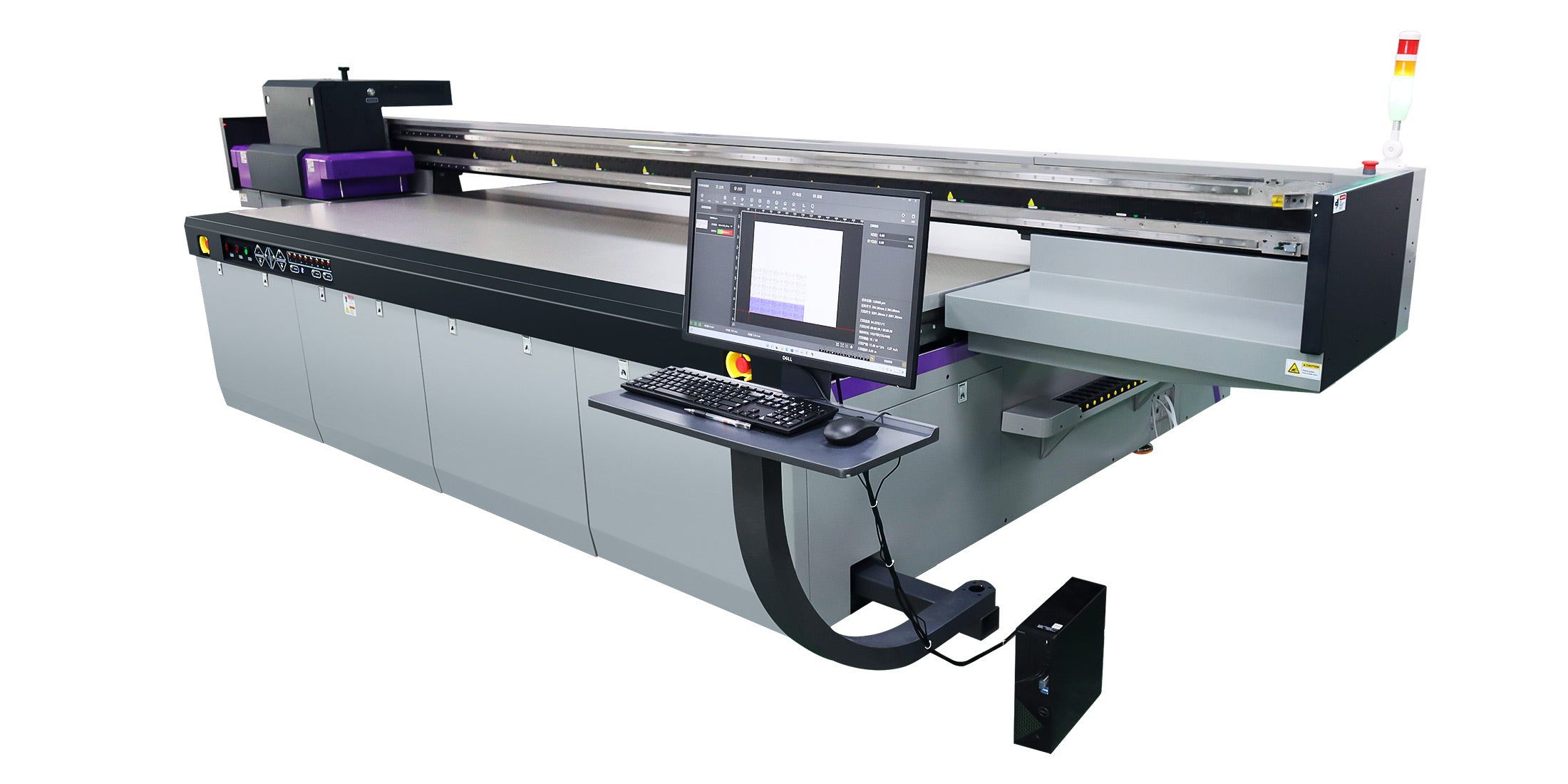
At high altitudes, reduced atmospheric pressure disrupts the delicate balance between ink weight and pressure forces, causing ink to flow backward from the printhead into supply tubes, resulting in dripping, color mixing, and printhead errors. When atmospheric pressure drops—roughly 3.5% per 1,000 feet of elevation—the air pressure supporting ink within the system weakens. This means that gravity and internal ink weight no longer balance naturally, and without a properly calibrated negative pressure system, ink will flow in unintended directions, pooling on media or leaking into chambers where it shouldn't be.
The challenge intensifies in high-speed production environments. When operating UV flatbed printers like the AndresJet AJ2130Ultra at speeds exceeding 120 sqm/hr, the printhead demands rapid, consistent ink replenishment. At sea level, this works smoothly. But at 5,000 feet or higher, the atmospheric pressure deficit means the negative pressure system must work harder to pull ink reliably into the printhead while simultaneously preventing backflow during directional changes and print passes.
For production facilities in mountainous regions or those expanding operations across North America and South Asia—where elevation varies dramatically between locations—this atmospheric effect becomes a critical operational concern. Ink dripping onto premium substrates, color inconsistencies, and unplanned downtime for printhead cleaning directly impact margins on high-value jobs in sign printing, home decoration, and custom panel production.
Atmospheric pressure causes ink backflow because lower air pressure at elevation reduces the upward force on secondary ink cartridges, allowing gravity to overcome the weak pressure balance and push ink backward through supply tubes into the printhead cavity. This creates a pressure vacuum that reverses normal ink flow direction.
To understand this, consider how ink supply systems work at sea level. A secondary cartridge sits above the printhead, with ink naturally wanting to flow downward due to gravity. A negative pressure system creates a controlled vacuum—typically -2 to -10 kPa—that pulls ink from the cartridge into the printhead just fast enough to prevent dripping. This negative pressure counterbalances gravity, maintaining equilibrium.
At high altitude, atmospheric pressure drops significantly. Since atmospheric pressure provides an upward force on the ink in the secondary cartridge, a reduction in atmospheric pressure means less upward support. If the negative pressure system isn't adjusted to compensate, the balance tips: gravity pulls harder than the weakened pressure forces can resist, and ink flows backward. The printhead chamber fills with ink that should remain in the supply line, leading to:
In severe cases, backflow can damage the piezo elements within RICOH Gen5 or Gen6 print heads, requiring costly replacement and extended downtime. This is why altitude-aware negative pressure calibration is essential before deploying any UV flatbed printer in high-elevation regions.
Negative pressure maintains ink stability by creating a controlled vacuum that draws ink steadily into the printhead while preventing excess ink from pooling, ensuring balanced ink droplet formation and consistent color output across all print passes. The system monitors and adjusts pressure in real-time to match environmental conditions.
A well-designed negative pressure system works through continuous feedback and adjustment. When the printhead fires ink droplets, it creates a temporary void. The negative pressure system immediately detects this void and pulls fresh ink from the secondary cartridge to refill the chamber. This happens thousands of times per second during high-speed printing, requiring precision solenoid valves and pressure sensors that respond within milliseconds.
The key advantage of dual negative pressure systems—as featured in AndresJet's AJ2130EX, AJ2130Ultra, and AJ3220G/R models—is independent control of color and white ink channels. Color inks and white inks have different viscosity profiles and flow characteristics. By maintaining separate pressure regulation for each channel, the printer ensures that white ink (which is thicker and more prone to settling) receives appropriate pressure, while CMYK channels remain perfectly balanced. This dual-channel approach prevents the common problem of white ink starvation or color ink overflow that occurs when a single pressure regulator tries to handle both simultaneously.
AndresJet's dual 1500W vacuum blowers (found in AJ2130EX and AJ2130Ultra) provide robust, continuous air extraction that maintains stable negative pressure even during extended production runs. The hard-anodized aluminum flatbeds with 4-zone vacuum systems add another layer of stability: sectional vacuum control ensures that media sits evenly without warping, which in turn prevents printhead height fluctuations that would otherwise disrupt ink pressure balance.
Dual negative pressure systems independently regulate color and white ink channels, compensating separately for atmospheric pressure drops at high altitude and preventing one channel from starving while another overflows. This architecture is essential for reliable multi-location deployments.
In a single negative pressure system, one solenoid valve and one pressure sensor control all ink channels. When atmospheric pressure drops at altitude, the system adjusts overall pressure downward. But this one-size-fits-all approach creates problems: white ink, which is inherently thicker, may not receive enough pressure to flow reliably, while thinner color inks may flow too freely. The result is weak white coverage, color bleeding, or inconsistent print quality.
Dual independent systems solve this by allowing separate calibration for each ink type. At sea level, both channels might run at -5 kPa. At 5,000 feet, the color channel might adjust to -4 kPa while the white channel increases to -6 kPa to compensate for the thicker ink's resistance to flow. This precision is what enables AndresJet's high-speed flatbed printers to maintain consistent output across geographic regions without requiring manual recalibration between locations.
For production facilities operating the AJ2130Ultra or AJ3220G/R across multiple sites at different elevations, this dual-channel architecture dramatically reduces troubleshooting time and eliminates the guesswork of pressure adjustment. Engineers can focus on production rather than chasing ink flow problems caused by atmospheric variation.
Check: Why Are Dual Negative Pressure Systems Essential for Industrial Printing?
AndresJet's vacuum stability across elevations is ensured by dual 1500W vacuum blowers, hard-anodized aluminum flatbeds with 4-zone sectional vacuum control, high-precision servo motors, and RICOH Gen5/Gen6 piezo drop-on-demand technology that responds reliably to pressure changes. These components work together as an integrated system.
The vacuum blower system is the foundation. With dual 1500W blowers (2 HP each), AndresJet's AJ2130EX, AJ2130Ultra, and AJ3220 series maintain consistent negative pressure even when atmospheric pressure is low. A single weaker blower might struggle at altitude, causing pressure fluctuations that lead to the dripping and backflow issues described earlier. The dual-blower design provides redundancy and ensures that if one blower experiences any degradation, the system continues operating reliably.
The 4-zone vacuum system divides the flatbed into sections, allowing independent vacuum control across different media positions. This prevents uneven media clamping—a common cause of printhead height variation at altitude. When media sits unevenly, the printhead distance changes, disrupting the ink pressure balance that the negative pressure system has carefully calibrated. By maintaining even media contact across all zones, AndresJet's flatbed systems eliminate this secondary source of pressure instability.
| Feature | Impact on High-Altitude Stability | AndresJet Models |
|---|---|---|
| Dual 1500W Vacuum Blowers | Maintains consistent negative pressure; prevents pressure drop-off at low atmospheric pressure | AJ2130EX, AJ2130Ultra, AJ3220EX |
| 4-Zone Sectional Vacuum Control | Ensures even media clamping; prevents printhead height fluctuations that disrupt ink pressure | All AJ2000+ series models |
| High-Precision Servo Motors | Maintains exact printhead positioning; compensates for thermal expansion at varying atmospheric pressures | AJ2130G/R, AJ2130Ultra, AJ3220G/R |
| RICOH Gen5/Gen6 Piezo Drop-on-Demand | Rapid response to pressure changes; precise droplet formation even with altitude-induced pressure variations | All industrial flatbed models |
| Fiber Optic Data Transmission | Eliminates electrical noise that could interfere with pressure sensor readings; ensures clean feedback loop | All AJ2000+ and AJ3000+ series |
High-precision servo motors (featured in AJ2130G/R and AJ3220G/R) provide another layer of stability. These motors maintain exact printhead positioning across the print surface, which is critical because even a 0.1mm height variation can disrupt the negative pressure balance. At altitude, thermal expansion and pressure-induced dimensional changes in the printhead assembly are more pronounced. Precision servo motors compensate for these micro-movements, ensuring the printhead maintains optimal distance from media regardless of atmospheric conditions.
Finally, RICOH Gen5 and Gen6 piezo drop-on-demand technology responds rapidly to pressure changes. These industrial-grade printheads are engineered to fire ink droplets consistently even when negative pressure fluctuates slightly. At altitude, where atmospheric pressure is lower and more variable, this rapid response capability becomes invaluable. The printhead can adjust droplet formation on-the-fly, maintaining color accuracy and preventing the weak or missing dots that occur when pressure instability causes nozzle misfires.
Calibrate negative pressure by measuring atmospheric pressure at your location, then setting the negative pressure system to -2 to -10 kPa relative to local atmospheric pressure, with lower elevations toward -10 kPa and high altitudes toward -2 kPa, using the printer's pressure sensor calibration menu. Always verify with test prints on your intended media.
Most UV flatbed printers, including AndresJet models, include a pressure calibration routine in their control software. The process begins with understanding your location's atmospheric pressure. At sea level, atmospheric pressure is approximately 101.3 kPa. At 5,000 feet, it drops to roughly 84.5 kPa. At 10,000 feet, it's approximately 69.7 kPa. Online barometric pressure calculators or weather station data provide exact readings for your facility.
The negative pressure system operates relative to local atmospheric pressure, not absolute pressure. This is crucial: the -2 to -10 kPa range refers to the pressure difference below ambient air pressure at your location. So at sea level with 101.3 kPa atmospheric pressure, setting -10 kPa means the system maintains 91.3 kPa inside the ink supply line. At 5,000 feet with 84.5 kPa atmospheric pressure, the same -10 kPa setting maintains 74.5 kPa—a much lower absolute pressure that may cause backflow.
| Elevation (Feet) | Atmospheric Pressure (kPa) | Recommended Negative Pressure Setting | Absolute Pressure Inside System (kPa) |
|---|---|---|---|
| Sea Level (0) | 101.3 | -8 to -10 kPa | 91.3 to 93.3 |
| 2,000 | 93.7 | -6 to -8 kPa | 85.7 to 87.7 |
| 5,000 | 84.5 | -4 to -6 kPa | 78.5 to 80.5 |
| 7,500 | 76.4 | -2 to -4 kPa | 72.4 to 74.4 |
| 10,000 | 69.7 | -1 to -3 kPa | 66.7 to 68.7 |
To calibrate your AndresJet printer:
For dual negative pressure systems in models like the AJ3220G/R, calibrate color and white channels separately. White ink typically requires slightly higher negative pressure (more vacuum) due to its higher viscosity, so you might set color channels to -6 kPa and white to -7 kPa at 5,000 feet. Test both channels thoroughly before committing to production runs.
Common high-altitude symptoms include ink dripping onto media, weak or missing color dots, color mixing in the printhead, and pressure fluctuations shown in the system display—all fixed by reducing negative pressure incrementally, checking ink supply tube connections, and verifying media height calibration. Systematic troubleshooting prevents costly downtime.
When operating UV flatbed printers at high elevation without proper calibration, several telltale problems emerge:
Symptom: Ink dripping or pooling on media between print passes. This indicates negative pressure is too low (not enough vacuum), allowing gravity to pull ink downward. Fix: Increase the magnitude of negative pressure by 1-2 kPa (e.g., move from -4 kPa to -5 or -6 kPa). Retest on scrap media.
Symptom: Weak or missing color dots, especially in fine detail areas. The printhead isn't receiving enough ink because negative pressure is insufficient or ink supply tubes are partially blocked. Fix: First, verify that all ink supply tube connections are tight and free of kinks. Then increase negative pressure as described above. If the problem persists, inspect the secondary cartridge for air bubbles or contamination.
Symptom: Color mixing or unexpected color shifts during printing. This occurs when one color channel receives different pressure than others, causing uneven ink flow. Fix: For single-channel systems, verify that the pressure sensor is clean and calibrated correctly. For dual negative pressure systems like those in AndresJet's AJ3220G/R, check that both color and white channels are calibrated independently and that the solenoid valves for each channel are responding properly.
Symptom: Pressure display shows erratic fluctuations (e.g., jumping between -3 and -8 kPa). This indicates a failing pressure sensor, a leak in the ink supply line, or a solenoid valve that's opening and closing erratically. Fix: Visually inspect all ink tubes for cracks or loose fittings. If connections are secure, the solenoid valve or pressure sensor likely needs replacement. Contact AndresJet support or your service provider for component replacement.
Symptom: Printhead temperature errors or thermal warnings. Excess ink pooling in the printhead cavity absorbs heat inefficiently, causing temperature sensors to register higher-than-normal readings. Fix: This is a secondary symptom of ink backflow caused by low negative pressure. Follow the dripping fix above—increase negative pressure to eliminate backflow and restore normal thermal conditions.
AndresJet's UV flatbed printers deliver multi-location stability through dual 1500W vacuum blowers, independent dual negative pressure for color and white inks, hard-anodized 4-zone flatbeds, and industrial RICOH Gen5/Gen6 printheads engineered to maintain 120+ sqm/hr speeds across elevations. This architecture minimizes downtime and maximizes ROI.
For production facilities expanding operations across North America and South Asia—regions with dramatic elevation variation—equipment reliability becomes the primary cost driver. AndresJet's design philosophy prioritizes pressure stability precisely because the company understands the operational challenges of multi-location deployments.
The AJ2130Ultra exemplifies this approach. With 24 RICOH Gen5 printheads and dual 1500W vacuum blowers, it maintains ultra-high speeds (140.7 m²/h in ultra-draft mode, 120.5 m²/h in production) whether operating at sea level or at 5,000+ feet. The hard-anodized aluminum flatbed with 4-zone vacuum ensures that media sits evenly regardless of location or environmental conditions. High-precision servo motors compensate for thermal and pressure-induced dimensional changes, while fiber optic data transmission eliminates electrical noise that could interfere with pressure sensor feedback.
The AJ3220G/R and AJ3220EX large-format models extend this reliability to even larger print areas (3200 × 2000 mm), making them ideal for high-volume sign printing and home decoration production where consistency across multiple facilities is non-negotiable. With speeds up to 154.3 m²/h (AJ3220EX) and dual negative pressure architecture, these machines deliver the stability that industrial buyers demand.
Beyond hardware, AndresJet's 2-year comprehensive warranty and 8-year spare parts guarantee provide peace of mind. When you deploy an AndresJet printer in a high-altitude facility, you're backed by a company committed to long-term support and operational success. AndresJet's engineers are available to assist with altitude-specific calibration, maintenance planning, and troubleshooting—ensuring your investment continues generating ROI regardless of geographic location.
AndresJet Expert Views: "High-altitude printing challenges are real, but they're also predictable and manageable with the right equipment architecture. Our dual negative pressure systems and 4-zone vacuum flatbeds were designed specifically to handle pressure variations across diverse environments. Customers operating our AJ2130Ultra and AJ3220 series at elevations from sea level to 8,000+ feet report consistent print quality and minimal downtime once calibration is complete. The key is understanding that negative pressure must be adjusted relative to local atmospheric pressure, not set to a universal value. We provide detailed calibration guidance for every location, and our pressure sensors are accurate to within 0.1 kPa, giving facilities the precision they need for reliable multi-location operations. For sign shops and home decoration producers expanding into mountain regions or emerging markets with varying altitudes, AndresJet's approach to pressure stability is a genuine competitive advantage."
Negative pressure is the invisible foundation of stable UV flatbed printing, and its importance multiplies exponentially at high altitudes where atmospheric pressure drops and ink balance becomes precarious. Without proper negative pressure management, even the most advanced printheads will struggle with backflow, dripping, and color inconsistency—problems that cost production time and damage customer relationships.
AndresJet's commitment to dual negative pressure systems, robust vacuum architecture, and industrial-grade components ensures that your UV flatbed printer delivers consistent output whether you're printing at sea level or in mountain regions. By understanding how atmospheric pressure affects ink flow, calibrating your system correctly for your elevation, and monitoring for early warning signs of pressure instability, you can prevent costly downtime and maximize the ROI on your high-speed printing investment.
For facilities expanding across multiple locations or those operating in high-altitude regions, choosing equipment designed from the ground up for pressure stability—like AndresJet's AJ2130Ultra, AJ3220G/R, and AJ3220EX—is not a luxury; it's a necessity. These machines are engineered to handle the real-world complexity of global operations, ensuring that your production remains flawless regardless of where you set up shop.
Q: Do I need to recalibrate my UV flatbed printer every time I move it to a different elevation?
A: Yes. Atmospheric pressure changes significantly with elevation, and your negative pressure system must be adjusted accordingly. If you're moving from sea level to 5,000 feet, recalibration is essential. Even moving within the same city but to a higher floor in a building may require minor adjustments. Most modern printers, including AndresJet models, make this process straightforward through software calibration menus. Document your settings for each location to streamline future relocations.
Q: Can a single negative pressure system handle both color and white ink reliably at high altitude?
A: Single systems can work, but dual independent negative pressure systems (like those in AndresJet's AJ3220G/R) are superior at altitude because white ink and color inks have different viscosity profiles. At high altitude where atmospheric pressure is already low, a single system may struggle to deliver appropriate pressure to both ink types simultaneously. Dual systems allow separate calibration for each, ensuring consistent coverage and preventing white ink starvation or color overflow.
Q: How often should I check and maintain my printer's vacuum blowers at high altitude?
A: Vacuum blowers should be inspected monthly, with filter cleaning every 50-100 hours of operation. At high altitude, where atmospheric pressure is lower and air density is reduced, blowers work harder to maintain the same negative pressure. More frequent maintenance—especially filter cleaning—helps prevent performance degradation. AndresJet's dual 1500W blower systems provide redundancy, but regular maintenance extends their lifespan and ensures consistent pressure stability.
Q: What's the difference between negative pressure and vacuum?
A: Negative pressure and vacuum are related but distinct. Vacuum refers to the absence of air


