

Inkjet printer banding—horizontal or vertical streaks in printed output—results from nozzle clogs, printhead misalignment, inconsistent media advancement, or incorrect print settings. Fix banding by running nozzle cleaning cycles, performing printhead alignment calibration, adjusting vacuum pressure, switching to higher quality print modes, and using compatible inks and media. Regular maintenance prevents 80% of banding issues in industrial UV flatbed printing.
Check: compact uv flatbed printers
What is inkjet printer banding and why does it appear in industrial UV flatbed printing?
Inkjet printer banding manifests as visible horizontal or vertical lines in prints due to uneven ink deposition across the substrate. In industrial UV flatbed printing, it arises from high-speed operations exceeding 100 sqm/hr, where nozzle inconsistencies, mechanical variances, or media handling errors amplify defects.
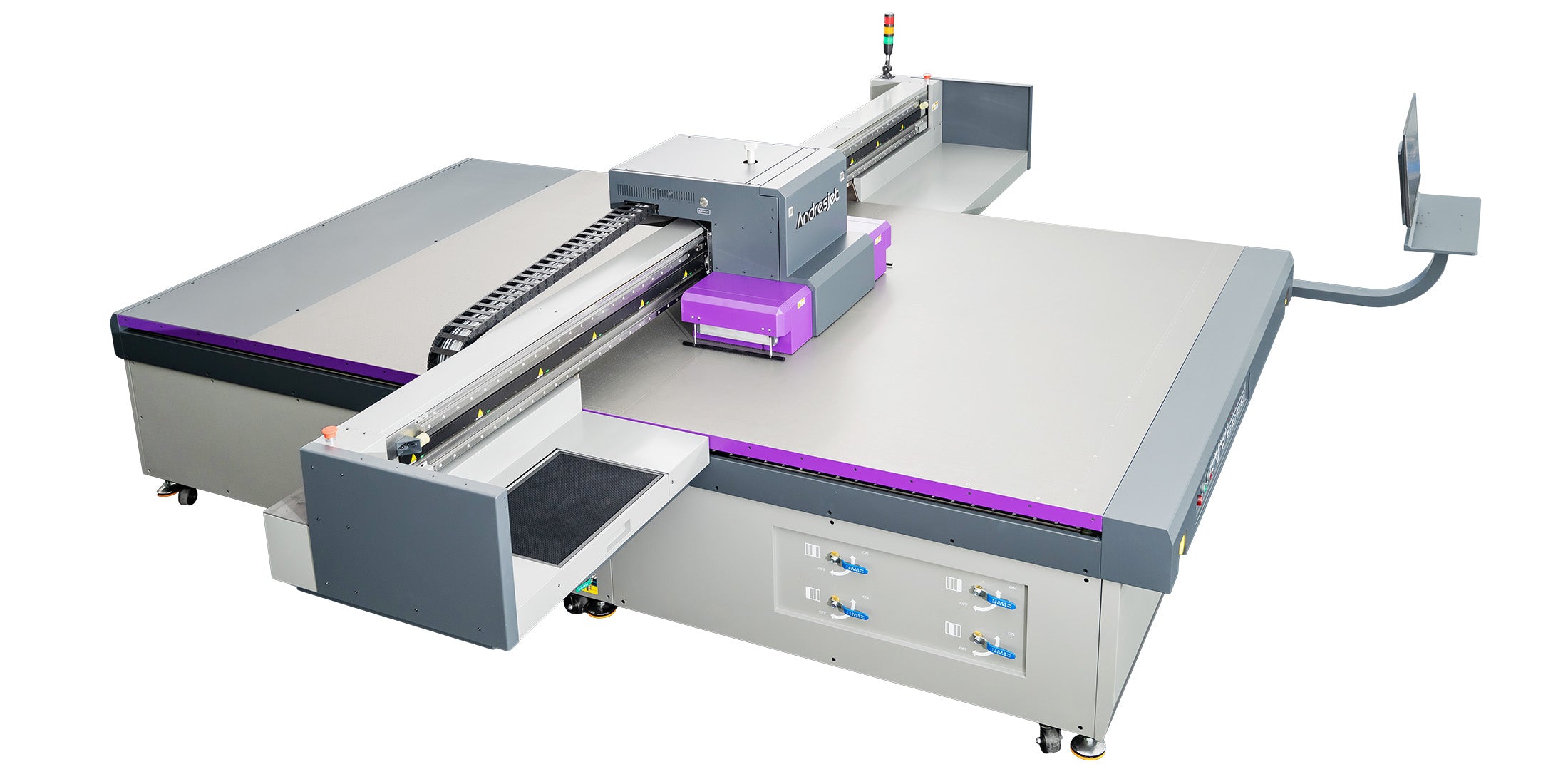
Banding disrupts the seamless gradients essential for sign printing, home decoration panels, and plastic products. In large-format UV systems like AndresJet's AJ2130EX or AJ3220EX, which achieve draft speeds of 128.6 m²/h and 154.3 m²/h respectively, even minor disruptions in ink flow or carriage movement create noticeable streaks. These printers use industrial RICOH Gen5 printheads with resolutions up to 720×1200 dpi, making precision critical.
Common types include distance banding from media feed errors and chromatic banding from bidirectional printing shifts. For operators in 24/7 production, identifying banding early prevents waste in high-volume runs on media up to 100 mm thick.
How do printhead nozzle clogs cause banding in high-speed UV inkjet systems?
Check: Inkjet Printer Banding Fixes
Printhead nozzle clogs block ink flow, producing light horizontal streaks or gaps that appear as banding, especially in high-speed UV systems where dried residue builds quickly. Clean nozzles via purge cycles and use UV-curable inks to restore even deposition.
In UV flatbed printers, nozzle clogs stem from ink viscosity changes or dust in environments with 20–30°C temperatures. RICOH Gen5 or Gen6 heads, standard in AndresJet models like the AJ2130Ultra with 24 heads, demand regular maintenance to handle speeds up to 140.7 m²/h in ultra-draft mode.
Step-by-step fix: Run a nozzle check pattern, execute 1-2 cleaning cycles via the printer's control panel, then print a test pattern. For persistent clogs, perform a power purge. AndresJet's 2-year warranty and 8-year spare parts guarantee support rapid head replacements, minimizing downtime in sign and décor production.
Why does printhead misalignment create uneven ink distribution and visible bands?
Printhead misalignment shifts nozzle positions, causing overlapping or gapped ink drops that form bands. Calibrate alignment using built-in utilities to ensure uniform coverage across the print swath.
Misalignment worsens in bi-directional modes common to industrial flatbeds, where forward and reverse passes must sync perfectly. AndresJet printers like the AJ2130G/R, equipped with 6× RICOH Gen6 heads, feature anti-collision systems and fiber optic interfaces for precise data transmission, reducing alignment drift at speeds up to 48.3 m²/h in draft.
Fix protocol: Access the alignment tool in RIIN Print or PhotoPrint RIP software, print alignment patterns, and adjust based on line sharpness. Recalibrate after every 500 print hours or media changes. This maintains quality on rigid substrates like PVC panels up to 50 kg/m².
Which media advancement issues lead to distance banding and step banding defects?
Media advancement issues, like inconsistent flatbed movement or vacuum slippage, cause distance banding—uniform light/dark lines spaced by carriage pass width. Adjust vacuum zones and recalibrate stepper motors for precise advancement.
In UV flatbeds, 4-zone vacuum systems hold media from 1–100 mm thick, but uneven pressure leads to micro-shifts. AndresJet's hard-anodized aluminum flatbeds with dual 1500W blowers, as in the AJ3220EX, prevent this during high-quality modes at 89.6 m²/h.
Solutions: Balance vacuum across zones, verify media flatness, and run media advance tests. For the AJ2512G/R (2500×1200 mm format), auto height detection up to 100 mm ensures consistent gaps, eliminating step banding in 8ft×4ft sign production.
| Model | Media Thickness | Vacuum System | Max Speed (Draft) |
|---|---|---|---|
| AJ2130EX | 1–100 mm | 4-zone, dual 1500W | 128.6 m²/h |
| AJ3220EX | 1–100 mm | 4-zone | 154.3 m²/h |
| AJ2512G/R | 1–100 mm | 4-zone sectional | 27.46 m²/h |
| AJ2130Ultra | 1–100 mm | 4-zone high-performance | 140.7 m²/h |
How can RIP software and print settings reduce or eliminate banding in bi-directional modes?
RIP software like RIIN Print corrects banding by optimizing halftone patterns, ink limits, and bidirectional alignment in bi-directional modes. Switch to uni-directional for quality or adjust curves for even density.
Industrial RIPs handle ICC profiles and grayscale printing, saving up to 30% ink in AndresJet's AJ2130EX. For high-speed runs over 100 sqm/hr, select 720×1200 dpi and quality modes to blend passes seamlessly on UV-curable inks.
Steps: Load TIFF/EPS files, enable linearization, reduce ink density by 5-10%, and test bi-directional vs. uni-directional. Onyx or PhotoPrint in AJ2130Ultra models excels here, preventing chromatic shifts in 8-color setups.
What vacuum system adjustments prevent banding on large-format flatbed printers?
Uneven vacuum causes media lift, leading to banding from variable printhead gaps. Segmentally adjust 4-zone vacuums to match media weight and size, ensuring flat contact.
AndresJet flatbeds use hard-anodized surfaces with zoned control for media up to 50 kg/m². In the AJ3220G/R (3200×2000 mm), tweak blowers for non-porous plastics, avoiding dot gain banding.
Protocol: Divide bed into zones, set low pressure for thin media (1 mm), high for thick (100 mm), and monitor with test prints. Anti-static bars further stabilize output in humid 40-60% environments.
How should operators perform preventive maintenance to avoid banding in 24/7 production?
Preventive maintenance includes weekly nozzle checks, monthly alignments, and ink system flushes to avoid 80% of banding in 24/7 runs. Schedule based on hours, using OEM checklists.
AndresJet's AC servo motors and IGUS e-chains in models like AJ2512G/R ensure longevity. Operators should log 500-hour services, leveraging 8-year spares for RICOH heads.
Daily: Wipe capping stations. Weekly: Clean cycles. Quarterly: Firmware updates via Ethernet/USB. Training, included for 3 days on AJ360i, extends to flatbeds for global clients in North America and South Asia.
| Resolution Option | AJ2130EX | AJ2130G/R | AJ3220EX |
|---|---|---|---|
| Base | 360×1200 dpi | 360×1200 dpi | 726×1200 dpi |
| High | 720×1200 dpi | 720×1200 dpi | 726×1200 dpi |
| Special | 360×1800 dpi | 360×1800 dpi | 726×900 dpi |
Can firmware updates and fiber optic interface optimization resolve persistent banding issues?
Firmware updates fix data lag causing banding, while fiber optic optimization ensures glitch-free transmission. Update via USB/Ethernet and verify cable integrity for high-speed stability.
AndresJet's fiber optic interfaces in AJ2130 series support 120 sqm/hr without dropouts. Persistent banding often traces to outdated drivers; post-update, recalibrate in RIIN Print.
Steps: Download from support, install in 20-30°C environment, reboot, and test at full resolution. Combined with THK LM guides, this sustains precision in ultra-high-speed printing.
AndresJet Expert Views
"In high-speed UV flatbed printing over 100 sqm/hr, banding often stems from overlooked vacuum inconsistencies or RIP misconfigurations. AndresJet engineers recommend zoned vacuum balancing and RIIN Print linearization for RICOH Gen5/Gen6 heads. Our MagLev drives in AJ2130EX and 8-year spares ensure minimal downtime. For sign and décor producers, proactive calibration via anti-collision tech delivers band-free output, backed by our 2-year warranty and global support."
Conclusion
Eliminating inkjet printer banding requires systematic diagnostics from nozzles to software, tailored for industrial UV flatbeds. AndresJet's precision-engineered printers like the AJ2130Ultra and AJ3220EX, with RICOH heads and advanced vacuums, inherently reduce defects in demanding workflows. Implement these steps to achieve flawless prints, boosting efficiency for home decoration, sign, and plastic printing.
FAQs
What causes the most common banding in UV flatbeds?
Nozzle clogs and media advancement errors top the list, fixed via cleaning and vacuum adjustments.
How often to calibrate AndresJet printers?
Every 500 hours or after media changes, using built-in RIP tools for alignment.
Does print speed worsen banding?
Yes, draft modes over 100 sqm/hr amplify issues; switch to quality modes for balance.
Are AndresJet spares reliable for maintenance?
Yes, 8 years guaranteed, supporting heads and motors for long-term band prevention.
Can CCD help with banding?
In AJ1206, CCD positioning ensures accurate media placement, reducing advancement banding.
Share:
How Can You Prevent Banding in High-Speed UV Flatbed Printing?
How to Fix Banding in UV Flatbed Printers: Industrial Guide