

- by John White
How to Clean UV Sleeve on Flatbed Printer to Extend Bulb Life?
- by John White
Print bigger, print faster — wide-format UV flatbed printers for signs, decor and industrial work.

To clean a UV quartz sleeve on an industrial flatbed printer like AndresJet AJ2130EX, power off the system, wear gloves, remove the sleeve, wipe with a soft cloth soaked in vinegar to dissolve bio-film and minerals, rinse, inspect for damage, and reassemble. Clean every 3-6 months or with bulb replacement to maintain 120+ sqm/hr speeds and extend bulb life by ensuring optimal UV transmission.
Check: How Long Do UV Lamps Last and When Should They Be Replaced
A UV sleeve in flatbed printers is a quartz glass tube protecting the UV bulb from ink residue, dust, and environmental contaminants while allowing UV-C light to cure LED UV inks effectively.
In industrial UV flatbed printers like AndresJet models, the **UV quartz sleeve** encases the UV lamp, ensuring high-intensity light reaches the UV-curable ink for instant curing on media up to 100 mm thick. Over time, bio-film from microbial growth, calcium deposits from hard water in cooling systems, and mineral buildup from ink vapors cloud the sleeve, reducing UV transmission by up to 50%. This diminishes curing efficiency, leading to tacky prints, color inconsistencies at resolutions like 720×1200 dpi, and premature bulb failure. Regular cleaning restores transparency, maintains **UV intensity** for high-speed production—such as 120.5 m²/h on the AJ2130Ultra—and extends bulb utility by 20-30%, minimizing downtime in sign printing and home decoration workflows. For AndresJet printers with UV LED curing, clean sleeves directly support ink savings up to 30% via optimal grayscale printing.
Clean UV sleeves every 3-6 months in high-speed UV printers, or during bulb replacement, adjusting for hard water areas or high-volume runs exceeding 100 sqm/hr.
High-production environments in industrial printing demand frequent maintenance to sustain performance. For AndresJet UV flatbed printers like the AJ2130EX (up to 128.6 m²/h in draft mode) or AJ3220EX (154.3 m²/h), inspect sleeves monthly via UV intensity sensors if equipped, cleaning when output drops below 80%. In humid North American or South Asian shops using LED UV inks, bio-film forms faster on quartz surfaces, while mineral buildup accelerates in areas with hard water. Align cleaning with bulb changes every 1,000-2,000 hours, or after 500 production hours on models like AJ2130Ultra. Document dates to track patterns—neglect can halve bulb life and degrade print quality on 100 mm media. AndresJet's 2-year warranty and 8-year spare parts guarantee make proactive upkeep essential for ROI.
Essential tools include soft lint-free cloths, white vinegar or citric acid solution, latex gloves, mild detergent, and a soft brush; avoid abrasives to prevent scratches.
Gather these items before starting: new latex or nitrile gloves to avoid oil transfer, microfiber or lint-free cloths, distilled white vinegar (5% acidity) or food-grade citric acid for dissolving calcium and bio-film, a plastic tub for soaking, and deionized water for rinsing. Optional: CLR or Lime-A-Way for stubborn minerals, a soft nylon brush for crevices, and UV intensity meter for post-clean verification. For AndresJet flatbeds like AJ2512G/R with RICOH Gen6 heads, ensure anti-static wipes to prevent dust attraction near the hard-anodized aluminum flatbed. Never use paper towels, steel wool, or ammonia-based cleaners, as they scratch quartz, reducing light transmission and risking damage to nearby print heads or 360° anti-collision systems.
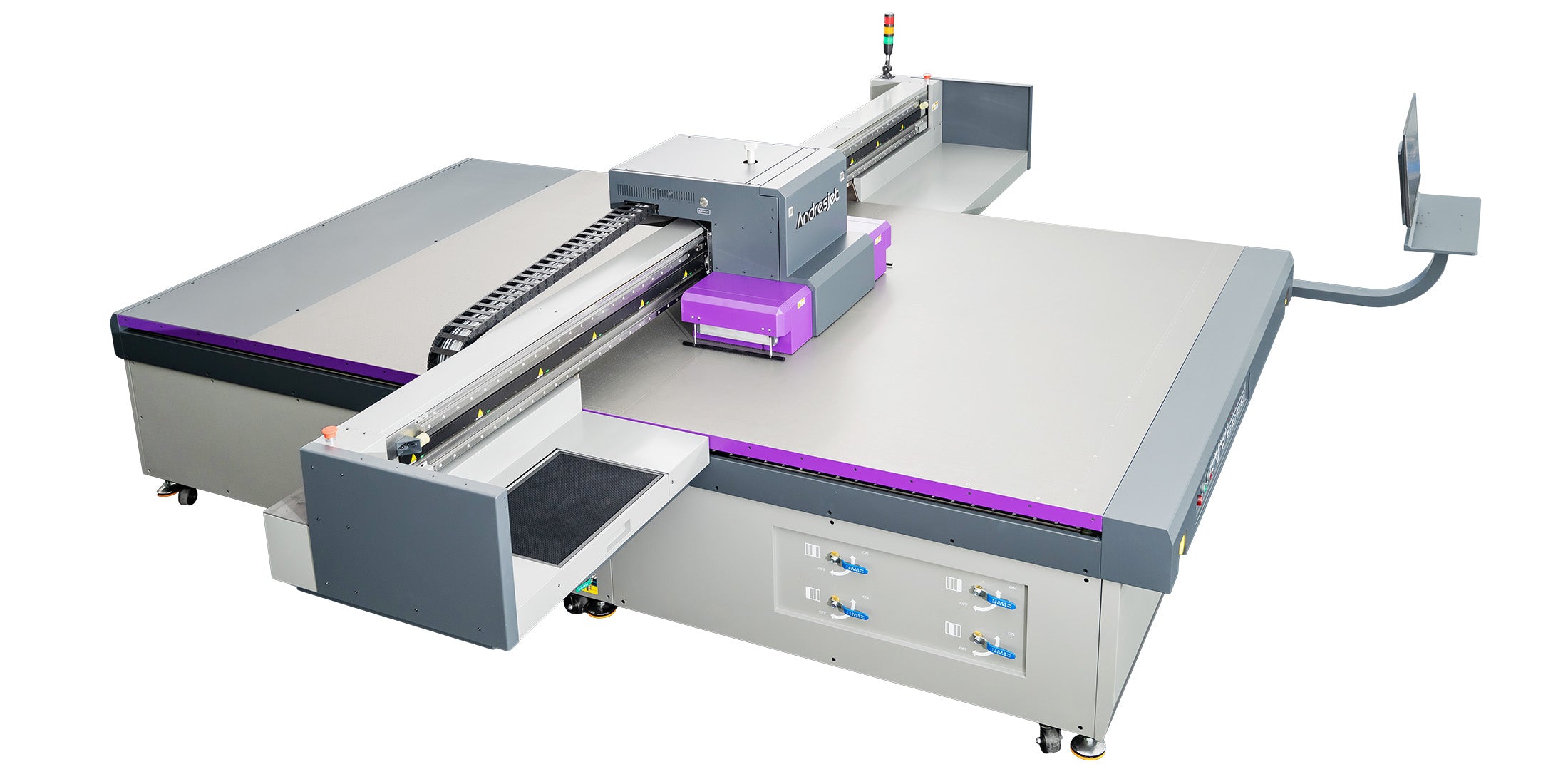
Check: Compact uv flatbed printers
Power off the printer via main switch, unplug, wait 15-30 minutes for cooling, depressurize ink lines, and secure the carriage before accessing the UV curing assembly.
Safety first in high-speed setups. For AndresJet models like AJ2130G/R or AJ3220G/R, initiate emergency stop, then switch off AC 220V power (>20A). Unplug fiber optic data cables and Ethernet. Allow UV lamps to cool—LED UV systems drop temperature faster than mercury but still require 15 minutes. Depressurize ink via the dual negative pressure system, wiping excess with the redesigned capping system. Lock the print carriage using the anti-collision feature, cover the 4-zone vacuum flatbed to prevent dust, and wear PPE: gloves, safety glasses, and grounded wrist strap near servo motors. Consult AndresJet's 3-day included training manual for model-specific access, ensuring no strain on THK LM Guides or IGUS e-chain components.
1. Shut down and cool system. 2. Wear gloves, remove UV assembly. 3. Slide out sleeve. 4. Soak in vinegar 10-30 min. 5. Wipe gently. 6. Rinse, dry, inspect. 7. Reassemble and test.
Follow this practical guide tailored for AndresJet UV flatbeds to remove bio-film and calcium, ensuring UV light reaches inks fully:
This restores transmission, supporting speeds like 92.9 m²/h standard on AJ2130EX.
| AndresJet Model | Max Print Speed (m²/h) | Resolution Options | Media Thickness |
|---|---|---|---|
| AJ2130EX | 128.6 (Draft) | 720×1200 dpi | 1–100 mm |
| AJ2130Ultra | 140.7 (Ultra-Draft) | 720×1200 dpi | 1–100 mm |
| AJ3220EX | 154.3 (Draft) | 726×1200 dpi | 1–100 mm |
Cleaning removes buildup blocking 20-50% UV light, reducing bulb strain and extending life by 25-50% while maintaining curing for 120+ sqm/hr on RICOH Gen5 systems.
Dirty sleeves force bulbs to overcompensate, accelerating degradation in AndresJet printers with 16× RICOH Gen5 heads (AJ2130EX). Optimal transmission ensures even curing of UV-curable inks on PVC panels or MDF, preventing hotspots that shorten bulb life from 1,500 to 3,000 hours. Clean maintenance sustains **UV intensity**, enabling ink savings up to 30% and consistent 360×1200 dpi output. In high-volume sign printing, this cuts replacement costs, aligning with AndresJet's 8-year spare parts availability.
AndresJet Expert Views
"Regular UV sleeve cleaning is critical for our high-speed flatbeds like AJ2130Ultra, where 140.7 m²/h demands flawless curing. Bio-film and minerals cut intensity, but a simple vinegar soak restores 95% transmission, extending bulb life and protecting RICOH Gen6 heads. Our engineers recommend 3-6 month intervals, integrated with anti-collision checks, to maximize 2-year warranty uptime and 100 mm media handling." – AndresJet Technical Director
Avoid bare hands, abrasives, tap water, over-tightening, and skipping inspections to prevent scratches, re-contamination, or assembly damage.
Common pitfalls include touching quartz bare-handed (oils block light), using rough pads (scratches reduce transmission), rinsing with tap water (new minerals), or rushing reassembly (misaligned O-rings leak). In AndresJet AJ2512G/R, neglecting carriage lock risks servo motor strain. Over-soaking (>1 hour) etches quartz; always inspect post-clean. Test print immediately to verify curing on varnish layers.
Persistent haze signals hard water—use citric acid; bio-film needs vinegar soak + UV meter check; replace if scratched beyond polish.
For stubborn issues in LED UV setups:
AndresJet's free training covers RICOH head interactions; contact for spares.
| Cleaning Method | Best For | Soak Time | AndresJet Compatibility |
|---|---|---|---|
| Vinegar | Bio-film, light minerals | 10-30 min | All UV LED models |
| Citric Acid | Calcium buildup | 15-20 min | AJ2130 series |
| CLR/Lime-A-Way | Heavy scale | 5-10 min | AJ3220EX/G/R |
Mastering UV sleeve cleaning maximizes AndresJet UV flatbed efficiency, from 120 sqm/hr speeds to durable prints on diverse media. Integrate into routines for peak ROI, backed by comprehensive support.
How often to clean AndresJet UV sleeves? Every 3-6 months or at bulb change for models like AJ2130G/R.
Can vinegar damage quartz? No, if diluted and rinsed promptly; safe for all AndresJet UV systems.
What if sleeve is cracked? Replace immediately via 8-year spares guarantee.
Does cleaning affect warranty? Proper maintenance preserves AndresJet's 2-year coverage.
Where to get AndresJet training? Included free; visit AndresJet.com for high-speed solutions.


