

UV Printing for Menu Boards and Restaurant Signage
- by John White
Print bigger, print faster — wide-format UV flatbed printers for signs, decor and industrial work.

A menu board is read in the worst conditions a sign ever faces: at an angle, in a hurry, under mixed lighting and often through a pane of glass. It is also wiped, splashed and steamed every day. The printing has to serve the reading first and survive the kitchen second.
This guide covers what governs a menu board or restaurant signage job on a UV flatbed: why legibility comes first, which substrates suit the environment, how viewing distance sets the type, what backlighting changes, how price changes are handled, what grease and cleaning do to the print, how a menu set is structured, and what to test before installation.
Because the reader is standing in a queue.
The reader is often at an angle, with limited time and a menu that has more items than they can scan, so type size, contrast and finish decide whether the board works.
That changes the design brief. A board that looks elegant on a screen can fail above a counter because the contrast is too low, the type is too small for the distance, or the surface reflects the ceiling lights. The published viewing-condition guidance for this range is the right principle: approve the sample under the conditions the finished piece will actually be seen in.
The commercial consequence is that a menu board is judged quickly and harshly. A customer who cannot read a price does not study the board; they ask, or they leave. Legibility is therefore a sales requirement rather than an aesthetic preference.
There is a second consequence for the print shop. A board that has to be read quickly cannot rely on subtle tonal contrast, so the design is pushed toward larger type, stronger figure-ground separation and a finish that does not fight the lighting. Those are production decisions as much as design ones, and they are cheaper to settle in the artwork than in a reprint.
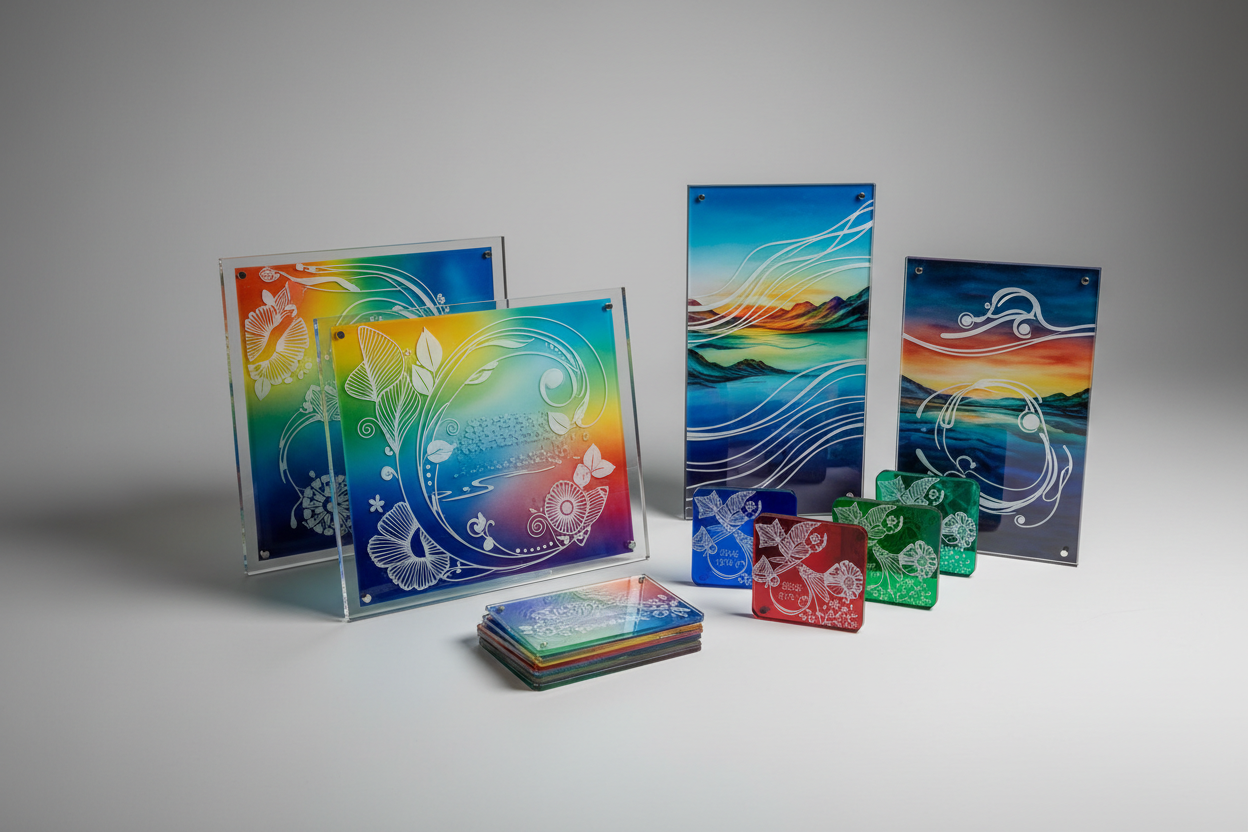
Rigid panels that hold flat and clean easily.
Acrylic, coated aluminium, aluminium composite and foam board are the usual choices, and the published material guidance asks for the exact substrate and finish to be tested.
| Substrate | What matters for the print |
|---|---|
| Acrylic | Clear, coloured and opaque grades need the white layer planned |
| Coated aluminium | The coating carries the ink and has to be identified |
| Aluminium composite | Rigid and flat, with a coated face and an exposed core at the cut |
| Foam board | Light and cheap, but the face and edges need protection |
The published material guidance for this range is consistent across all four: identify the substrate and its finish, control the surface, and test a representative part. That matters more in a kitchen than in an office, because grease and steam find every edge and every unprotected face.
It sets the type size and the contrast.
A board read from three metres needs a larger type and a stronger contrast than one read from one metre, and the counter layout decides which applies.
Three measurements belong in the brief. The distance from the customer's eye to the board. The angle, because a board mounted above eye level is read from below. And the lighting, because a bright window behind the customer changes how a glossy panel reads.
The published artwork guidance for this range asks for the printable face, the orientation and the no-print zones to be defined before the file is approved. On a menu board that means the layout is built around the mounting and the reading position, not around the sheet.
They turn the print into a transmission problem.
A backlit menu is viewed through the ink rather than by reflected light, so density, white balance and the diffuser decide whether the board reads evenly.
The published backlit guidance for this range applies directly: too much ink blocks the light, too little leaves the image thin, and the white layer can even out the transmission behind a colour. A menu board adds a commercial constraint, because the prices have to stay crisp at the edges where the light is often less even.
The diffuser is the other half of the equation. Two sheets of the same nominal thickness can spread light differently, so the grade belongs in the specification. Where the cabinet already exists, the print has to work within it, and the diffuser is the variable the printer can still influence.
As a replaceable layer, not a reprint.
A menu set that uses shared modules, inserts or a separate price strip can be updated when a price changes, which is cheaper than reprinting boards that are otherwise correct.
The published retail and campaign guidance for this range is the model: keep a stable component identifier and a version so that a single element can be reprinted without reprinting the set. On a menu board the price is the element that changes most often, so it is the one that should be easiest to replace.
Two practical designs follow. A printed board with a clear pocket for a printed insert, or a board built from a fixed header and a replaceable body. Both trade a little design freedom for a much lower cost of change, and both are cheaper over a year than reprinting the whole board for a price adjustment.
It is the exposure most menus actually meet.
A kitchen or counter environment brings grease, steam and frequent wiping, so the cleaning method and the surface finish belong in the sample test.
The published material guidance for this range asks for the cleaning method to be part of the approval rather than a later question. On a menu board that means testing the print with the cleaner and the cloth the staff will actually use, because a print that survives a rub test can still dull under a kitchen degreaser.
The finish matters as much as the ink. A gloss panel shows every smear and reflects the lights, while a matte panel hides marks but can hold grease in its texture. The right choice depends on how the board is cleaned and where it is mounted, which is why the sample should be viewed in the real environment.

As a system with shared modules.
A menu set is a family of panels that share one grid, one type scale and one colour system, so a change in one section does not break the rest.
The published wayfinding guidance makes the same point for signs: a scheme is judged as a set. A menu board set is the same problem with prices. The header, the category blocks, the item rows and the price column should be defined once and reused, so that a new item is an addition rather than a redesign.
The file structure follows from that. A component identifier, a version and a release status in the file name and job ticket allow one panel to be reprinted without touching the others. The published file guidance for this range treats that discipline as the difference between a repeat order and a fresh project.
Legibility, cleaning and fixing.
The published batch checks cover placement, colour, opacity and surface defects, and a menu board adds the reading distance and the cleaning method.
Four checks cover the risk. Legibility at the real distance and angle, because that is the purpose of the board. Colour against the approved sample, because a set is judged on consistency. Cleaning with the real product, because the environment is a kitchen. And the fixing, because a board that fits the drawing but not the frame is not finished.
Two published methods support the durability side. Adhesion is assessed with the cross-cut tape test under ASTM D3359, humidity exposure under ASTM D2247 and accelerated exposure under ASTM G154 where the board will see daylight. Chemical and material obligations for the inks and substrates follow the applicable regulations (REACH), occupational guidance for the workshop is published by the relevant authority (HSE printing), and process practice is published by the industry bodies in the field (PRINTING United Alliance).
The signage production route is set out in the guide to signage production, and the set-based approach is covered in the article on wayfinding and directory signage.
Why is a menu board a legibility problem first?
Because the reader is standing in a queue, often at an angle, with limited time. Type size, contrast and panel finish decide whether the board works before print quality or substrate choice matter at all, so legibility is the first specification.
Which substrates suit menu boards?
Rigid panels that stay flat and clean easily. Acrylic, coated aluminium, aluminium composite and foam board are the usual choices, and the published material guidance asks for the exact substrate and finish to be tested rather than chosen by name.
What do backlit menus change?
They turn the print into a transmission problem. A backlit menu is viewed through the ink rather than by reflected light, so density, white balance and the diffuser decide whether the board reads evenly or shows hot spots.
How should price changes be handled?
With a replaceable layer rather than a full reprint. A menu set that uses shared modules, inserts or a separate price strip can be updated when a price changes, which is cheaper than reprinting boards that are otherwise still correct.
What does grease and cleaning do to the print?
It is the exposure most menus actually meet. A kitchen or counter environment brings grease, steam and frequent wiping, so the cleaning method and the surface finish belong in the sample test rather than in a later complaint.
A menu board is a reading surface in a working kitchen. Set the type and contrast from the real viewing distance, qualify the substrate and finish, plan the backlit construction if there is one, make the price replaceable, and test the print with the cleaner the staff will actually use.
The published signage and material guidance for this range sits with the acrylic collection and the AJ3220G/R page, the production route is covered in the guide to signage production, and the set-based structure is set out in the article on wayfinding and directory signage.
Send us the counter layout, the reading distance and the menu structure. We will confirm the substrate, the type scale and the cleaning test before the set is printed.
Discuss a menu-board project
