

- by John White
How to Select the Right File Format for UV Flatbed Printer Printing
- by John White
Print bigger, print faster — wide-format UV flatbed printers for signs, decor and industrial work.

For most UV flatbed jobs, a correctly prepared PDF is the safest exchange file because it can preserve vector text, images, page size, profiles and spot-color objects in one package. Keep the editable AI or PSD source and linked assets as backup. Use TIFF for high-quality flattened raster artwork; use JPEG only when its compression and lack of transparency are acceptable.
(Last modified date: September 12, 2026)
| Format | Best use | Main risk |
|---|---|---|
| PDF/PDF-X | Mixed vector, text and raster production files | Wrong export preset, transparency or spot-color handling |
| AI/EPS | Editable vector logos, paths and spot layers | Missing fonts/links or unsupported effects |
| TIFF | Flattened, high-resolution raster images with predictable pixels | Large files; lost editability |
| PSD | Layered raster source and special-layer preparation | RIP may not interpret live layers as intended |
| JPEG | Simple photographic content | Lossy artifacts, no transparency and weak support for technical layers |
Adobe’s print-production guidance explains that PDF/X workflows address resolution, color handling and embedded fonts. The correct PDF/X variant still depends on the receiving RIP; do not convert color blindly merely because one standard is familiar.
Special effects usually require named spot-color objects, separate channels or a RIP-specific layer convention. Confirm spelling, overprint behavior, choke/spread and print order with the provider. A white-looking object on screen is not automatically a white-ink instruction.
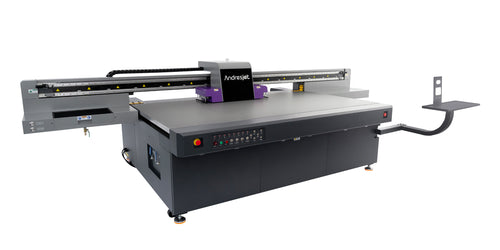
A pixel count has meaning only at final print size. Enlarging a small JPEG inside a large layout reduces effective resolution and exposes compression. Conversely, rasterizing clean vector text unnecessarily can reduce flexibility. Ask for a proof when viewing distance, fine text or registration tolerance is critical.
For an equipment or sample discussion, send AndresJet the PDF, editable source, linked images, fonts or outlined version, final dimensions, substrate, white/varnish layer explanation, cut path, color target and acceptance criteria. The technical team can then test the file on the proposed configuration rather than guessing from a screenshot.
It is usually the best exchange format, but only when exported to the receiving RIP’s requirements.
Outlining prevents missing-font substitution but removes editability and can change complex text. Supply editable source as backup.
Use the exact spot-color or channel convention required by the RIP and verify it in separations before printing.


