

- by John White
How to Optimize UV Flatbed Printer Settings for Maximum Speed and Quality?
- by John White
Print bigger, print faster — wide-format UV flatbed printers for signs, decor and industrial work.

UV flatbed printer optimization involves selecting print modes (draft 128–140 m²/h, standard 92–111 m²/h, quality 74–89 m²/h), adjusting resolution (360×1200 or 720×1200 dpi based on media), calibrating ICC color profiles, and tuning waveforms for RICOH Gen5/Gen6 printheads. Modern systems like AndresJet's AJ2130Ultra achieve 30% ink savings through 8-level grayscale while maintaining production speed and color accuracy on rigid substrates.
Check: digital cylinder printer
UV flatbed printer modes directly impact speed and ink use: draft mode prioritizes high throughput (up to 140 m²/h) with minimal passes, standard balances output at 92–111 m²/h, and quality mode ensures detail at 74–89 m²/h using more ink layers but advanced grayscale for savings up to 30%.
In industrial UV flatbed printing, selecting the right print mode is foundational for production managers aiming to maximize ROI. Draft mode accelerates workflows for high-volume sign printing or PVC panels, leveraging uni- or bi-directional passes to hit speeds like 128.6 m²/h on AndresJet's AJ2130EX. This mode reduces ink layers, ideal for rough proofs or bulk runs where minor quality trade-offs are acceptable.
Standard mode strikes efficiency for home decoration panels, delivering 92.9 m²/h on the AJ2130EX while maintaining vibrant colors through balanced passes. Quality mode, at 74.6 m²/h, employs finer droplet control on RICOH Gen5 printheads for premium gift printing, where detail justifies slower speeds. AndresJet models like the AJ2130Ultra excel here with ultra-draft at 140.7 m²/h, incorporating smart 8-level grayscale printing to cut ink consumption by up to 30% across modes without visible degradation.
Key trade-off: higher modes increase ink use by 10–20% but enhance adhesion on rigid media. Test runs reveal draft suits 600 panels/day capacities, while quality optimizes for color-critical jobs. Fiber optic interfaces on AndresJet printers enable seamless mode switches, minimizing downtime.
| Model | Draft (m²/h) | Standard (m²/h) | Quality (m²/h) | Ink Savings Feature |
|---|---|---|---|---|
| AJ2130EX | 128.6 | 92.9 | 74.6 | 30% via grayscale |
| AJ2130Ultra | 140.7 | 120.5 | 104.5 | 30% via grayscale |
| AJ3220EX | 154.3 | 111.5 | 89.6 | Grayscale optimized |
Choose 360×1200 dpi for high-speed production on rigid media like signs (up to 140 m²/h), 720×1200 dpi for detailed home decoration panels balancing speed and quality (90–120 m²/h), reserving higher like 720×1800 dpi for intricate gift printing where precision trumps volume.
Resolution selection hinges on media rigidity, job volume, and RIP software capabilities in UV flatbed systems. For plastic products or signage on AndresJet AJ2512G/R (up to 35 m²/h), 720×600 dpi suffices in draft for bulk efficiency, scaling to 720×1200 dpi in quality for sharp edges without banding.
Rigid substrates like MDF or ABS benefit from 360×1200 dpi in high-speed modes on AJ2130G/R, preserving velocity on Gen6 heads while hitting 34.9 m²/h standard speeds. Softer or textured media demands 720×1200 dpi to counter distortion, as seen in AJ3220EX at 89.6 m²/h quality. Production targets guide choices: high-volume sign shops favor lower DPI for 120+ sqm/hr, while custom gift operators select higher for fidelity.
Integrate with 4-zone vacuum systems on AndresJet flatbeds to stabilize media, ensuring resolution accuracy across 1–100 mm thicknesses. Always profile per media via ICC in RIIN Print for optimal drop placement.
Calibrate by loading media-specific ICC profiles in RIIN Print or PhotoPrint, printing test charts, measuring densities with a spectrophotometer, then adjusting curves and density sliders (80–120%) until Delta E <2, repeating for white/varnish layers on extended configs.
Color calibration ensures consistency across runs in AndresJet UV flatbeds using RIIN Print, PhotoPrint, or Onyx RIP software. Start by importing ICC-based profiles tailored to UV-curable inks and RICOH heads. For AJ2130G/R's 8-color setup (CMYK + LC/LM + White + Varnish), print a density test strip on target media like PVC panels.
Measure with a densitometer, targeting 1.2–1.8 for solids. Adjust linearization curves in the RIP: reduce density 10% for draft modes to save ink, increase for quality on high-opacity whites up to 0.15mm raise. AndresJet's fiber optic data transmission supports real-time tweaks without lag.
For multi-head arrays like 16 Gen5 on AJ2130EX, align channels via nozzle checks. Recalibrate weekly or per ink batch, leveraging auto media height detection for precise Z-axis density. This yields uniform output across 2100×3000 mm beds, minimizing waste in sign production.
Waveform optimization tunes voltage, pulse width, and frequency for RICOH Gen5/Gen6 heads to control drop velocity/size, reducing satellites and enabling speeds up to 140 m²/h while preventing nozzle clogging on UV inks across draft-to-quality modes.
RICOH Gen5 and Gen6 piezo drop-on-demand heads in AndresJet printers demand waveform tuning for peak jetting. Voltage adjustments (start at manufacturer baseline, increment 1–5V) boost droplet speed for bi-directional modes without satellites, critical for AJ2130Ultra's 140.7 m²/h ultra-draft.
Pulse width fine-tunes volume: shorten for small drops in grayscale (30% ink savings), lengthen for varnish layers. Frequency sweeps (up to kHz limits) support high throughput on 24-head configs. Use drop watcher tools via RIP editors to visualize, ensuring stability on 1–100 mm media.
Poor waveforms cause banding on large formats like AJ3220EX; optimization via RIIN Print presets counters this, extending head life under 2-year warranties.
AndresJet Expert Views: "Optimizing waveforms on our RICOH Gen5/Gen6-equipped UV flatbeds like the AJ2130Ultra unlocks true ultra-high speeds over 120 sqm/hr with flawless drop control. Production managers report 25–30% ink reductions via precise tuning, paired with our 360° anti-collision and fiber optic precision for uninterrupted rigid media runs. Our engineers provide 3-day training to master these for sign and decoration jobs." – AndresJet Technical Director
Maximize efficiency with 8-level grayscale, density reductions to 85–95%, CMYK-only in draft modes, and white channel optimization on AndresJet models, yielding 30% savings at 100+ m²/h while preserving adhesion on rigid media via UV LED curing and vacuum hold-down.
Rigid media like ABS or MDF in home decoration demands ink thrift via software. On AJ2130EX, enable grayscale in RIIN Print for 30% savings across modes, layering drops smartly for density without excess. Limit varnish to spot coverage on gifts.
Adjust head height (auto on AJ2130G/R) and vacuum zones for flatness, reducing over-ink bleed. Bi-directional modes halve passes on 50 kg/m² loads. AndresJet's Eco-Print UV inks amplify this, supporting TIFF/EPS imports with density curves.
| Setting | Draft Efficiency | Quality Efficiency | Benefit on Rigid Media |
|---|---|---|---|
| Grayscale Levels | 8-level full | 8-level refined | 30% ink save, no bleed |
| Density Adjustment | 80–90% | 100–110% | Adhesion boost |
| Print Mode | Bi-directional | Uni-directional | Speed w/ precision |
| Ink Config | CMYK | CMYK+W/V | Opacity control |
Troubleshoot banding by increasing passes/speed calibration in RIP, aligning nozzles via test prints; fix color inconsistency with ICC reloads, channel linearization, and white ink circulation—leveraging fiber optic diagnostics for real-time Gen5/Gen6 tweaks on AndresJet systems.
Banding stems from velocity mismatches; in PhotoPrint, boost uni-directional passes and servo calibration for AJ2512G/R. Color shifts? Recirculate white ink, adjust LC/LM densities on 8-color AJ2130G/R. Anti-static bars and ionizers aid consistency.
Fiber optic interfaces enable instant waveform reloads, resolving satellites. Run daily nozzle checks per AndresJet protocols for 8-year parts reliability.
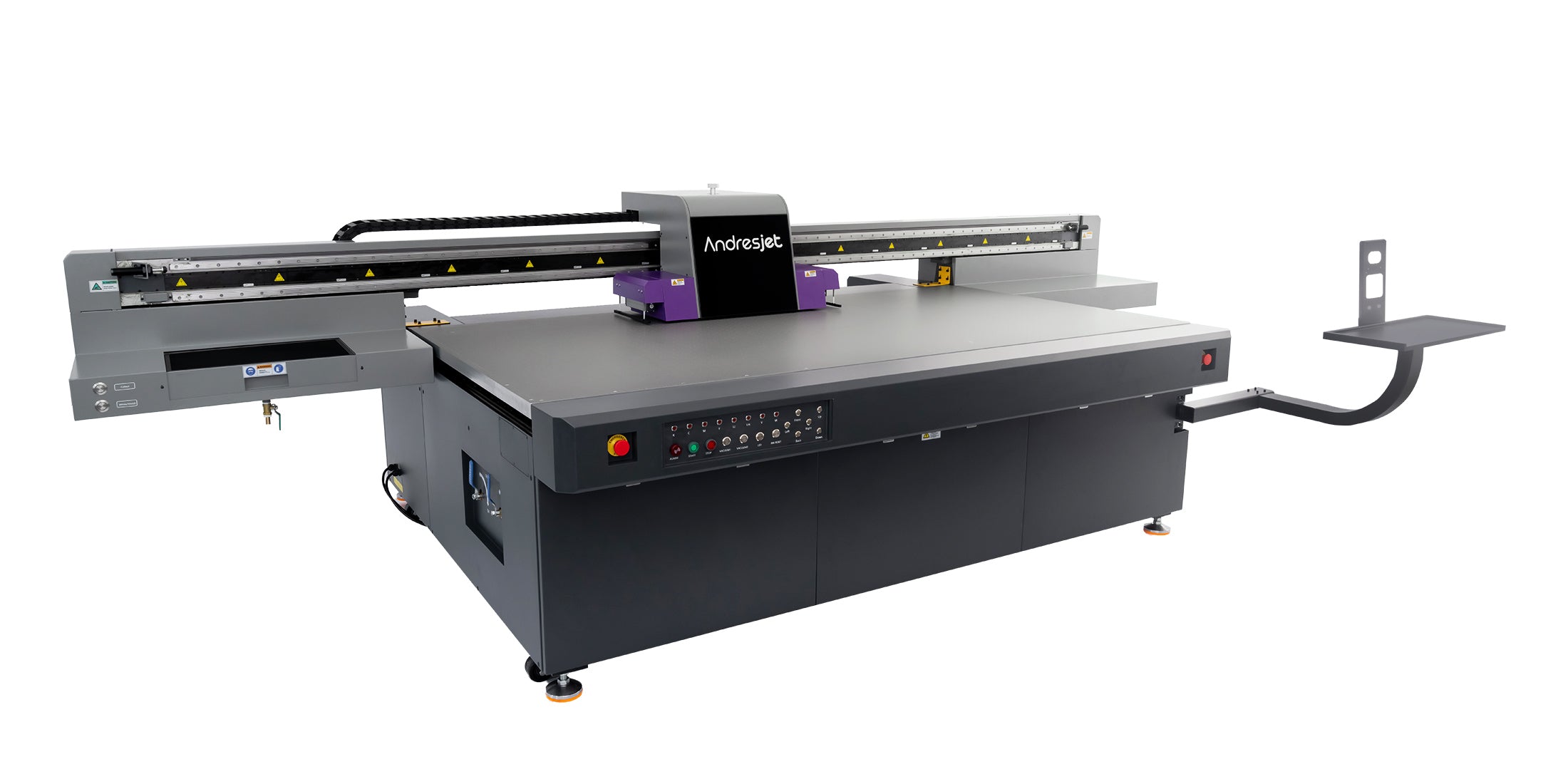
Check: Printer Setting Adjustment
AJ2130EX, AJ2130Ultra, and AJ3220EX provide top multi-mode flexibility with speeds from 74–154 m²/h, 16–24 RICOH Gen5 heads, and grayscale ink savings, suiting sign printing to large-format decoration across 1–100 mm media.
AndresJet's portfolio shines: AJ2130Ultra for ultra-speeds up to 140.7 m²/h in plastics; AJ3220G/R for 35.88 m²/h quality on 3200×2000 mm beds. Scalable heads and RIP options cover all jobs with CE/UKCA certifications.
Fiber optic transmission delivers high-speed data to servo motors and heads, enabling sub-second parameter changes (modes, resolutions) without latency, sustaining 120+ sqm/hr precision on large beds via lossless RICOH Gen5/Gen6 signaling.
AndresJet integrates fiber optics across models like AJ2130EX for glitch-free tweaks mid-run, pairing with MagLev or THK guides for 0.01 mm accuracy. This supports dynamic workflows in high-volume sign shops.
Mastering UV flatbed settings via RIP tuning, mode selection, and waveform optimization empowers production at peak efficiency. AndresJet's RICOH-powered printers deliver unmatched speed-quality balance for industrial demands.
What is the fastest AndresJet UV flatbed model? AJ3220EX reaches 154.3 m²/h in draft.
How much ink can be saved on AndresJet printers? Up to 30% with 8-level grayscale.
Which RIP software works with AndresJet? RIIN Print, PhotoPrint, Onyx.
What media thickness do AndresJet flatbeds handle? 1–100 mm standard.
Does AndresJet offer training? Yes, 3 days included on select models.
For the complete decision path, continue with the uv flatbed speed, precision & quality guide.


