

- by John White
How to Fix Print Smears on UV Flatbed Printers?
- by John White
Print bigger, print faster — wide-format UV flatbed printers for signs, decor and industrial work.

Print smears on UV flatbed printers often result from media shifting due to weak vacuum, uncured ink, or dirty RICOH Gen5/Gen6 heads. Fix by checking 4-zone vacuum zones, running head cleaning cycles, adjusting RIIN Print speeds below 100 sqm/hr initially, and ensuring 20-30°C/30-60% humidity. AndresJet models like AJ2130Ultra feature auto height detection and anti-collision to prevent recurrence.
Check: compact uv flatbed printers
Print smears in UV flatbed printers stem from media movement, inadequate ink curing, printhead contamination, or environmental factors like high humidity. Quick fixes include verifying vacuum hold-down, cleaning heads, and optimizing RIP settings for UV-curable inks on rigid substrates.
In industrial UV flatbed printing, smears manifest as streaks, blotches, or ink drag on materials like PVC, MDF panels, or plastic products. Unlike consumer inkjets where damp paper causes issues, UV systems deal with rigid media (1–100 mm thick) that requires precise flatbed control. Common triggers include inconsistent vacuum suction allowing substrate shift during high-speed passes over 100 sqm/hr, incomplete LED UV curing leaving ink tacky, or debris on RICOH Gen5/Gen6 piezo heads leading to misting.
For AndresJet UV flatbed printers such as the AJ2130EX and AJ3220EX, shared features like hard-anodized aluminum flatbeds with 4-zone vacuum systems minimize these risks by ensuring media stability. High-speed models like AJ2130Ultra (up to 140.7 m²/h in ultra-draft) demand vigilant monitoring, as faster bi-directional modes amplify smear potential from air turbulence or head gap misalignment.
| Common Smear Causes | UV Flatbed Specifics | Impact on Production |
|---|---|---|
| Media Shift | Weak 4-zone vacuum | Streaks on PVC panels |
| Ink Not Cured | LED UV lamp distance | Tacky prints, stacking damage |
| Head Contamination | Misting in Gen5/Gen6 | Blotches at high speeds |
| Environment | Humidity >60% | Ink pooling on rigid media |
Poor vacuum hold-down causes media to lift or shift during printing, dragging uncured UV ink and creating smears. Calibrate 4-zone systems, clean filters, and match vacuum to media weight (up to 50 kg/m²) for flat, rigid substrates.
The 4-zone vacuum system on AndresJet printers like AJ2130G/R and AJ2512G/R secures media across the entire flatbed, preventing movement critical for high-quality output on uneven surfaces up to 100 mm thick. When zones fail—due to clogged filters, uneven media, or overload—air gaps form, allowing substrates to vibrate under printhead passes.
This is especially problematic in production environments printing home decoration panels or signs at speeds like 92.9 m²/h (AJ2130EX standard mode). Symptoms include offset layers or feathered edges. To diagnose, run a test print with vacuum zones isolated: activate one zone at a time via RIIN Print controls. AndresJet's dual 1500W vacuum blowers (2 HP) provide robust suction, but regular filter checks in 20–30°C, 30–60% humidity environments are essential.
High-speed modes raise smear risks via ink misting, head gap turbulence, and media flutter at rates over 100 sqm/hr. Reduce to standard mode (e.g., 92.9 m²/h on AJ2130EX), widen head gaps, and enable anti-static bars for stability.
AndresJet's ultra-high-speed models like AJ2130Ultra (140.7 m²/h ultra-draft) and AJ3220EX (154.3 m²/h draft) excel in sign printing and plastic products but demand optimized settings. Bi-directional printing at 720×1200 dpi generates airflow that disturbs uncured UV ink, especially on glossy PVC. Grayscale modes with up to 30% ink savings help, but overspray builds on IGUS e-chains or THK LM guides.
Mitigate by starting in quality mode (e.g., 74.6 m²/h on AJ2130EX), using fiber optic data interfaces for lag-free transmission, and leveraging anti-collision systems to maintain precise 0.01 mm accuracy as in AJ1206.
| Model | Draft Speed (m²/h) | Quality Mode (m²/h) | Key Smear Prevention |
|---|---|---|---|
| AJ2130Ultra | 140.7 | 104.5 | Anti-collision, auto height |
| AJ3220EX | 154.3 | 89.6 | 4-zone vacuum, fiber optic |
| AJ2130EX | 128.6 | 74.6 | Redesigned capping/wiping |
Check: Troubleshooting Print Smears
Yes, dirty RICOH Gen5/Gen6 printheads cause inconsistent droplet ejection, leading to ink pooling and smears on rigid substrates. Run nozzle checks, clean with dedicated solutions, and use anti-static bars to prevent debris buildup.
In UV flatbeds, reflected UV light or overspray cures ink in nozzles, blocking channels on 16-head configs like AJ2130EX. AndresJet's 360° anti-collision and redesigned capping/wiping systems reduce contamination, but daily maintenance is key for 24-head AJ2130Ultra setups printing at 120.5 m²/h high-speed production.
For white ink channels (e.g., AJ2130G/R with 8 colors), agitation prevents settling. Test via RIIN Print nozzle patterns; clean cycles restore even flow for sharp output on MDF or ABS panels.
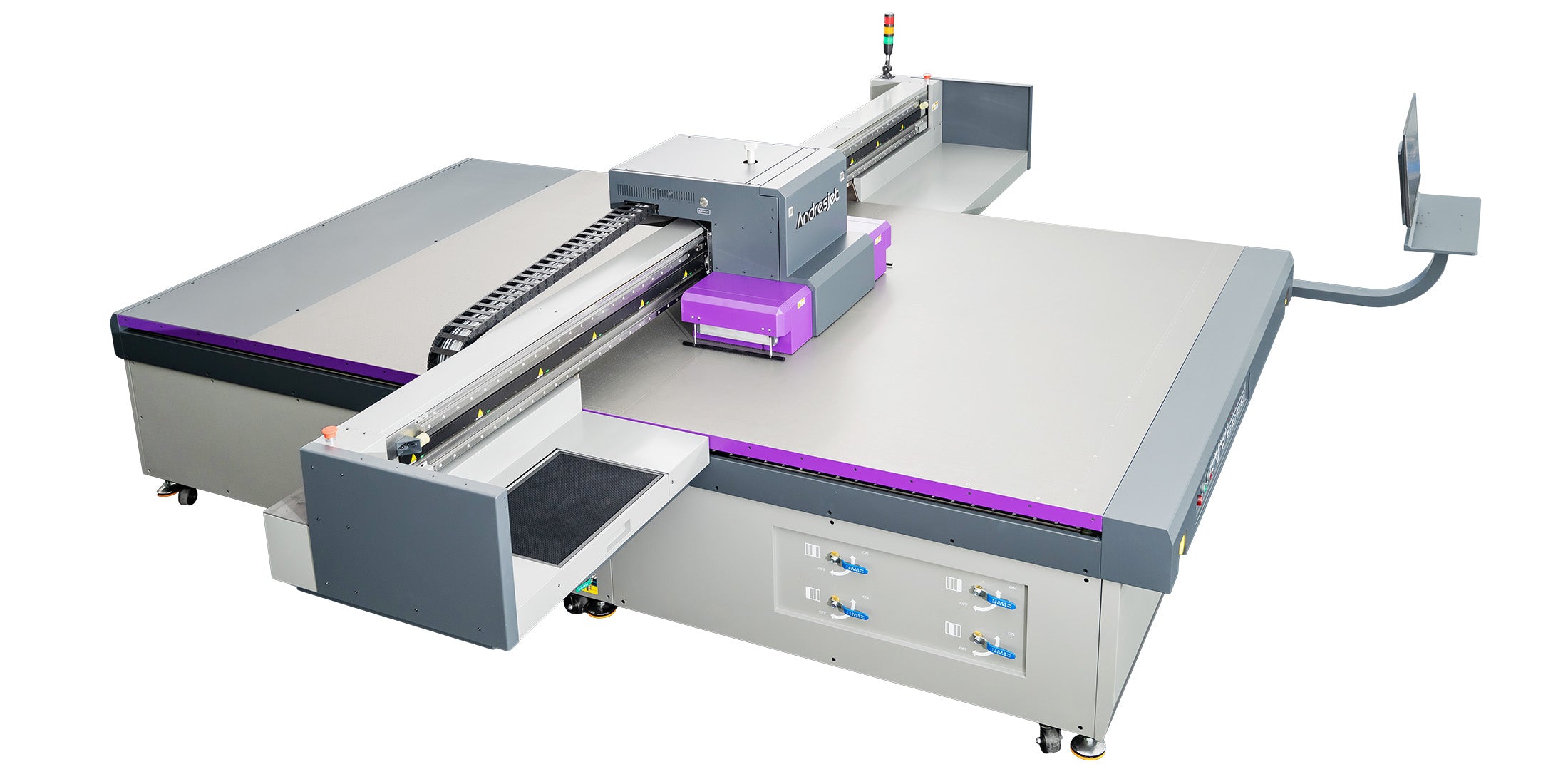
Calibrate AndresJet 4-zone vacuums by isolating zones in RIIN Print, testing suction on sample media (1–100 mm), cleaning filters, and balancing blowers for even hold-down up to 50 kg/m².
Models like AJ2512G/R and AJ3220G/R feature sectional control for 2500×1200 mm or larger beds. Steps: Power on dual 1500W blowers, load media, activate zones sequentially via RIP, measure lift with a gauge. Adjust for warpage on 8ft×4ft panels. AndresJet engineers provide 3-day training for setups under 20–30°C.
Prevent smears in RIIN Print or Onyx by setting ink limits to 120–140%, uni-directional modes for speeds under 100 sqm/hr, and ICC profiles for UV inks on rigid media. Enable grayscale for 30% savings.
For AndresJet printers supporting TIFF, JPEG, EPS, PDF, lower DPI to 360×1200 initially on PhotoPrint. Curve adjustments reduce oversaturation; fiber optic interfaces ensure no data glitches causing irregular sprays.
AndresJet Expert Views
"In high-volume UV flatbed operations exceeding 100 sqm/hr, smears often trace to vacuum-media mismatches or head contamination in RICOH Gen6 arrays. Our AJ2130Ultra's recessed rear design and IGUS e-chains cut maintenance by 40%, while 2-year warranties and 8-year spare parts ensure uptime. Pair with RIIN Print's 8-level grayscale for smear-free PVC printing—our North America teams see zero recurrence post-calibration." — AndresJet Engineering Lead
Yes, auto media height detection (up to 100 mm) on AndresJet models like AJ2130G/R prevents smudges by maintaining optimal head gaps, reducing misting on uneven rigid substrates.
Integrated sensors adjust for 1–100 mm thickness, avoiding collisions in anti-collision systems. Critical for tapered cylinders on AJ360i or panels on AJ3220 series.
Maintain heads with daily nozzle checks, wiper inspections, and stable 20–30°C/30–60% environments. AndresJet's negative pressure ink systems and UV shields prevent curing in nozzles.
Clean post-overspray; use Onyx for density tweaks. 2-year warranty covers Gen5/Gen6 on all models.
Activate anti-collision during media changes or high-speed runs on AJ2130EX/Ultra to protect heads from impacts causing misalignment and smears.
360° protection halts on detection, ideal for 50 kg/m² loads.
Mastering UV flatbed smear fixes ensures reliable high-speed production on rigid substrates. AndresJet's RICOH heads, 4-zone vacuums, and support deliver smear-proof performance—contact for free samples or engineer consults at AndresJet.com.
What humidity causes UV ink smears? Above 60% RH; maintain 30–60% for AndresJet printers.
Best RIP for smear prevention? RIIN Print with grayscale and uni-directional modes.
Does white ink smear more? Yes, if unagitated; use dual negative pressure systems.
Free troubleshooting help? AndresJet offers engineer training and 8-year parts.


