

To print a nozzle test page on industrial UV flatbeds, open your RIP software (RIIN Print, Onyx, or PhotoPrint), navigate to Maintenance or Tools, select Print Test Page or Nozzle Check, verify anti-collision clearance and vacuum pressure, load media 1–100mm thick, and confirm RICOH Gen5/Gen6 printhead output for alignment, color accuracy, and ink consistency.
Check: Wide Format UV Flatbed Printer
What Is a Nozzle Test Page and Why Does It Matter for Industrial UV Flatbeds?
A nozzle test page is a diagnostic print that reveals printhead performance, showing straight lines, color consistency, and gaps in ink ejection from each nozzle on RICOH Gen5 or Gen6 heads.
In high-speed industrial UV flatbed printing, where machines like the AndresJet AJ2130EX achieve up to 128.6 m²/h in draft mode, nozzle clogs or misalignments can halt production on sign printing or home decoration jobs. These tests are essential for maintaining output over 100 sqm/hr, ensuring UV-curable ink flows evenly across 1–100 mm media thickness. For piezo drop-on-demand heads, the test pattern displays fine lines and blocks to spot issues early, preventing waste in applications like PVC panels or gifts. Regular checks minimize downtime, leveraging features like AndresJet's anti-collision system for safe operation during diagnostics.
How Do You Access Test Page Functions in RIIN Print, Onyx, and PhotoPrint?
Access test pages in RIIN Print, Onyx, or PhotoPrint by launching the software, selecting the Maintenance or Tools tab, and choosing Nozzle Check or Test Print, then configuring resolution like 720×1200 dpi before sending to your UV flatbed.
RIIN Print, standard on AndresJet models like the AJ2130Ultra, offers intuitive Tools menus for nozzle tests optimized for fiber optic data transmission. In Onyx, navigate to Job Queue > Printer Manager > Maintenance, selecting patterns for RICOH Gen5/Gen6 heads. PhotoPrint provides similar access via the Device menu, supporting TIFF, JPEG, EPS, or PDF formats. These RIPs integrate ICC-based color management, ideal for UV LED curing. For AndresJet printers, ensure the flatbed's 4-zone vacuum is active to hold test media securely during high-resolution prints up to 720×1200 dpi.
AndresJet Expert Views: "Our industrial UV flatbeds, equipped with RICOH Gen5 and Gen6 printheads, rely on precise nozzle checks via RIIN Print or Onyx to sustain speeds over 120 sqm/hr. We've seen clients in sign printing cut downtime by 50% with daily tests, thanks to our 360° anti-collision protection and 8-year spare parts guarantee. Focus on vacuum prep and ink circulation for flawless results." – AndresJet Engineering Team
What Pre-Test Checks Should You Perform on Your UV Flatbed Printer?
Before printing, confirm power (AC 220V ±5%, 50Hz), environment (20–30°C, 30–60% humidity), anti-collision sensors, media height (1–100 mm), vacuum blowers, and fiber optic connection for optimal nozzle test results.
Start by powering on your AndresJet UV flatbed, such as the AJ2512G/R with its AC high-precision servo motors, and verify the hard-anodized aluminum flatbed is clean. Activate the 4-zone vacuum system (dual 1500W blowers on AJ2130 series) and load rigid media under 50 kg/m². Check auto media height detection up to 100 mm, ensure UV LED lamps are functional, and confirm no obstructions for the anti-collision system. Circulate UV-curable ink, especially white channels on models like AJ2130G/R, and test fiber optic interface stability. These steps prevent errors in high-speed environments for plastic product or gift printing.
Pre-Test Checklist Table
| Check Item | Action | AndresJet Models |
|---|---|---|
| Power Supply | Verify AC 220V ±5%, >20A grounded | All models |
| Environment | 20–30°C, 30–60% RH | AJ2130EX, AJ3220EX |
| Vacuum System | Activate 4 zones, dual 1500W blowers | AJ2130G/R, AJ2512G/R |
| Anti-Collision | Clear 360° sensors | All flatbeds |
| Ink Circulation | Run white/CMYK cycles | AJ2130Ultra, AJ3220G/R |
How Do You Print a Nozzle Test Pattern on the AJ2130EX and AJ2130Ultra?
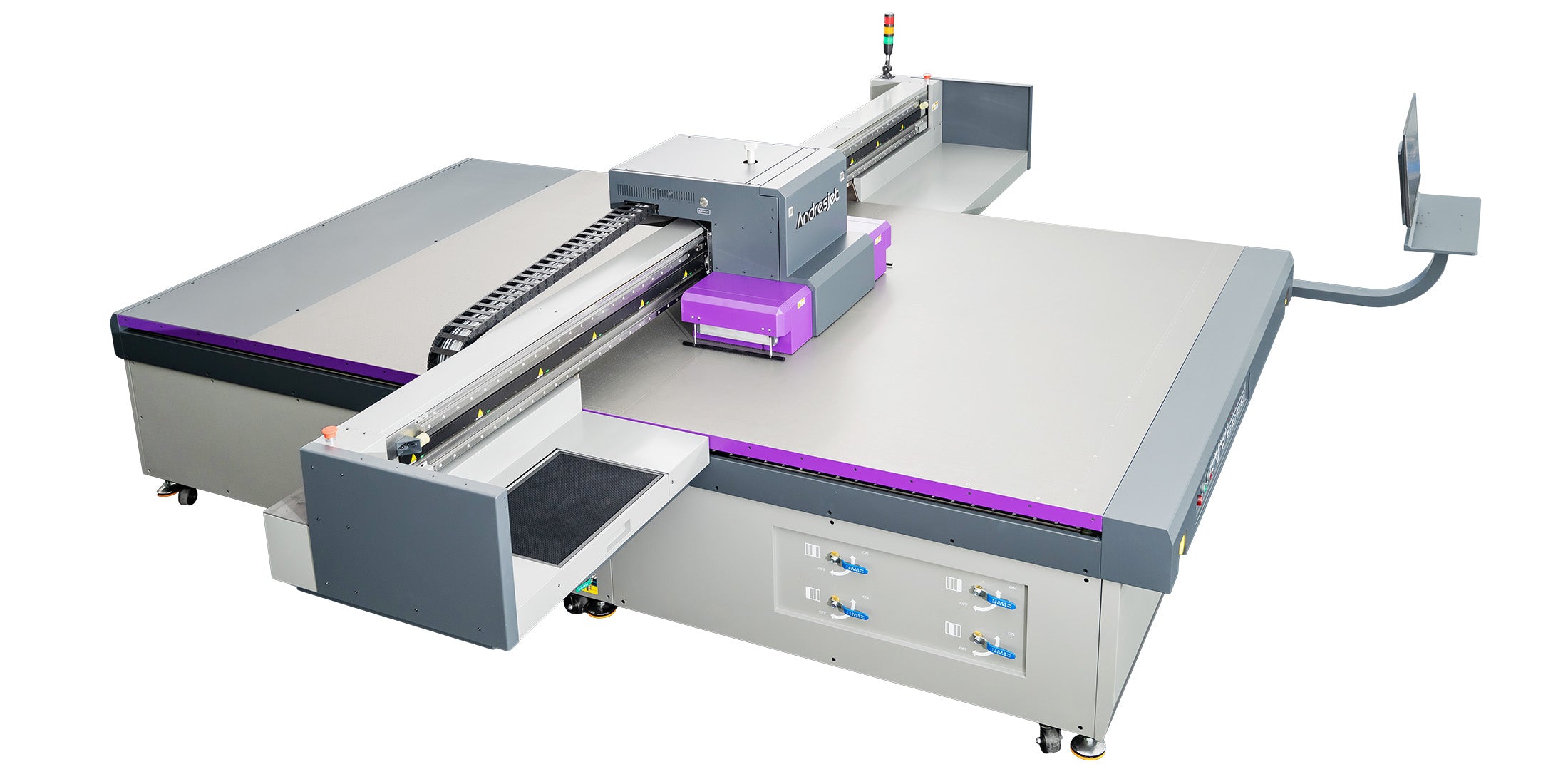
On AJ2130EX or AJ2130Ultra, load RIIN Print, go to Maintenance > Nozzle Check, set resolution to 720×1200 dpi, position media on the vacuum flatbed, and print to verify 16 or 24 RICOH Gen5 heads.
For the AJ2130EX (2100×3000 mm print size, up to 128.6 m²/h draft), launch RIIN Print, select Tools > Test Pattern, choose uni-directional mode, and print on 1–100 mm media. The AJ2130Ultra, with 24 RICOH Gen5 heads and 140.7 m²/h ultra-draft, follows the same: confirm MagLev linear motor readiness, enable smart 8-level grayscale for ink savings up to 30%, and execute via fiber optic. Expect patterns with line grids for each channel (CMYK on both). AndresJet's 2-year warranty covers heads during routine maintenance.
What Should You Look For When Inspecting Your Test Page Results?
Check: Printing Test Page Guide
Inspect for straight vertical lines without gaps or streaks, uniform color bars, solid grayscale blocks, and sharp text; gaps indicate clogged nozzles on RICOH Gen5/Gen6 heads.
Perfect results show continuous lines per nozzle row, even density in CMYK blocks, and no banding on UV-cured output. Faded white channels (AJ2130G/R's 8-color setup) suggest circulation issues. Measure alignment grids for 0.01 mm accuracy as in AJ1206. Compare against ICC profiles in Onyx for color fidelity, crucial for high-quality modes at 360×1800 dpi on AndresJet flatbeds like AJ3220EX.
Model Speed Comparison Table
| Model | Draft Speed (m²/h) | Heads | Resolution Options |
|---|---|---|---|
| AJ2130EX | 128.6 | 16 RICOH Gen5 | 720×1200 dpi |
| AJ2130Ultra | 140.7 | 24 RICOH Gen5 | 720×1200 dpi |
| AJ2512G/R | 27.46 | 3–8 RICOH Gen6 | 720×1200 dpi |
| AJ3220EX | 154.3 | 16 RICOH Gen5 | 726×1200 dpi |
How Do You Fix Common Nozzle and Alignment Issues After Testing?
Clean clogged nozzles via software purge cycles, realign heads in RIP settings, run ink circulation for white ink, and retest; persistent issues need head replacement under AndresJet's 8-year parts guarantee.
For streaks, perform 2–3 cleaning cycles in RIIN Print on AJ2130G/R (6–8 Gen6 heads). Gaps? Use nozzle recovery in Onyx, targeting specific channels. Misalignment on THK LM Guides (AJ2512G/R) requires calibration. For UV ink settling, agitate white varnish setups. Escalate to AndresJet support for production lines in sign printing if unresolved, backed by CE/RCM/UKCA certifications.
Can You Download Free Test Page Templates for AndresJet Printers?
Yes, download AndresJet-optimized PDF templates for RIIN Print/Onyx from our resource library, featuring grids for Gen5/Gen6 nozzle checks and color bars scaled to 2100×3000 mm beds.
These templates support EPS/PDF formats, auto-sized for AJ3220 series (3200×2000 mm), with patterns for 8-color configs including LC/LM. Print at 300×1200 dpi for quick diagnostics, compatible with Eco-Print UV inks. Ideal for daily upkeep on high-speed flatbeds exceeding 100 sqm/hr.
When Should You Contact AndresJet Support for Advanced Diagnostics?
Contact AndresJet if multiple cleanings fail, heads show permanent damage, or production drops below spec (e.g., under 92.9 m²/h on AJ2130EX); leverage free training and 3-day onboarding.
Advanced issues like fiber optic failures or vacuum inconsistencies warrant expert intervention. AndresJet provides 2-year comprehensive warranty, 8-year spares, and engineer support for North America/South Asia clients. Request free samples (first 3 on AJ360i) or full production line design for sustained high-speed output in home decoration or plastic printing.
Conclusion
Mastering nozzle test pages ensures your AndresJet UV flatbed maintains peak performance for demanding industrial applications. Integrate these routines to achieve zero-downtime printing at speeds over 120 sqm/hr with RICOH precision.
Frequently Asked Questions
What RIP software works best for AndresJet nozzle tests? RIIN Print, PhotoPrint, or Onyx, all supporting test patterns for Gen5/Gen6 heads.
How often should I run nozzle checks on high-speed UV flatbeds? Daily for production over 100 sqm/hr, or after 8-hour shifts.
Does media thickness affect test prints? Tests work on 1–100 mm media with vacuum hold; use rigid sheets under 50 kg/m².
Are AndresJet test patterns free? Yes, PDF templates optimized for our flatbeds are available via support.
What warranty covers printhead issues? 2 years comprehensive, plus 8 years spare parts guaranteed.
Share:
Where Is Brother Printer Manufacturing Origin? Japanese Roots & Alternatives
What Are the Best High-Quality High-Speed UV Flatbed Printers?