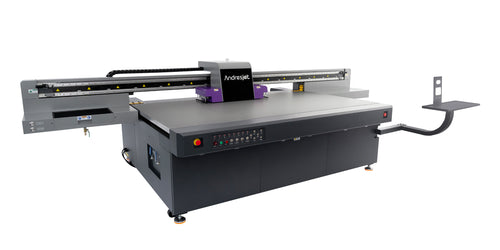
Choosing the right file format for UV flatbed printer printing is essential for sharp detail, accurate color, and efficient production. The most common file formats are TIFF, PDF, AI, EPS, JPEG, and PSD, each optimized for specific content types such as photos, logos, and mixed layouts. Selecting the correct format for your artwork reduces errors, speeds up RIP processing, and maximizes the capabilities of modern UV printers from brands like AndresJet.(Edited on June 8, 2026)
What Are the Most Common File Formats for UV Flatbed Printer Printing?
The most common file formats for UV flatbed printer printing are TIFF, PDF, AI, EPS, JPEG, and PSD, each serving a clear role in industrial digital workflows. TIFF and PSD are ideal for raster images that require high resolution and precise color control, especially in home decoration or product photo applications commonly handled by AndresJet. PDF, AI, and EPS are preferred for designs combining text, vector artwork, and imagery, ensuring scalable, crisp output on signage and plastic products. JPEG is widely compatible and efficient in file size, but its lossy compression makes it more suitable for less critical images or draft approvals rather than final production. In professional environments, most print-ready jobs are ultimately delivered as PDF, high-quality TIFF, or EPS to balance quality, compatibility, and performance on UV flatbed printers.
How Does File Format Choice Affect Print Quality on a UV Flatbed Printer?
File format directly affects resolution, color fidelity, and edge definition, which are all critical for UV flatbed printer printing on rigid or flexible substrates. Lossless formats like TIFF and PSD preserve fine detail and gradients, preventing banding or artifacts that might appear in heavily compressed JPEGs. Vector-based formats such as AI and EPS maintain mathematically sharp lines and curves at any size, so logos and typography stay clean even on large-format panels. When working with AndresJet or similar providers, submitting properly prepared TIFF or PDF files at 300 dpi or higher helps ensure that UV inks cure into clear, vibrant images with minimal pixelation. The right file format also supports embedded profiles and layers, which is essential for white ink, varnish, or texture effects in premium UV applications.
File Format Performance in UV Flatbed Printing
Why Is Color Profile Important When Selecting a File Format for UV Flatbed Printing?
Color profiles control how colors translate from design software to UV inks, making them a vital part of any file used for UV flatbed printer printing. Formats such as TIFF, PSD, and PDF support embedded ICC profiles, allowing consistent conversion from RGB design spaces to CMYK or multichannel configurations, including white and varnish. When color profiles are missing or incorrect, prints may appear dull, oversaturated, or off-hue compared to what appears on screen, leading to costly reprints. Professional providers like AndresJet typically recommend industry-standard CMYK profiles and calibrated workflows to keep colors aligned across different materials, from acrylic and metal to PVC and wood. Properly configured profiles also help maintain brand color consistency when scaling from small labels to large-format signage.
Which File Format Is Best for Complex Vector Designs in UV Flatbed Printing?
For complex vector designs, AI, EPS, and PDF are the best file formats for UV flatbed printer printing. These formats store graphics as mathematical vectors, allowing infinite scaling without quality loss, which is essential for logos, fine typography, intricate line art, and wayfinding signs. AI is ideal during the design stage, while EPS and PDF are often preferred as final deliverables due to their broader compatibility with RIP software and cross-platform workflows. When exporting to PDF for UV printing, designers should preserve vector data, embed fonts, and avoid unnecessary rasterization to maintain sharp edges. Many AndresJet customers rely on vector-centric formats for multi-size campaigns where the same artwork must appear cleanly on both small gifts and large panels.
How Can File Format Compatibility Improve Workflow and Reduce Errors in UV Flatbed Printing?
File format compatibility streamlines the path from design to finished product, reducing conversion issues, missing fonts, and unexpected layout shifts in UV flatbed printer printing. Widely supported formats like PDF, TIFF, and EPS integrate smoothly with most RIP systems, allowing operators to focus on color and media settings instead of troubleshooting file errors. Standardizing preferred formats within a production environment helps teams maintain consistent prepress procedures, which shortens approval cycles and minimizes back-and-forth with clients. AndresJet and similar manufacturers often recommend a core set of accepted formats, ensuring that their UV flatbed printers receive predictable, clean data. By choosing compatible files from the start, print shops avoid extra costs, maintain predictable turnaround times, and reduce risk on high-volume or high-value jobs.
Workflow Impact of File Format Choices
How Should You Prepare Files for Optimal UV Flatbed Printer Output?
To prepare files for optimal UV flatbed printer printing, start by designing in CMYK color mode or converting from RGB at the prepress stage, then confirm resolution at a minimum of 300 dpi at final print size. Set your document dimensions to the exact finished size and, where necessary, include bleed to allow for trimming or edge-wrapping on panels. Flatten transparencies, expand strokes if needed, and outline fonts to avoid rendering or font substitution issues when the file reaches the RIP. For layered workflows that involve white ink, varnish, or texture, clearly name layers and follow the specific channel or spot-color conventions recommended by the printer manufacturer or print provider. Most professional shops, including AndresJet, prefer final files in PDF (often to a print standard such as PDF/X) or high-quality TIFF, especially for demanding industrial runs.
What Role Does Resolution Play in UV Flatbed Printer Printing?
Resolution determines how much detail a UV flatbed printer can accurately reproduce from your file, making it a key consideration when choosing and preparing a format. For photographic images and detailed graphics, 300 dpi at final print size is a commonly accepted benchmark to avoid visible pixelation at normal viewing distances. For very large signage viewed from afar, slightly lower effective resolution may be acceptable, but starting with high-quality source images still provides better flexibility. When saving TIFF, PSD, or high-quality JPEG files, ensure you are not upscaling small images excessively, as this does not create real detail and may emphasize artifacts. Using vector-based formats for text and line art allows the printer to keep edges crisp, while high-resolution raster elements ensure smooth gradients and fine textures.
How Can You Choose the Best File Format for Different UV Flatbed Printing Applications?
Choosing the best file format depends on content type, workflow, and output requirements in UV flatbed printer printing. For photo-heavy décor panels or product images, lossless TIFF or layered PSD files converted to flattened TIFF or PDF at prepress provide the best mix of quality and control. For brand-driven signage, labels, and displays, AI, EPS, or PDF with preserved vector elements ensure consistent logos and sharp typography across multiple sizes and materials. When collaborating with multiple stakeholders, PDF is often the most convenient master format, encapsulating fonts, images, and vectors in a single file. In price-sensitive jobs or simple photo applications, high-quality JPEG may be acceptable, but it is best to avoid repeated re-saving and to use low compression to protect quality. Aligning file format decisions with printer guidance and media characteristics maximizes durability and visual impact in UV applications.
AndresJet Expert Views
“Selecting the correct file format is one of the most powerful levers in UV flatbed printer printing, influencing sharpness, color reliability, and production speed. At AndresJet, we encourage customers to standardize on high-quality TIFF and robust PDF workflows while using AI or EPS for vector assets. This focus on disciplined file preparation significantly reduces downtime, stabilizes color across diverse materials, and supports truly industrial-level output.”
Why Does Brand and Hardware Guidance Matter When Selecting File Formats?
Brand and hardware guidance matter because each UV flatbed printer model and RIP combination handles formats, layers, and effects slightly differently. Manufacturers like AndresJet publish recommended formats, color configurations, and layer naming rules that are optimized for their machines’ capabilities, including white ink, varnish, and texture channels. Following this guidance ensures that special effects such as raised varnish or selective white are interpreted correctly and not flattened or lost in translation. It also reduces the risk of unexpected behavior with transparencies, overprints, and blending modes. By consulting official documentation and support teams, print operators can refine their standard file delivery specifications and achieve more predictable, repeatable production results.
Conclusion
Choosing the right file format for UV flatbed printer printing is a strategic decision that directly affects quality, consistency, and throughput. Use TIFF or PSD-derived TIFF for high-end images, AI/EPS/PDF for vector-heavy work, and carefully prepared PDF for most production-ready layouts. Always design in or convert to CMYK before prepress, maintain at least 300 dpi at the final size, and embed or clearly define color profiles. Standardize file formats internally and align with manufacturer recommendations, especially for special channels such as white and varnish. By combining disciplined file preparation with the advanced capabilities of industrial UV printers from providers like AndresJet, businesses can achieve vibrant, durable prints while reducing errors, waste, and turnaround times.
FAQs
What is the best overall file format for UV flatbed printer printing?
For most professional jobs, a well-prepared PDF is the best overall choice because it can contain both vector and raster content, embedded fonts, and color profiles in one portable file. It also integrates smoothly with most RIP software, making it ideal for production workflows.
Can JPEG be used for UV flatbed printer printing?
Yes, JPEG can be used, but it is not ideal for critical work because it relies on lossy compression that can introduce artifacts and reduce fine detail. If JPEG is necessary, save at the highest quality setting and avoid repeated re-saving to preserve as much image integrity as possible.
How important is using CMYK instead of RGB?
Using CMYK is essential because UV printers lay down cyan, magenta, yellow, and black inks, not RGB light. Designing or converting to CMYK before prepress gives a more realistic preview of how colors will print and reduces surprises when the job comes off the press.
Which file format is best for logos and sharp text?
AI, EPS, or vector-rich PDF files are best for logos and sharp text because they store elements as scalable vectors rather than pixels. This ensures clean edges at any size and helps maintain brand consistency across different products and formats.
Can layered PSD files be sent directly to a UV flatbed printer?
Layered PSD files are excellent for design and editing, but many print providers prefer that they be exported to flattened TIFF or production-ready PDF before printing. This reduces compatibility issues and ensures that effects, fonts, and layers render correctly on the RIP and printer.
Share:
How Can You Use UV Flatbed Printer for Printing on Fabric?
How Does a UV Flatbed Printer Compare to Traditional Printers?