

Tumblers and drinkware
Stainless-steel tumblers, water bottles, cups and promotional drinkware.
Explore tumbler printing
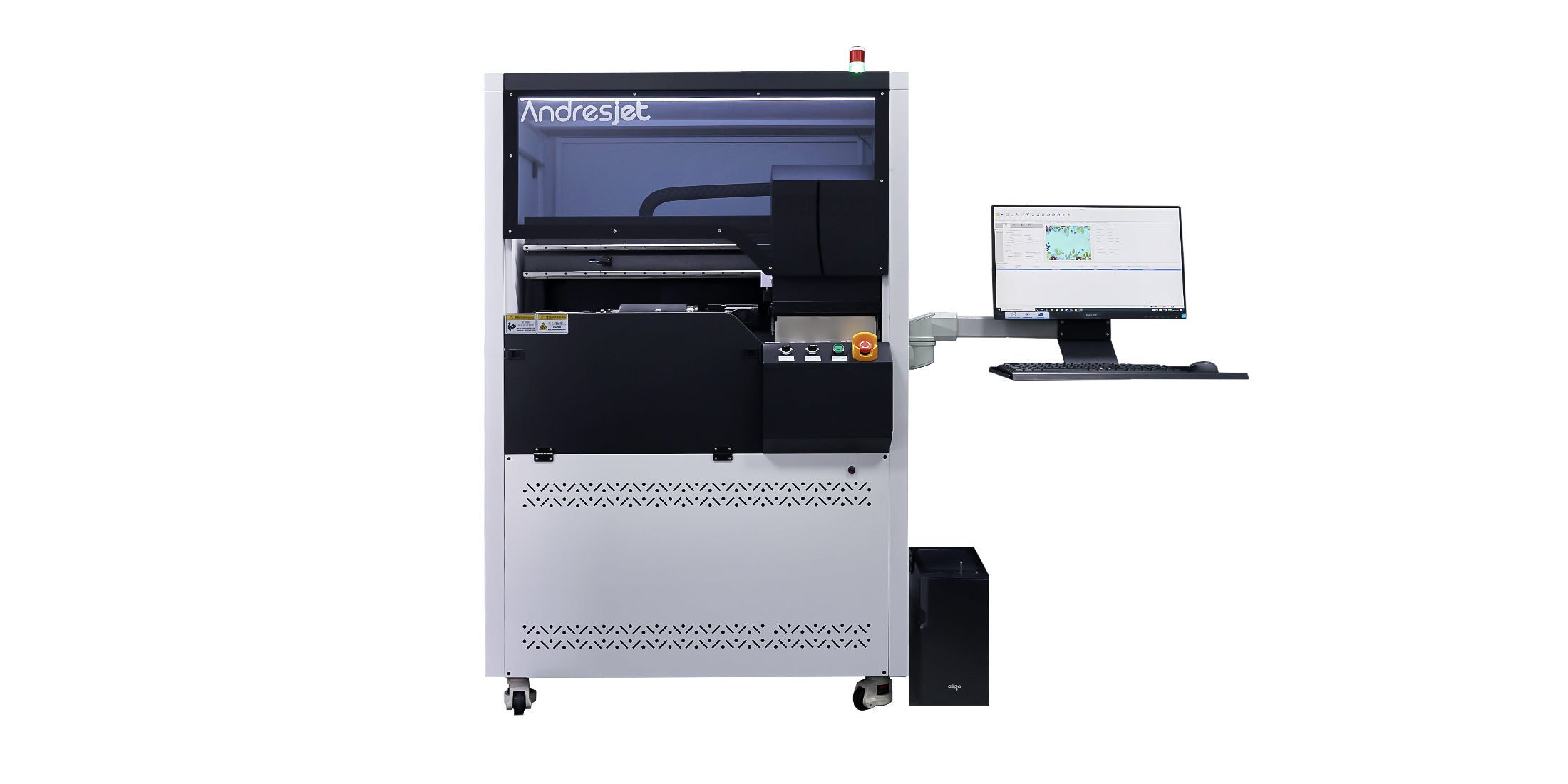
Transform your products with the AndresJet AJ360i. This direct-to-object printer is built to apply breathtaking, seamless graphics onto a wide variety of cylindrical and conical items with exceptional speed and reliability.
Direct-to-Shape: Prints flawlessly on both straight-walled cylinders and tapered vessels
Full-Spectrum Ink: Features CMYK, White, and Varnish for incredible depth and quality
24/7 Uptime: Engineered for continuous, around-the-clock industrial production
Dedicated Local Support: Access expert teams in Asia, the EU, and the USA
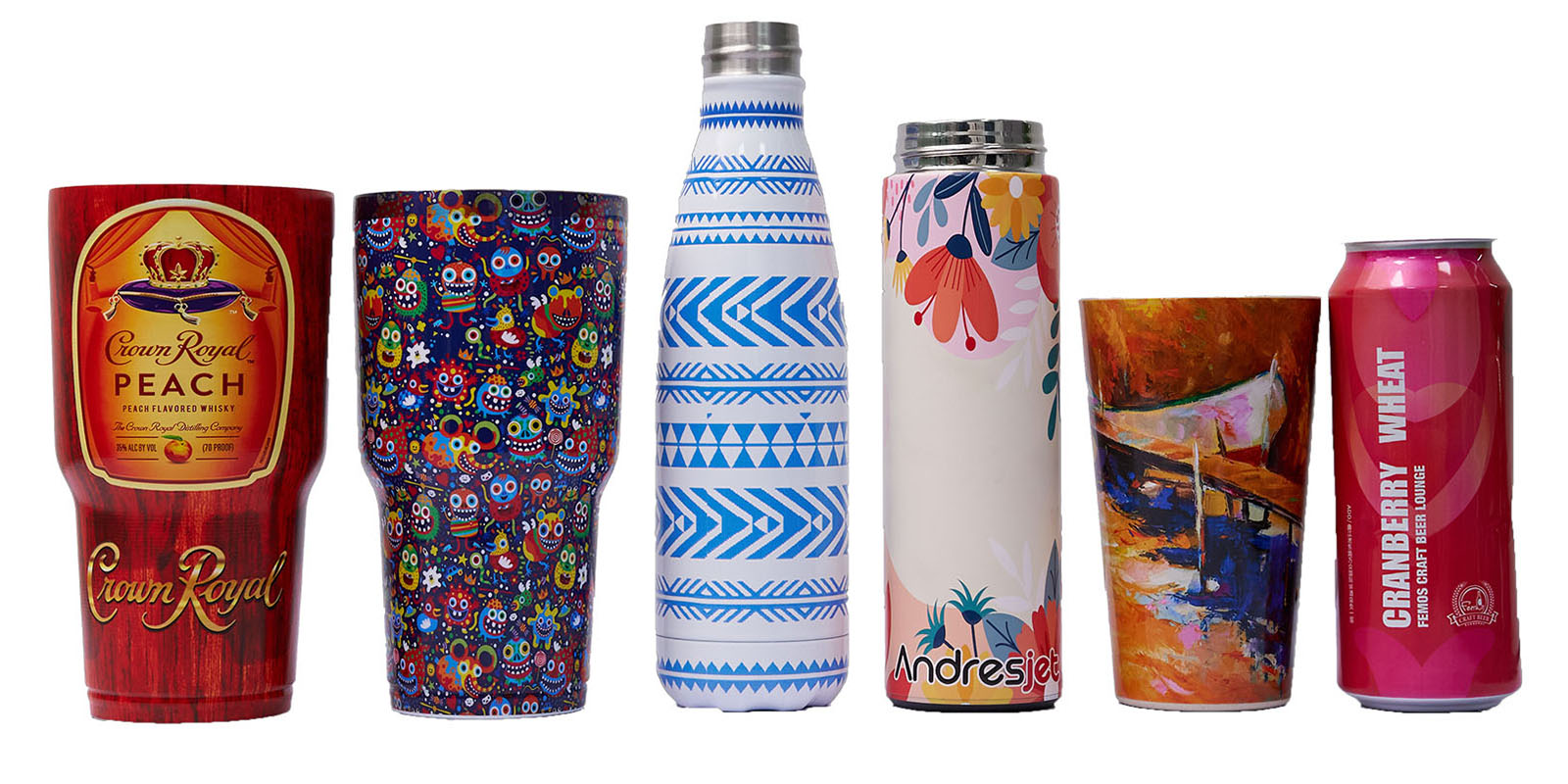
Create premium personalized drinkware and packaging with direct-to-object UV printing. Produce full-color designs for one-off samples, custom orders, and repeat production without applying separate labels.
Ideal applications include tumblers, water bottles, cosmetic containers, glassware, and tapered vessels. CMYK, white, and varnish support vivid graphics on compatible surfaces. Material compatibility should be confirmed through sample testing.
Application overview
Produce full-color decoration directly on compatible bottles, tumblers, cups and tapered containers. AndresJet cylinder printing combines precise product rotation with CMYK, white and varnish layers for personalized samples, short runs and repeat industrial production.
Stainless-steel tumblers, water bottles, cups and promotional drinkware.
Explore tumbler printingBeverage bottles, reusable packaging and compatible cylindrical containers.
Explore bottle printingCosmetic bottles, tubes, jars and other branded cylindrical packaging.
Discuss your containerConical and tapered vessels within the supported diameter and angle range.
Review the AJ360iDecorate cylindrical and tapered products with controlled rotation, accurate positioning and consistent image registration.
Create full-color graphics, add a white underbase on suitable dark or transparent objects, and apply selected varnish effects.
Move from one personalized piece to repeat production without preparing a separate screen for every design.
Print directly on tested, compatible objects and reduce reliance on separate labels and transfer materials.
Recommended cylinder printer
The AJ360i is designed for direct printing on straight and tapered vessels. Its configurable fixtures and ink-layer workflow make it suitable for personalized drinkware, branded bottles and compatible packaging products.
Published ranges are configuration references. Confirm the actual product, material, coating, artwork and production target through sample testing.
View AJ360iBefore selecting a configuration
The correct setup depends on more than the printer model. These four inputs help AndresJet recommend the fixture, ink workflow and production method.
Diameter, printable length, taper angle, weight and opening shape.
Glass, metal and plastic surfaces may require different preparation.
Coverage, white layers, varnish areas, seam position and resolution.
Required quantity, changeover frequency, quality level and deadline.
A changeover can require the correct fixture or fixture adjustment, artwork sized to the new circumference, height and focus checks, rotation calibration and a sample print. The time required depends on how different the products are and whether a dedicated fixture is already available.
These materials can be suitable, but adhesion depends on the actual surface, coating and preparation. AndresJet recommends testing the production object.
Not always. Shoulders, necks, rims, handles, strong curves and fixture contact areas can limit the printable zone. The usable area should be confirmed from the actual product dimensions and a sample test before artwork is finalized.
The artwork is prepared for the printable circumference and planned seam position, while the fixture keeps the object rotating consistently. Calibration and a sample print confirm alignment before production; diameter, taper and surface variation can all affect the final seam.
It depends on the actual material, coating and durability target. Glass, coated metal and different plastics can require different cleaning or pretreatment. Test the production object and approve adhesion before the full run.
Test before production
Share the object dimensions, material, expected output and artwork so the AndresJet team can recommend a configuration and sample-testing plan.
For production planning
Choosing a bottle or tumbler printer involves more than comparing headline speed. Product shape, material, artwork, fixtures and production workflow all affect the final result.
Suitable for full-color graphics, personalization and short-to-medium runs, with white ink and selected varnish effects available without preparing a separate screen for every design.
Often effective for large quantities of simple spot-color artwork, but each design and color can require additional screens, setup and cleaning.
Practical for some packaging applications, although they add a separate material and application step and create a different finished appearance.
Inspect and document the product. Record dimensional tolerances, the intended seam area, surface irregularities and any no-print zones before fixture setup.
Select or prepare the fixture. It must hold and rotate the object consistently during printing.
Prepare the artwork. Adjust the design for the printable circumference, seam position and product shape.
Configure the ink layers. Prepare CMYK, white and varnish layers for the surface and desired appearance.
Calibrate and print. Check positioning, rotation and curing before the production run.
Inspect the sample. Evaluate color, registration, adhesion and resistance requirements.
The same UV ink can behave differently on glass, coated stainless steel and plastic. Surface contamination, coatings and previous treatments can affect adhesion. Clean the surface consistently and test the actual production object. Depending on the substrate, a suitable primer or pretreatment may be required.
AndresJet should test your actual product whenever possible. Photos and material descriptions are useful, but a physical sample provides more reliable information about adhesion and fixture requirements.