

UV ink fumes and uncured UV ink can irritate the eyes, skin, and respiratory system, while some acrylate ingredients may cause allergic skin sensitization after repeated contact. The safest approach is to check the Safety Data Sheet (SDS) for the exact ink, control emissions at the source, prevent skin contact, and train operators to respond correctly to spills and symptoms.
What Can Be Released During UV Printing?
UV-curable ink is typically formulated with pigments, oligomers, reactive monomers, photoinitiators, and additives. UV energy initiates polymerization, turning the liquid ink into a solid film. Although this curing process is different from the evaporation used by many solvent inks, low VOC does not mean zero exposure risk.
The exact emissions depend on the ink chemistry, curing wavelength, lamp type, curing efficiency, print speed, substrate, cleaning products, temperature, and maintenance condition. Potential workplace exposures may include:
- vapors or aerosols from uncured ink and cleaning products;
- acrylate or methacrylate ingredients that may irritate or sensitize skin;
- odors and thermal or photochemical breakdown products;
- ozone from UV sources capable of producing it; and
- direct or reflected UV radiation if shielding or interlocks are defeated.
UV LED curing generally avoids the mercury and ozone concerns associated with some traditional lamps, but it does not make uncured ink harmless. Operators still need ventilation, safe ink handling, guarding, and the PPE specified by the SDS.
Possible Short- and Long-Term Health Effects
Health effects vary by formulation, concentration, route of exposure, and individual sensitivity. Odor alone is not a reliable measure of toxicity, and the absence of a strong smell does not prove that exposure is adequately controlled.
| Exposure route | Possible effects | Primary control |
|---|---|---|
| Inhalation | Nose or throat irritation, coughing, headache, nausea, or breathing discomfort | Source capture and adequate room ventilation |
| Skin contact | Irritation, redness, dermatitis, or allergic sensitization | SDS-compatible gloves and no direct contact with uncured ink |
| Eye contact | Irritation from splashes; UV radiation can also harm eyes | Safety eyewear, shielding, and working interlocks |
NIOSH investigations of UV-cured ink operations have documented that uncured inks may contain acrylates that act as skin irritants or sensitizers. Preventing dermal contact is therefore just as important as managing airborne emissions.
What Increases UV Ink Fume Exposure?
Exposure is more likely when a printer is installed in a small or poorly ventilated room, when exhaust airflow is insufficient, or when the extraction point is too far from the emission source. Risk can also increase during manual ink transfer, printhead cleaning, spill cleanup, filter replacement, and waste-ink handling because these tasks can involve direct contact with uncured material.
Warning signs include persistent odors, visible mist, open ink containers, blocked exhaust ducts, overdue filter changes, disabled covers or interlocks, and symptoms that appear during a shift and improve away from work.
How to Manage UV Ink Fumes
1. Start With the Exact Ink SDS
Obtain the current SDS for every UV ink, primer, varnish, flush, and cleaning chemical. Review hazard classifications, exposure controls, glove recommendations, first-aid measures, storage requirements, and disposal instructions. Do not copy PPE advice from a different ink because formulations can vary.
2. Capture Emissions at the Source
Local exhaust ventilation positioned close to the printing or curing zone is usually more effective than relying only on an open door, window, or portable fan. Exhaust contaminated air to an appropriate location and provide enough replacement air for the system to work as designed.
HEPA filters are designed mainly for particles. Activated-carbon or other sorbent media may help with some gases and odors, but filter selection and replacement frequency must match the contaminants and production load. An air purifier should not be treated as a substitute for source capture when local exhaust is required.
3. Keep Covers, Shields, and Interlocks Functional
Operate the printer with curing-lamp guards and covers in place. Never bypass interlocks. Stop the machine and follow the manufacturer's isolation procedure before clearing jams, cleaning near moving parts, or performing maintenance.
4. Prevent Contact With Uncured Ink
- Wear chemical-resistant gloves selected from the SDS or supplier guidance.
- Use safety glasses or goggles where splashes are possible.
- Wear protective clothing and replace contaminated garments promptly.
- Do not eat, drink, smoke, or store food in ink-handling areas.
- Wash exposed skin with soap and water; do not use solvents to clean skin.
- Keep ink, cleaning liquids, and waste in closed, labeled containers.
5. Use Respirators Only as Part of a Proper Program
A respirator may be necessary for specific tasks or when engineering controls cannot adequately control exposure. It should not be chosen by odor or guesswork. Cartridge selection, medical evaluation, fit testing, training, inspection, and replacement schedules must follow the applicable respiratory-protection program and SDS.
6. Maintain and Verify the Controls
Inspect ducts, fans, seals, covers, and filters on a documented schedule. Record filter changes and ventilation problems. For higher-volume production or uncertain exposure conditions, consult a qualified occupational hygienist to assess airflow and determine whether air monitoring is needed.
What Should You Do if Symptoms Occur?
If an operator experiences eye or respiratory irritation, coughing, dizziness, nausea, breathing difficulty, or a new skin reaction, stop the task and move away from the exposure. Follow the product SDS first-aid instructions and the site's emergency procedure. Seek medical advice when symptoms are significant, persist, or recur. Urgent breathing difficulty, severe eye exposure, or a serious chemical splash requires immediate emergency assistance.
Report the event and investigate the cause before restarting normal work. Check for spills, open containers, exhaust failure, damaged seals, overdue filters, changes in ink or cleaning chemicals, and tasks not included in the original risk assessment.
UV Printer Safety Checklist
- Current SDS available for each ink and cleaning product
- Local exhaust running before printing or maintenance begins
- Exhaust flow and filter condition checked on schedule
- Printer covers, UV shields, and interlocks working
- Correct gloves and eye protection available
- Spill kit, eyewash access, and emergency instructions ready
- Ink and waste containers closed and labeled
- Operators trained to recognize and report symptoms
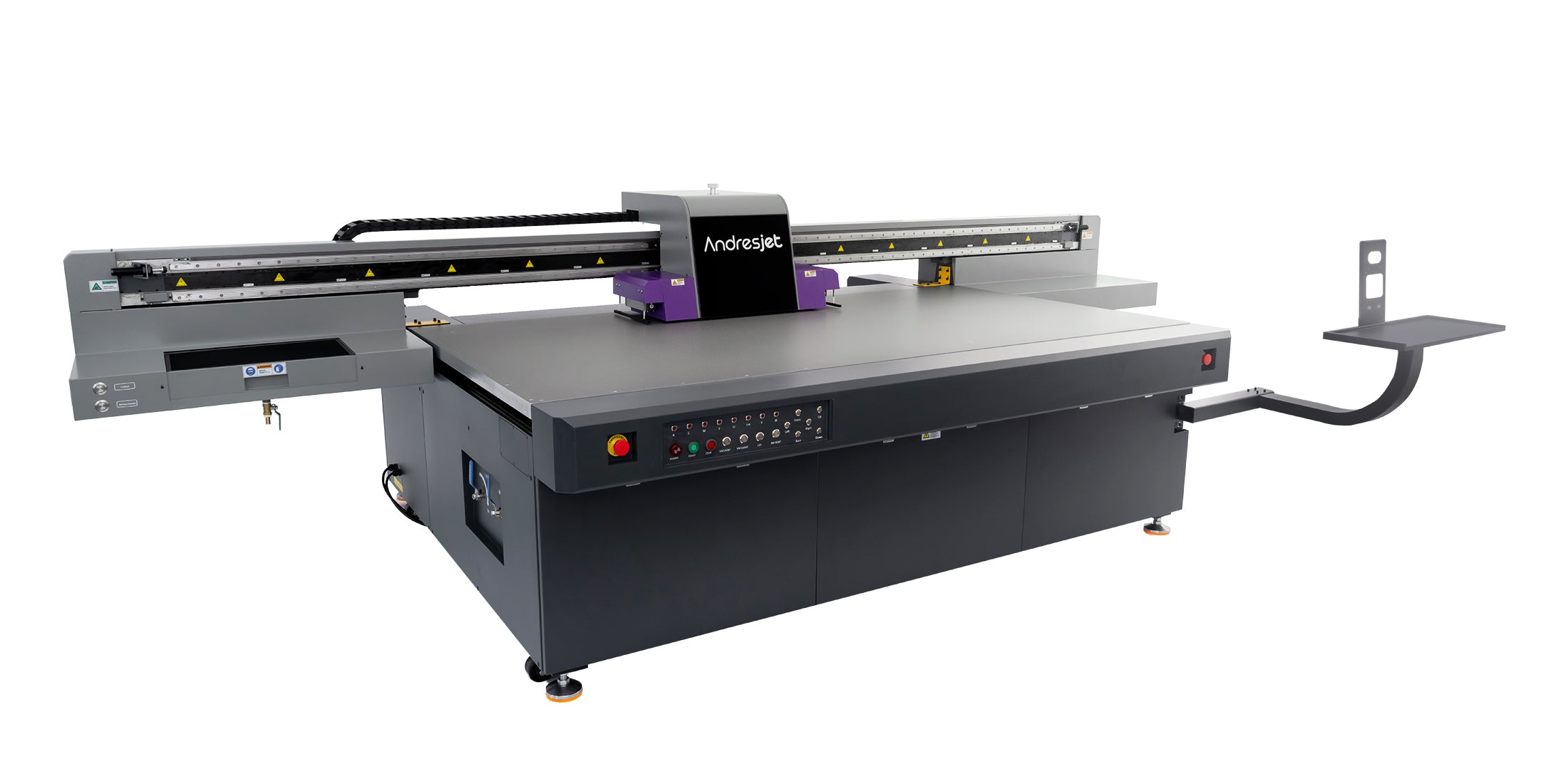
For equipment-specific installation and ventilation planning, review the printer manual and discuss the intended room, workload, ink set, and extraction arrangement with the supplier. You can also contact AndresJet before installation.
Frequently Asked Questions
Are UV printer fumes toxic?
The hazard cannot be determined from the term “UV ink” alone. Formulations vary, so use the exact ink SDS and a workplace risk assessment. Uncured acrylate-containing inks may irritate or sensitize skin, and airborne emissions may cause irritation if they are not adequately controlled.
Do UV printers need ventilation?
Yes. Appropriate ventilation is a basic control for odors and airborne contaminants. The required system depends on the ink, curing technology, printer enclosure, room size, production volume, and local requirements. Local exhaust near the source is generally more reliable than room dilution alone.
Does a UV LED printer produce ozone?
UV LED systems generally operate at wavelengths that are not expected to generate the ozone associated with some shorter-wavelength mercury lamps. Confirm the lamp specification and printer documentation, and continue to control ink and cleaning-product emissions.
Is an activated-carbon air purifier enough?
Not automatically. Carbon can adsorb some gases and odors, while HEPA media captures particles. Effectiveness depends on the contaminant, media quantity, airflow, saturation, and replacement schedule. Use it as part of a control plan, not as an assumed replacement for suitable local exhaust.
What gloves should be used for UV ink?
Use the glove material and change schedule recommended by the ink SDS or supplier. Nitrile is commonly specified for many formulations, but no single glove is suitable for every ink and cleaning chemical.
Where can I find safety information for a specific UV ink?
Request the current Safety Data Sheet from the ink manufacturer or supplier. The SDS should be available to workers and reviewed whenever the formulation or supplier changes.
Sources
- NIOSH Health Hazard Evaluation 93-0448-2407: UV-cured inks and acrylate exposure
- NIOSH: Exposure assessment of acrylates/methacrylates in radiation-cured applications
- NIOSH: Personal protective equipment in printing operations
- NIOSH recommendations for preventing occupational skin disease
- AndresJet: How can you safely use a UV printer?
Share:
How Does UV Printing Compare to Sublimation Printing?
What Are the Disadvantages of UV Printing?