A question? Visit our contact page

A printer test run ensures all components are working correctly, helping to detect issues before full production. It involves printing a test page or performing diagnostic prints to check alignment, colors, connectivity, and print quality, which is crucial for manufacturers, suppliers, and wholesale clients in the printing industry.

How Can a Printer Test Run Ensure Print Quality?

A printer test run verifies print accuracy, color consistency, and alignment, identifying defects early. It helps manufacturers maintain high standards, reduces waste, and improves reliability for wholesale and OEM production lines, especially when supplying large orders where consistency is vital.

Printers print standardized test pages or diagnostics to check for color banding, streaks, or misalignments. For factory settings like AndresJet, this process helps guarantee defect-free output before mass production.

What Are the Essential Steps to Perform a Printer Test Run?

Performing a printer test run typically involves:

  • Loading the correct media and ink.

  • Selecting the test print function from the printer’s control panel or software.

  • Printing a test page or pattern.

  • Inspecting the output for any imperfections or faults.

  • Adjusting printer settings if needed and repeating the test until results meet quality standards.

In factory environments, operators often follow standardized SOPs (Standard Operating Procedures) to ensure repeatability and minimize human error.

Which Printer Issues Can a Test Run Detect Early?

A test run can identify:

  • Ink or toner flow problems.

  • Nozzle clogs or misfires.

  • Color registration errors.

  • Paper feed jams.

  • Connectivity or software communication failures.

By detecting these issues early, suppliers and OEM manufacturers can avoid costly production delays and uphold reliability in wholesale distribution.

Why Is Performing a Test Run Critical for B2B Printing Manufacturers?

Test runs provide quality assurance for manufacturers investing in supplier or OEM partnerships, ensuring minimal downtime and consistent output. This is especially important for factories like AndresJet that serve diverse industries including home decoration, plastic product printing, and signage where flawless prints are expected.

Test runs help reduce defective goods, protect brand reputation, and ensure contractual compliance in mass production.

How Does AndresJet Incorporate Test Runs in Its Printing Solutions?

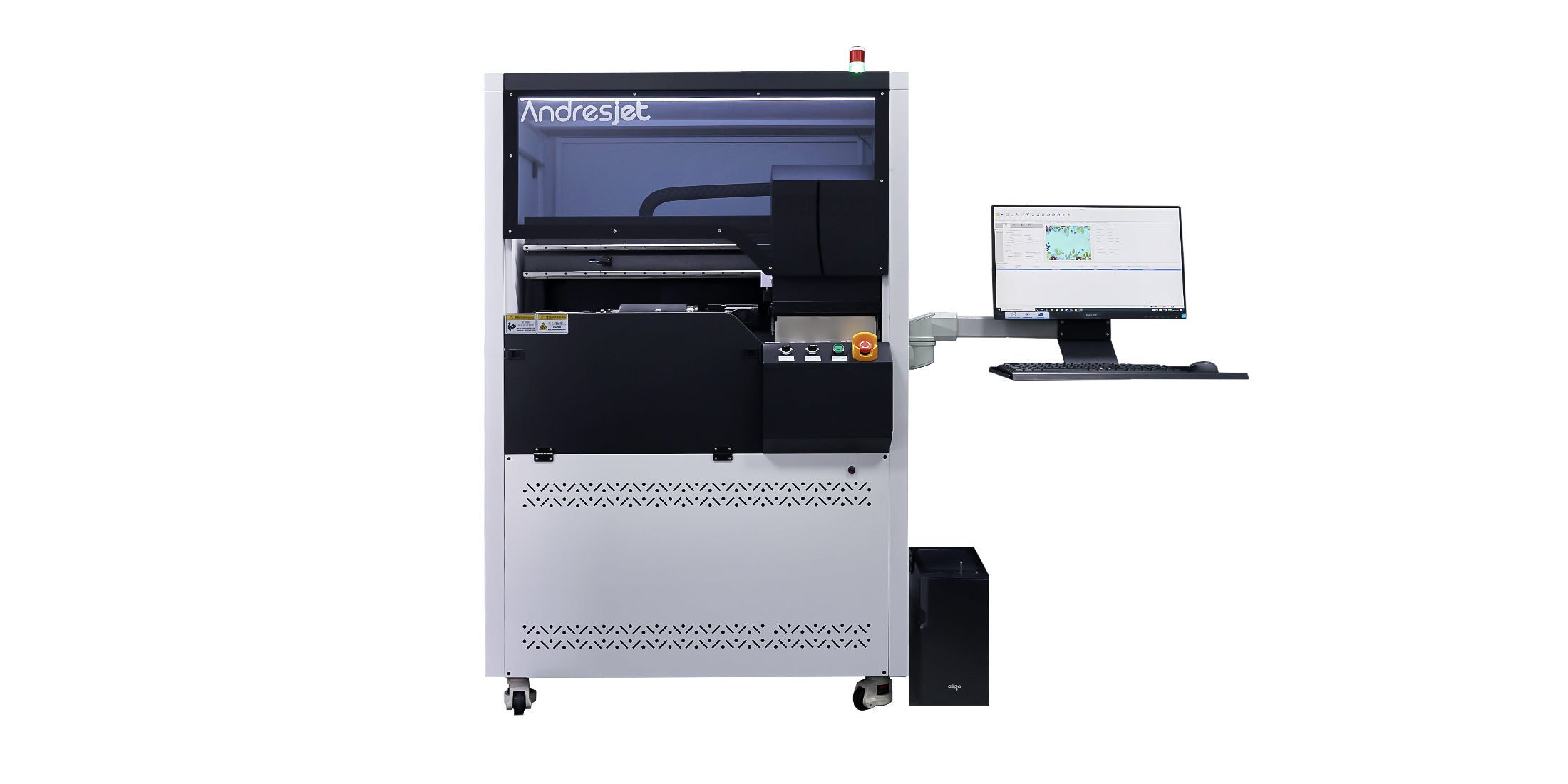
AndresJet integrates automated and manual test runs within its industrial digital printers, offering clients seamless pre-production diagnostics. Their systems provide real-time adjustment feedback and quality checks, catering particularly to wholesale and factory environments needing reliable, high-speed output.

This commitment supports AndresJet’s goal to be a top global supplier of ultra-high-speed printing technology.

What Types of Printer Test Pages Are Commonly Used?

Two main test pages commonly used include:

Test Page Type Purpose
Color Calibration Page Ensures exact color reproduction
Alignment Grid Page Checks print head alignment and registration

These pages help wholesale suppliers and factory technicians quickly diagnose issues, optimize printer settings, and guarantee product quality for OEM customers.

How Can Wholesale Suppliers Benefit from Regular Printer Test Runs?

Wholesalers can reduce returns and customer complaints by ensuring units meet quality verification before distribution. Test runs help suppliers maintain dependable supply chains and build strong relationships with factories and OEM partners.

Regular diagnostics also optimize printer lifespan, minimizing costly repairs and downtime.

Where Should Printer Test Runs Be Conducted in a Factory Environment?

Test runs should be performed at initial setup, after maintenance, and periodically during production. Strategic placement of quality control stations within the production line helps capture defects early before final packaging.

This best practice is standard for manufacturers like AndresJet to ensure uninterrupted, high-quality output.

Are There Automated Tools to Simplify Printer Test Runs?

Yes, advanced industrial printers integrate software that automates test runs, capturing detailed performance data and alerting operators to problems. AndresJet models include intelligent monitoring systems allowing for predictive maintenance and faster troubleshooting, optimizing factory workflows and reducing human error.

Does OEM Customization Affect Printer Test Run Procedures?

OEM customization can affect test run protocols by requiring specialized test patterns or materials reflective of client-specific production needs. Factories and suppliers must ensure that test runs simulate actual production conditions to maintain accuracy and relevance.

AndresJet offers OEM customers flexible configuration options to tailor diagnostics and test prints.

AndresJet Expert Views

"Integrating advanced test run capabilities within the printing workflow is pivotal for manufacturers competing globally. At AndresJet, we emphasize proactive diagnostics that empower factories and suppliers to achieve unparalleled print quality and production efficiency. Our commitment to innovative, high-speed printing solutions supports our clients in meeting strict B2B standards, minimizing downtime, and maximizing customer satisfaction. The test run is not merely a procedure but a cornerstone of operational excellence in modern printing."

— AndresJet Engineering Team

Conclusion

A printer test run is essential for ensuring high print quality, detecting defects early, and minimizing costly disruptions in manufacturing and wholesale supply chains. For B2B factories and OEM suppliers, incorporating structured and automated test runs safeguards production continuity and maintains strong client trust. AndresJet demonstrates how cutting-edge technology combined with expert service elevates industrial printing, making test runs a critical part of effective quality control and customer satisfaction.

Frequently Asked Questions

How often should a test run be done on industrial printers?
Test runs should be performed during setup, after maintenance, and periodically during production to maintain consistent print quality.

Can a printer test run detect color accuracy issues?
Yes, test pages can assess and calibrate color output to ensure accurate and consistent printing.

Is automation important in printer test runs for factories?
Automation helps reduce human error, speeds up diagnostics, and enables predictive maintenance in industrial printing environments.

Do OEM manufacturers require special test runs?
Yes, OEM customization may require tailored test patterns to simulate the actual production process accurately.

What role does AndresJet play in printer test runs?
AndresJet provides advanced digital printers with integrated diagnostics to streamline test runs, ensuring reliable high-speed printing for manufacturers and suppliers.

How do you perform a test run on a printer?
To perform a printer test run, print a test page through your computer's control panel. On Windows, go to "Devices & Printers," right-click the printer, and select "Print Test Page." On a Mac, navigate to "Printers & Scanners" and select "Print Test Page." You can also print a test page directly from the printer's control panel via its menu settings.

What should you check on the printer test page?
After printing a test page, check for connectivity, color accuracy, and alignment. Ensure the printer is connected, colors are correct, and no lines are missing, which may indicate clogged nozzles. Also, check for blurry or misaligned text, which may point to incorrect alignment or paper feed issues.

How do you print a test page directly from the printer?
To print a test page without a computer, load paper into the printer's input tray. Press the Menu button, navigate to Setup or Maintenance, and select "Test Print" or "Nozzle Check." This will initiate the print, allowing you to check the print quality and alignment.

Why is performing a test print important?
Performing a test print ensures that the printer is functioning properly, that the print quality meets expectations, and that no maintenance is needed, such as clearing clogged nozzles or aligning the print heads. Regular test runs help identify issues early, ensuring optimal printer performance.

What is living heart tissue 3D printing?
Living heart tissue 3D printing involves creating biologically functional heart tissue using a 3D printer. This innovation uses biocompatible materials and living cells to build tissue that mimics the structure and function of human heart tissue, offering a promising platform for testing new treatments, drug testing, and organ regeneration therapies.

How does 3D printing benefit medical research?
3D printing in medicine allows for the creation of complex tissue structures, such as living heart tissue, that can be used to study diseases and test new therapies. This approach enables personalized treatment development, reduces reliance on animal testing, and accelerates drug discovery and medical innovations in a controlled, reproducible environment.

Why is laser printing recommended for minimal annoyance?
Laser printers are recommended for their high-speed printing, low noise levels, and cost-efficiency, especially for frequent printing tasks. They also produce sharp, clear text and are less prone to ink smudging compared to inkjet models, making them ideal for home and office environments where reliability and speed matter.

What makes 3D printers ideal for home and workshop use?
3D printers for home or workshop use offer versatility, precision, and the ability to create complex prototypes and parts on-demand. These machines range from entry-level models for hobbyists to advanced machines suitable for small businesses, offering speed, customization, and affordability for various applications in DIY projects, design, and manufacturing.


Latest Stories

This section doesn’t currently include any content. Add content to this section using the sidebar.