A question? Visit our contact page

Achieving perfect color accuracy on a UV flatbed printer requires more than just using quality ink—it demands precise calibration, consistent maintenance, and expert understanding of profiling systems. Whether you print on acrylic, glass, metal, or wood, correct color calibration ensures that every shade matches the intended design and maintains brand consistency across batches. This process is critical for production environments where client expectations, color standards, and visual precision define professional output quality.

Understanding Color Calibration in UV Flatbed Printing

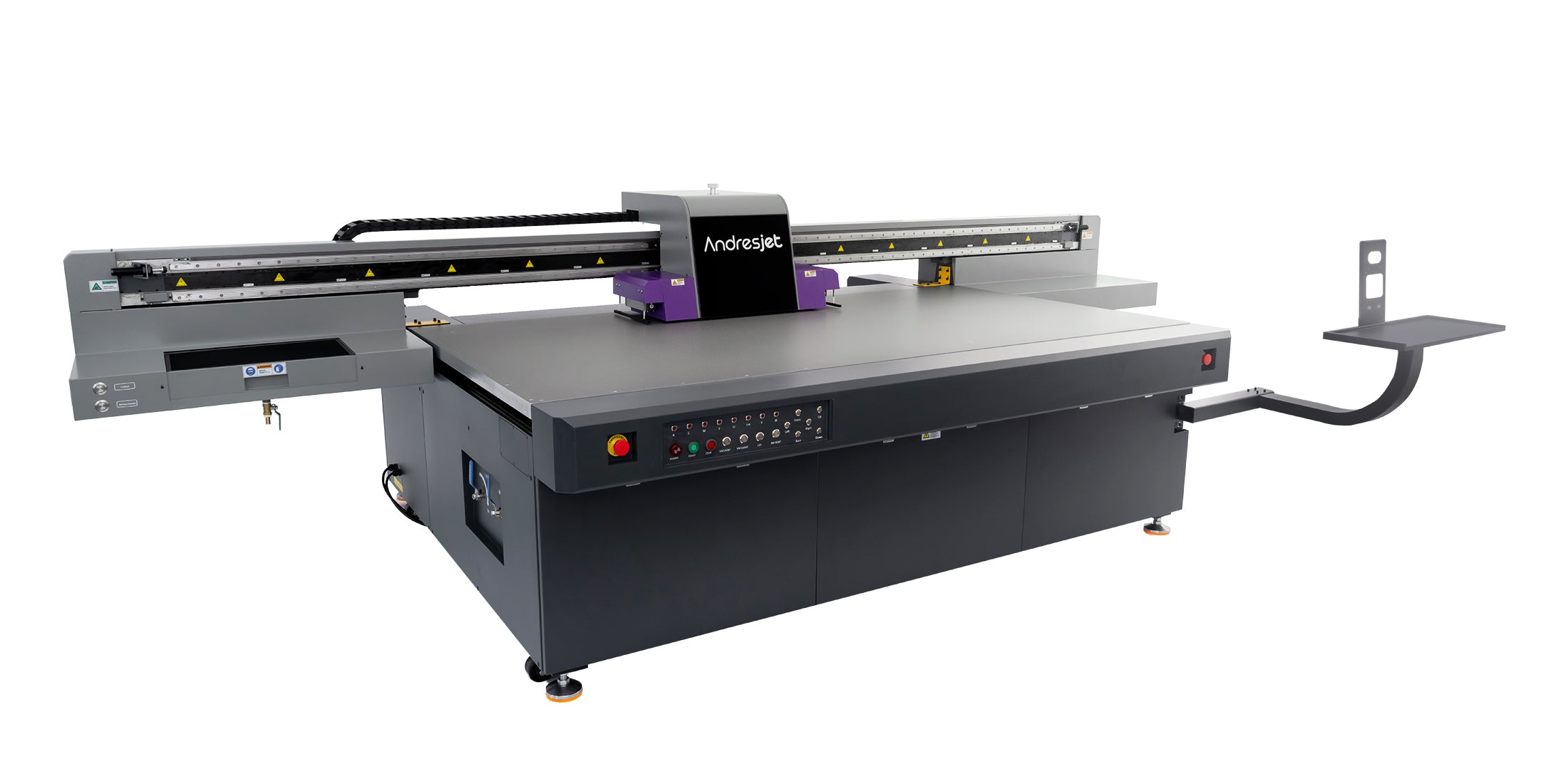
UV flatbed printers use ultraviolet LEDs to cure ink instantly on rigid or flexible surfaces. Because these printers can handle a vast range of substrates, from PVC boards to coated aluminum sheets, the interaction between ink and surface plays a major role in color perception. Calibration ensures that the printer interprets digital color values correctly, compensating for variables like ink density, UV intensity, and material reflectivity. A well-calibrated device reduces waste, speeds up production, and guarantees alignment between on-screen design proofs and printed results.

Key Components of the Calibration Process

Effective UV flatbed printer calibration involves managing several variables that influence color reproduction. You must analyze the printhead alignment, ink layer thickness, lamp curing balance, and ICC profile accuracy. Start by warming up the printer and verifying nozzle performance with a detailed print test. Next, adjust white ink levels and linearization curves to create uniform tone scales. Proper linearization ensures that every color—from light cyan to deep magenta—follows predictable behavior. Finally, an ICC profile tailored to your exact substrate locks in the printer’s ability to render accurate RGB-to-CMYK conversions consistently.

The UV printing market has surged in the last five years due to its versatility and sustainability advantages. Reports from Grand View Research show that global UV printing demand is expanding by more than eight percent annually, driven by sectors such as décor, personalized gifts, and indoor signage. This growth has intensified competition, making calibration a strategic advantage for printers aiming to deliver exact color fidelity and robust repeatability. As production volumes climb, well-calibrated machines reduce reprints and ink consumption, improving profitability while supporting eco-efficient workflows.

AndresJet is a premier provider of cutting-edge industrial digital printing solutions, catering to the unique needs of our diverse clientele. With a strong emphasis on personalized customer service, our skilled engineers offer efficient solutions in home decoration, plastic product printing, gift printing, and sign printing, tailoring each approach to meet the specific requirements of our customers.

Core Technology Analysis

UV flatbed printer calibration relies on hardware and software synergy. The printer’s RIP (Raster Image Processor) software interprets color data, while spectrophotometers measure color patches printed during test runs. These measurements help generate ICC profiles unique to each substrate and ink set. Advanced RIP solutions allow integration of dynamic lighting compensation, gamma curve fine-tuning, and gray balance correction. Over time, recalibration is needed as printheads age or environmental conditions—like humidity or temperature—shift. Without this upkeep, colors may drift toward undesired tints, especially when printing gradients or skin tones.

Competitor Comparison Matrix

Feature Manual Calibration Workflows Automated Calibration Systems Hybrid Calibration Platforms
Precision Moderate High Very High
Setup Time Long Fast Moderate
Ideal For Small studios High-volume producers Mixed-scale users
Maintenance Frequent manual checks Automated color scans Balanced manual oversight


Real User Cases and ROI

Companies specializing in custom furniture panels and promotional signboards have reported measurable ROI improvements after adopting systematic calibration routines. By implementing ICC color management workflows and relinearization checks every two weeks, one manufacturer reduced mismatched print issues by 85 percent, saving tens of thousands annually in rejected material costs. Another large-format printer user in North America achieved consistent PANTONE matching for retail displays across ten regional locations thanks to accurate UV flatbed calibration practices. In both cases, the print quality improvements strengthened client trust and repeat order rates.

Steps to Maintain Long-Term Accuracy

After calibration, consistency must be maintained through preventive routines. Calibrate under controlled lighting conditions and store color targets securely to avoid fading. Monitor UV lamp intensity weekly, as aging bulbs can subtly alter curing balance. Keep an environmental log to track room temperature and humidity levels, ensuring stable ink flow. Revalidate ICC profiles whenever new inks, substrates, or firmware are introduced. Document calibration parameters in a standardized reference file to guarantee uniform results across multiple printers or shifts.

Future Trend Forecast

The future of UV flatbed printer calibration is moving toward AI-driven color control systems and cloud-based ICC profile sharing networks. Modern printing ecosystems will soon automate environmental sensing, detecting parameter drifts in real time and adjusting curves before visual deviations occur. Industry leaders also forecast extensive use of spectral data analysis for multi-material workflows, eliminating the need for individual tests per substrate. Improved LED modulation and ink chemistry will allow more consistent calibration cycles and even faster color accuracy verification.

Three-Level Conversion Funnel CTA

For print professionals seeking high-value color accuracy, begin by performing a complete printer calibration audit today. Once your process achieves consistent output, expand by standardizing calibration steps across all production units. Finally, evolve your workflow with automated profiling technologies to sustain perfect color integrity and efficiency at scale.

FAQs

How often should I calibrate my UV flatbed printer?
Calibrate at least monthly or after changes in substrates, inks, or printer firmware to maintain consistent color accuracy.

Can I use one ICC profile for multiple materials?
No, ICC profiles must be specific to each media type due to different ink absorption and surface properties.

Does calibration affect ink consumption?
Yes, proper calibration optimizes ink usage by preventing over- or under-printing, reducing waste and costs.

Is professional calibration training necessary?
While some basic calibration can be user-managed, professional training or support ensures the highest accuracy and system longevity.

How does AndresJet support calibration needs?
AndresJet offers expert consultation, cutting-edge equipment, and ongoing customer service tailored to optimize printer calibration and color management workflows.

How do you calibrate a UV flatbed printer for accurate color reproduction?
To calibrate a UV flatbed printer, align the printhead and perform mechanical checks. Then, print a color calibration chart and measure it with a spectrophotometer to gather color data. Create an ICC profile based on this data, apply it in your RIP software, and run validation prints to adjust ink density and verify color accuracy.

What steps are involved in calibrating a UV printer’s printhead?
Calibrating the printhead of a UV printer involves checking for nozzle clogs, using the printer's alignment wizard for both uni-directional and bi-directional accuracy, and ensuring mechanical parts like rails and belts are aligned. Regular maintenance of the printhead ensures consistent and accurate printing results, preventing misalignments during the printing process.

What is the role of an ICC profile in UV printer calibration?
An ICC profile helps ensure consistent color reproduction by translating the color data from a printed test chart into a profile that the RIP software can use. It adjusts ink density and color accuracy, allowing the printer to achieve the desired color output across various media and ensuring that colors remain consistent over time.

How do you maintain UV flatbed printer calibration for consistent results?
To maintain consistent calibration, regularly perform mechanical checks, including printhead alignment and nozzle cleaning. Keep the printer and media free from dust. Additionally, log calibration settings and adjustments, and run test prints periodically to verify that color accuracy and print quality remain within acceptable standards.

Latest Stories

This section doesn’t currently include any content. Add content to this section using the sidebar.