

UV printing on wood involves sanding/priming porous surfaces, securing with 4-zone vacuum beds, and using LED UV inks with white underlays for vibrant adhesion. AndresJet flatbeds like AJ2130Ultra handle 1-100mm thick wood at 120 sqm/hr, auto-detect height, and ensure durability via RICOH Gen5 heads—ideal for signage/decor scaling to 600 panels/day with low-VOC eco-benefits.
Check: compact uv flatbed printers
What Is UV Printing on Wood and Why Choose It for Signage & Decor?
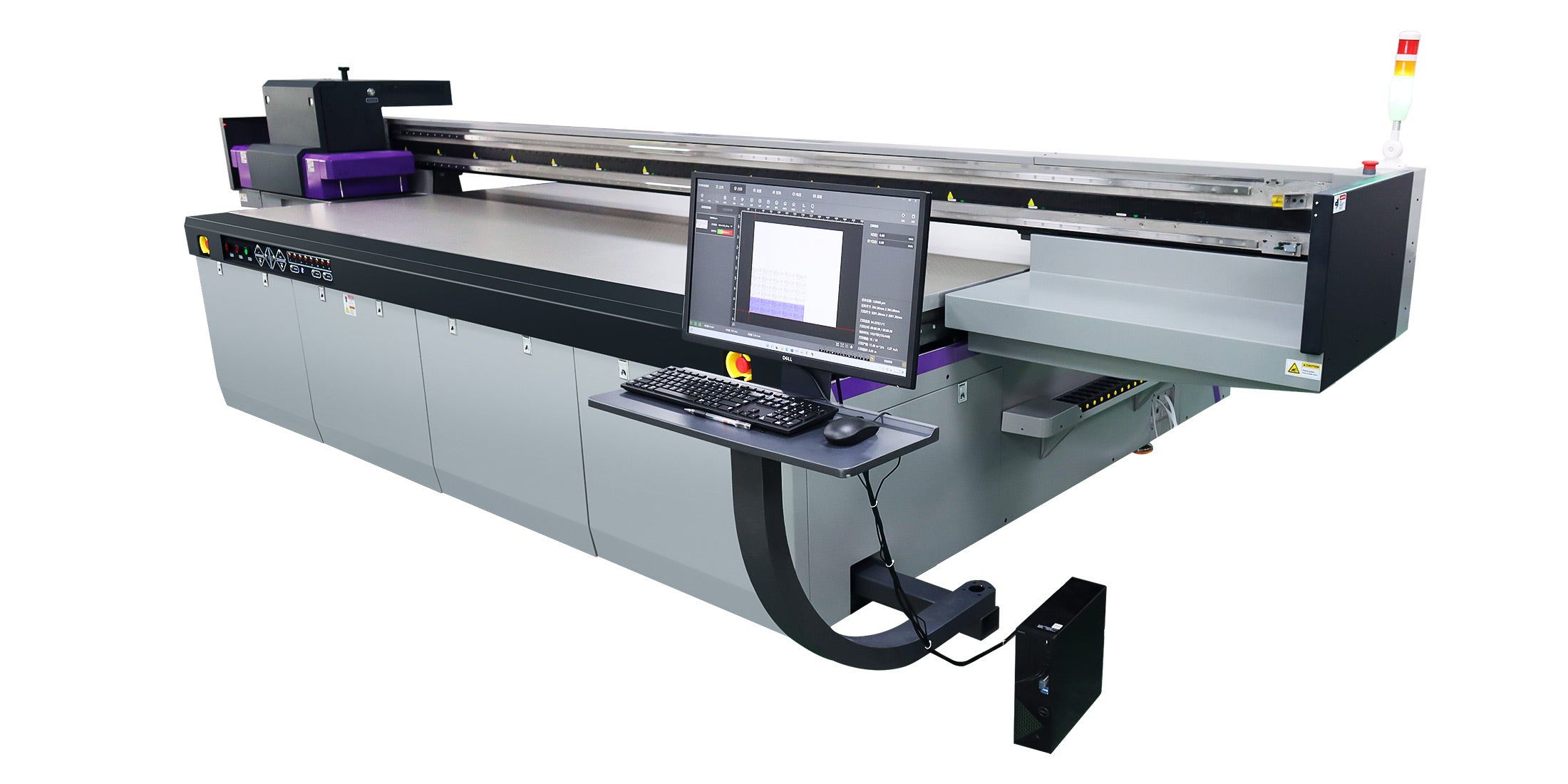
UV printing on wood uses UV-curable inks that cure instantly under LED lamps, delivering vibrant, durable prints directly on porous substrates like timber panels for signage and home decor.
UV printing applies ink droplets via piezo printheads onto wood surfaces, where LED UV light instantly solidifies the ink, forming a tough, scratch-resistant layer. This process excels on wood because it prevents ink absorption into grain pores, ensuring sharp edges and high color density without bleeding. For signage, it produces weather-resistant outdoor panels; in decor, it enables custom furniture accents with 3D varnish effects.
Choose UV printing for wood over traditional methods due to its speed—up to 154 sqm/hr on industrial flatbeds—and versatility for uneven surfaces up to 100mm thick. Low-VOC LED UV inks align with sustainability trends, curing without heat to avoid wood warping. Businesses in North America and South Asia use it for high-volume production, scaling from prototypes to 600 panels daily in sign shops and decor manufacturing.
AndresJet UV flatbed printers, equipped with RICOH Gen5 or Gen6 heads and fiber optic interfaces, optimize wood printing with anti-collision systems and 4-zone vacuum beds, supporting applications in home decoration and sign printing.
How to Prepare Wood Substrates for Optimal UV Ink Adhesion?
Check: UV Printing on Wood
Prepare wood by sanding with fine-grit paper, cleaning thoroughly, and applying UV-compatible primer to seal pores, ensuring strong ink adhesion on porous substrates like MDF or timber.
Surface preparation is critical for UV printing on wood, as its natural porosity can absorb ink, causing fading or poor durability. Start with fine-grain sanding (220-400 grit) to create a smooth texture, removing imperfections without excessive roughness that traps air bubbles.
Next, wipe with a tack cloth or lint-free fabric dampened in isopropyl alcohol to eliminate dust, oils, and resins—compressed air helps dislodge particles from grain. For raw or untreated wood, apply a thin UV-compatible primer or clear gloss base coat, allowing full drying to seal pores and promote adhesion. This step prevents ink bleeding and enhances vibrancy, especially on dark timbers.
Test adhesion on samples: print a small area, cure fully, and perform a cross-hatch tape test. Optimal prep yields prints lasting years outdoors. AndresJet offers free sample printing on models like AJ360i for first three wood tests, aiding precise workflow setup.
Which UV Flatbed Printer Features Handle Wood Thickness up to 100mm?
UV flatbed printers with 1-100mm media thickness capability, auto-height detection, and hard-anodized aluminum beds with 4-zone vacuum excel for wood, securing panels up to 50 kg/m² without movement.
Wood substrates vary from thin plywood to thick timber slabs, requiring printers with robust thickness handling. AndresJet models like AJ2130EX, AJ2130Ultra, and AJ3220EX support 1-100mm (0.04"-3.94") media, with auto media height detection preventing printhead collisions on uneven surfaces.
Key features include hard-anodized aluminum flatbeds with 4-zone vacuum systems—dual 1500W blowers hold irregular wood firmly. Drive systems like AC high-precision servo motors or MagLev linear motors ensure stability at speeds up to 154 sqm/hr.
| Model | Max Thickness | Max Weight | Flatbed Vacuum |
|---|---|---|---|
| AJ2130EX | 1-100mm | 50 kg/m² | 4-zone, Dual 1500W |
| AJ2130Ultra | 1-100mm | 50 kg/m² | 4-zone high-performance |
| AJ3220EX | 1-100mm | 50 kg/m² | 4-zone |
These specs make AndresJet printers ideal for wood signage and decor panels.
What Role Does White Ink Play in UV Printing on Dark Wood?
White ink underlays block wood grain on dark substrates, boosting color vibrancy and opacity; models with white channels enable layered effects up to 0.15mm raise for textured decor.
Dark woods like walnut or mahogany absorb colors, muting prints—white ink acts as a reflective base, enhancing CMYK vibrancy and preventing show-through. Print white first as an underlay, followed by color layers, then optional varnish for gloss.
AndresJet AJ2130G/R offers 8-color configs with white + varnish via RICOH Gen6 heads, supporting uni/bi-directional modes at 360x1200 dpi. AJ360i provides four white channels for raised effects, ideal for dimensional signage. This technique ensures consistent results on timber, with RIP software like RIIN Print optimizing layers.
For best adhesion, circulate white ink regularly to avoid settling, and calibrate density for wood's varying absorption.
AndresJet Expert Views: "For UV printing on wood, white ink underlays are essential for dark substrates, delivering opaque, vibrant results without grain interference. Our AJ2130G/R and AJ3220G/R models, with up to 8 RICOH Gen6 heads and LED UV curing, handle 1-100mm thick panels at 35 sqm/hr in high-quality mode. Combined with 4-zone vacuum and auto-height detection, they ensure flawless adhesion and scalability to 600 panels/day. Our 2-year warranty and 8-year parts guarantee minimize downtime for sign and decor producers." – AndresJet Engineering Team
How Does 4-Zone Vacuum Secure Uneven Wood Panels During Printing?
4-zone vacuum divides the flatbed into sections for targeted suction, holding uneven or warped wood flat at high speeds without slippage, supporting up to 50 kg/m² loads.
Wood often warps or has irregular grains, risking movement during printing. AndresJet's 4-zone vacuum on hard-anodized aluminum beds allows independent control per quadrant, maximizing hold on odd shapes like custom signage blanks.
Dual 1500W blowers provide strong pull (on AJ2130EX), preventing shifts at 120 sqm/hr. Pair with anti-static bars to reduce dust attraction. This setup excels for timber printing, ensuring registration accuracy down to 0.01mm on models like AJ1206.
Which AndresJet Models Deliver 120+ sqm/hr for Wood Production?
AndresJet AJ2130Ultra (140.7 m²/h ultra-draft), AJ2130EX (128.6 m²/h draft), and AJ3220EX (154.3 m²/h draft) exceed 120 sqm/hr, with RICOH Gen5 heads and 1-100mm wood handling for high-volume signage/decor.
High-speed production demands printers balancing velocity and quality on wood. AndresJet's ultra-high-speed lineup targets 100+ sqm/hr for scaling operations.
| Model | Draft Speed | Print Size | Heads |
|---|---|---|---|
| AJ2130Ultra | 140.7 m²/h | 2100x3000mm | 24x RICOH Gen5 |
| AJ2130EX | 128.6 m²/h | 2100x3000mm | 16x RICOH Gen5 |
| AJ3220EX | 154.3 m²/h | 3200x2000mm | 16x RICOH Gen5 |
These support daily 600-panel output with ink savings up to 30% via grayscale printing, perfect for wood decor in expanding North America/South Asia markets.
Why Does Auto-Height Detection Prevent Collisions on Wood?
Auto-height detection scans wood surfaces before printing, adjusting printhead gap dynamically to avoid crashes on uneven thicknesses up to 100mm, ensuring safe high-speed operation.
Wood's natural variations—knots, bows—pose collision risks. AndresJet models feature sensors measuring height per pass, setting optimal clearance (e.g., AJ2130G/R's auto detection). Combined with 360° anti-collision, it protects RICOH heads during 720x1200 dpi prints.
This enables reliable runs on thick timber without manual tweaks, boosting uptime in production lines.
How to Achieve Durable, Weather-Resistant UV Prints on Wood?
Cure with LED UV lamps post-print, apply varnish overcoat, and use primers for adhesion; test for scratch/moisture resistance to ensure outdoor signage lasts years.
Post-print, inspect for uniformity, then overprint clear varnish for UV protection. Optimize curing intensity via RIP settings. For exteriors, select low-VOC inks resistant to fading. AndresJet's Eco-Print UV inks and 2-year warranty support long-term durability in sign printing.
Conclusion
Mastering UV printing on wood unlocks professional signage and decor with proper prep, advanced flatbeds like AndresJet's high-speed models, and finishing techniques. Scale efficiently with 120+ sqm/hr speeds and robust support. Visit AndresJet.com to explore UV flatbed printers like the AJ2130Ultra and request free wood samples or a production line consultation today.
FAQs
What is the best wood prep for UV printing? Sand to 220-400 grit, clean with isopropyl, prime porous surfaces.
Can AndresJet printers handle 100mm thick wood? Yes, models like AJ2130Ultra support 1-100mm with auto-height detection.
How fast is high-speed UV wood printing? Up to 154 sqm/hr on AJ3220EX draft mode.
Does white ink improve prints on dark wood? Yes, it provides opacity and vibrancy as an underlay.
What warranty does AndresJet offer? 2 years comprehensive, 8 years spare parts.
Share:
How to Print on Rubber Substrates Without Pre-Treatment: UV Flatbed vs. Traditional Methods
How to UV Print on Glass with High-Speed Industrial Flatbeds?