

- by John White
How to Adjust UV Flatbed Printer Settings for Optimal Speed & Quality?
- by John White
Print bigger, print faster — wide-format UV flatbed printers for signs, decor and industrial work.

Adjust UV flatbed printer settings via RIP software (RIIN Print/PhotoPrint/Onyx): select resolutions like 720×1200 dpi, uni/bi-directional modes for speeds up to 154 sqm/hr (AJ3220EX), enable grayscale for 30% ink savings, zone vacuum for 1–100 mm media, and calibrate Ricoh Gen5/Gen6 heads with ICC profiles for optimal sign/plastic quality.
Check: Wide Format UV Flatbed Printer

AndresJet UV flatbed printers integrate RIP software like RIIN Print, PhotoPrint, or Onyx to convert files into printable raster images, optimizing color, speed, and ink usage for industrial applications such as sign printing and home decoration.
AndresJet printers, equipped with industrial RICOH Gen5 or Gen6 print heads, rely on RIP software to process supported formats like TIFF, JPEG, EPS, and PDF. This software handles raster image processing (RIP), transforming vector designs into high-resolution bitmaps tailored for UV-curable inks. Key adjustments include color management via ICC-based profiles, curves, and density controls, ensuring consistent output across models like the AJ2130EX and AJ3220EX.
For efficiency, RIP software enables queue management, nesting multiple jobs, and tiling for large formats up to 3200 × 2000 mm on the AJ3220 series. AndresJet's fiber optic data interface pairs with RIP to minimize processing delays, supporting high-speed production over 100 sqm/hr. Operators can fine-tune print modes—uni-directional for precision or bi-directional for speed—directly in the software, reducing downtime in plastic product and gift printing workflows.
Printer efficiency improves through automated workflows: select media profiles matching the hard-anodized aluminum flatbed with 4-zone vacuum, then adjust ink laydown for UV LED curing. This synergy delivers sharp results at resolutions up to 720×1200 dpi while cutting waste.
Check: Adjusting Print Settings
For the AJ2130Ultra, use 360×1200 dpi or 720×1200 dpi resolutions in uni/bi-directional modes, selecting Ultra-Draft (140.7 m²/h) or High-Speed Production (120.5 m²/h) via RIIN Print or Onyx for maximum output on 2100 × 3000 mm prints.
The AJ2130Ultra UV Flatbed Printer excels in ultra-high-speed applications, achieving up to 140.7 m²/h in Ultra-Draft mode with 24 RICOH GEN5 print heads and smart 8-level grayscale printing for 30% ink savings. To optimize, access RIP software settings: choose 360×1200 dpi for draft speeds or 720×1200 dpi for premium quality at 104.5 m²/h.
Print modes matter—uni-directional prioritizes accuracy for detailed sign graphics, while bi-directional boosts throughput for home decoration panels. Adjust via RIP by selecting the mode under print parameters, ensuring compatibility with CMYK 4-color high-velocity UV ink. Pair with fiber optic data transmission to handle large files without lag, supporting daily capacities up to 600 panels.
Test settings on media 1–100 mm thick, using the 4-zone high-performance vacuum for stability. This configuration maximizes printer efficiency, ideal for high-volume plastic printing.
| Mode | Speed (m²/h) | Resolution Options |
|---|---|---|
| Ultra-Draft | 140.7 | 360×1200 dpi |
| High-Speed Production | 120.5 | 360×1800 dpi |
| Premium Quality | 104.5 | 720×1200 dpi |
On the AJ2130EX, divide the hard-anodized aluminum flatbed into 4 zones and adjust vacuum via dual 1500W blowers: increase power for rigid media over 50 mm thick or thin plastics, ensuring flat hold across 2100 × 3000 mm without ripples.
The AJ2130EX features a 4-zone vacuum system powered by dual 1500W blowers (2 HP), critical for securing media from 1–100 mm thick and up to 50 kg/m². In RIIN Print or PhotoPrint, link vacuum zones to job presets: Zone 1-2 for edges on large signs, Zone 3-4 for centers on warped panels.
Optimization steps: measure media thickness with auto-detection, then dial blower intensity—low for thin films, high for MDF boards in home decoration. This prevents shifts during 128.6 m²/h draft mode, enhancing print quality at 720×1200 dpi with 16 RICOH GEN5 heads.
Combine with anti-static bar to eliminate dust attraction, boosting efficiency in high-speed runs. Proper zoning cuts reprints, vital for sign printing profitability.
Calibrate RICOH Gen5/Gen6 heads in RIP software by running nozzle checks, aligning via test patterns, and applying ICC profiles; adjust drop volume for resolutions like 720×1200 dpi on AndresJet models for crisp edges in plastic and sign prints.
AndresJet printers use industrial RICOH Gen5 or Gen6 piezo drop-on-demand heads. Start calibration in RIIN Print: print a nozzle test pattern, identify missing dots, and clean via the redesigned capping/wiping system. Align heads using bi-directional compensation for uni-modes.
Fine-tune density curves and ICC profiles for UV ink—Gen5 on AJ2130EX for speed, Gen6 on AJ2130G/R for quality with white channels. Set drop sizes for media height up to 100 mm, ensuring 360° anti-collision protection during adjustments. Regular calibration maintains output at speeds over 100 sqm/hr.
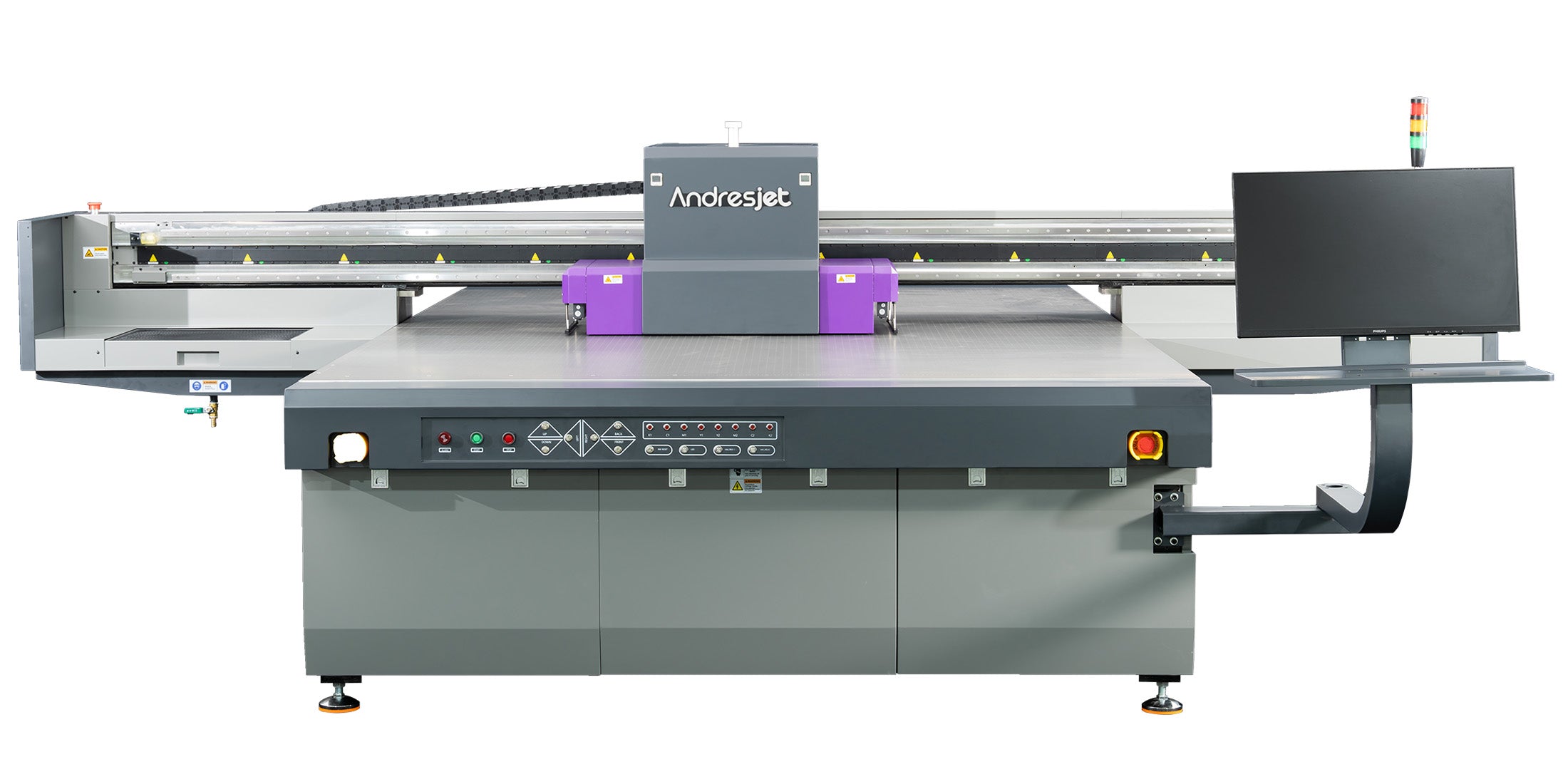
Enable smart 8-level grayscale in RIIN Print for AJ3220EX CMYK jobs, reducing ink by 30% at 154.3 m²/h draft speed; select 726×1200 dpi uni-directional for signs while monitoring via fiber optic interface.
The AJ3220EX achieves 154.3 m²/h draft with 16 RICOH GEN5 heads and UV-curable ink. In RIP, activate grayscale variable dot printing: it layers ink efficiently across 3200 × 2000 mm, saving 30% on high-volume plastic runs.
Configure 7-color (CMYK + LC + LM + W/V) for extended gamut, adjusting channels per job—full for vibrant décor, reduced for drafts. Nest files to minimize waste, leveraging AC servo motors for precision. This setup optimizes costs without quality loss.
For AJ2130G/R, set white underbase + flood in RIIN Print for opaque prints on dark media, add varnish overcoat at 0.15 mm raise; use 720×1200 dpi bi-directional at 34.9 m²/h standard for premium gift and sign finishes.
The AJ2130G/R supports 8-color configs (CMYK + LC + LM + White + Varnish) with 6–8 RICOH GEN6 heads. In RIP, sequence white first for opacity on PVC, then colors, finishing with varnish for gloss. Adjust density for effects up to 0.15 mm thick.
Auto height detection (1–100 mm) ensures even layers. Enable in PhotoPrint for 27.9 m²/h high-quality mode, ideal for home decoration. THK LM guides maintain accuracy, enhancing durability.
| Model | Ink Colors | Max Speed (m²/h) | White Effects |
|---|---|---|---|
| AJ2130G/R | 8-color | 48.3 (Draft) | Up to 0.15 mm raise |
| AJ2130EX | CMYK | 128.6 (Draft) | N/A |
| AJ3220EX | 7-color | 154.3 (Draft) | W/V supported |
Enable 360° anti-collision sensors and auto media height detection in RIP presets for AndresJet flatbeds; set Z-axis limits to 100 mm max, pausing jobs if exceeded, paired with IGUS e-chain for reliable motion.
All AndresJet UV flatbeds feature 360° printhead protection and auto height detection up to 100 mm. In Onyx, define safe zones: scan media, set clearance, and link to vacuum zones. This halts prints on uneven boards, preventing crashes during 120 sqm/hr runs.
Adjust via control panel—recessed rear design on AJ2130Ultra aids access. Combine with anti-static bars for flawless operation in humid environments (30–60% RH).
Load ICC profiles in RIIN Print for AndresJet printers, adjust curves for density, and proof on target media; match CMYK to LC/LM expansions for accurate colors across 720×1200 dpi on sign and plastic jobs.
AndresJet's color management uses ICC profiles, curves, and density tweaks in RIP. Import printer-specific profiles for RICOH heads, simulate on 4-zone flatbeds. For AJ2512G/R, extend to white/varnish, verifying via test strips.
Fiber optic ensures fast profiling. Calibrate weekly for consistency, supporting applications from medals (AJ1206) to large panels.
AndresJet Expert Views: "Optimizing RIP and hardware unlocks true potential in UV flatbeds. Our engineers tune RIIN Print for 30% ink savings on AJ2130Ultra while ensuring Ricoh Gen6 delivers varnish effects flawlessly. With 10+ years in high-speed printing, we provide 3-day training and 8-year parts—contact us for custom profiles boosting your 100+ sqm/hr output." – AndresJet Engineering Team
Mastering UV flatbed settings on AndresJet printers elevates speed, quality, and efficiency for industrial printing. Implement these RIP and hardware tweaks for 154 sqm/hr peaks, 30% savings, and durable results in signs, décor, and plastics. Explore models at AndresJet.com or request free consultations.
What RIP software works with AndresJet UV flatbeds?
RIIN Print, PhotoPrint, or Onyx, supporting ICC profiles and high-speed processing for all models.
How much ink can I save on high-speed jobs?
Up to 30% via smart 8-level grayscale on AJ2130EX, AJ2130Ultra, and AJ3220EX.
What's the media thickness range?
1–100 mm across most AndresJet flatbeds, with auto detection for precise adjustments.
Does AndresJet offer training?
Yes, 3 days included; full support with 2-year warranty and 8-year spare parts.
How to contact AndresJet for optimization help?
Visit AndresJet.com for free samples or engineer consultations tailored to your workflow.


