

- by John White
What Are Draft vs Production vs High-Quality Modes in UV Flatbed Printers?
- by John White
Print bigger, print faster — wide-format UV flatbed printers for signs, decor and industrial work.

Draft mode prioritizes speed (up to 154 m²/h on AJ3220EX) with fewer passes for high-volume jobs like signage; production/standard mode (92-120 m²/h) balances throughput and detail for daily tasks; high-quality mode (27-104 m²/h) uses more passes for sharp, vibrant prints on premium substrates, with AndresJet models offering up to 30% ink savings via grayscale.
Check: Which Printer Brands Truly Listen to B2B Customers?
Draft mode in UV flatbed printers maximizes speed using fewer print passes and lower resolutions, ideal for high-volume production on substrates like PVC panels where viewing distance reduces detail needs. It achieves rates up to 154.3 m²/h on models like the AJ3220EX, making it perfect for just-in-time signage or bulk home decoration runs.
In draft mode, UV flatbed printers like those from AndresJet prioritize throughput over fine detail. This setting employs uni-directional or bi-directional printing with minimal passes, often at resolutions like 360×1200 dpi or 726×300 dpi. For instance, the AJ2130Ultra reaches 140.7 m²/h in ultra-draft, enabling daily capacities up to 600 panels. Use draft for applications where speed trumps perfection, such as outdoor banners viewed from afar or prototype testing in sign shops. The trade-off is slightly rougher edges, but smart 8-level grayscale printing saves up to 30% ink, keeping costs low for large jobs. Production managers balancing output volume with client resolution needs find draft mode essential for scaling operations without sacrificing profitability.
Production mode, often called standard mode, strikes a balance with moderate passes at resolutions like 360×1200 dpi, delivering speeds of 92-120 m²/h for reliable daily output on mixed substrates like MDF or acrylic. AndresJet's AJ2130EX hits 92.9 m²/h here, suiting routine sign printing and packaging tasks.
Production mode optimizes workflows for everyday industrial printing by combining solid speeds with acceptable quality. On the AJ3220EX, standard production reaches 111.5 m²/h, while the AJ2130G/R offers 34.9 m²/h with extended 8-color configurations including white and varnish. This mode uses balanced pass counts—typically more than draft but fewer than high-quality—for vibrant colors and smooth gradients without excessive time. It's ideal for PVC/ABS panel printing in home decoration or gift production, where clients expect durability but not ultra-fine detail. Features like AndresJet's fiber optic data transmission and AC servo motors ensure consistent performance, helping shops meet deadlines while maintaining competitive edges in North America and South Asia markets.
High-quality mode employs multi-pass printing at higher resolutions like 720×1200 dpi for crisp details and rich colors, at speeds of 27-104 m²/h, perfect for close-view premium signage, décor, and products requiring varnish effects. The AJ2130Ultra delivers 104.5 m²/h in premium quality with RICOH GEN5 heads.
For client projects demanding sharp resolution, high-quality mode invests time in additional passes and advanced color management. AndresJet's AJ2130G/R achieves 27.9 m²/h with CMYK + LC + LM + White + Varnish, enabling raised effects and photorealistic results on substrates up to 100 mm thick. Choose this for indoor signage, custom gifts, or high-end home décor where texture and vibrancy drive sales. Though slower, it reduces reprints and boosts customer satisfaction. With ICC-based profiles and anti-collision systems, AndresJet printers ensure precision, making high-quality mode viable even for mid-volume runs.
AndresJet UV flatbed models vary speeds by mode and size: large-format like AJ3220EX lead with 154.3 m²/h draft, while mid-size AJ2512G/R offers 27.46 m²/h draft, all using RICOH GEN5/Gen6 heads for reliable performance across applications.
AndresJet's lineup showcases mode flexibility tailored to industrial needs. Here's a comparison of key models:
| Model | Draft/Ultra-Draft (m²/h) | Production/Standard (m²/h) | High-Quality/Premium (m²/h) |
|---|---|---|---|
| AJ2130EX | 128.6 | 92.9 | 74.6 |
| AJ2130Ultra | 140.7 | 120.5 | 104.5 |
| AJ2130G/R | 48.3 | 34.9 | 27.9 |
| AJ2512G/R | 27.46 | 17.71 | 13.02 |
| AJ3220EX | 154.3 | 111.5 | 89.6 |
These speeds support over 100 sqm/hr in high-speed models, with common features like 4-zone vacuum flatbeds and 2-year warranties ensuring longevity.
AndresJet Expert Views: "In our decade of high-speed UV printing, we've seen shops double output by mastering modes. Draft excels for volume signage on PVC, production for balanced décor runs, and high-quality for premium finishes with white ink effects. Models like AJ2130Ultra hit 140 m²/h draft while saving 30% ink—key to ROI. Our engineers customize setups for your workflow, from free samples to full production lines." — AndresJet Engineering Team
Check: How to Maximize ROI with High-Speed Wide Format UV Printers
More print passes in high-quality modes boost resolution and ink laydown for detail, slowing speed; draft uses fewer passes at base resolutions like 360×1200 dpi for rapid output, with bi-directional options enhancing efficiency.
Print passes directly dictate mode performance: draft minimizes them for speed, while high-quality multiplies for depth. Resolutions across AndresJet printers—360×1200 dpi to 720×2400 dpi—affect clarity. Bi-directional printing in production modes cuts time versus uni-directional high-quality. Ink savings from grayscale apply universally, optimizing UV-curable inks on rigid media up to 100 mm thick.
Production mode maximizes ROI for PVC panels and home décor at 90-120 m²/h, balancing speed, quality, and 30% ink savings; draft suits ultra-high volume, high-quality for premium finishes.
For PVC and MDF in home decoration, production mode on AJ2130EX (92.9 m²/h) delivers durable prints economically. Calculate ROI: at 100 m²/day, draft saves time but may need quality checks; high-quality on AJ3220G/R (35.88 m²/h standard) justifies for upscale clients. AndresJet's 8-year parts guarantee minimizes downtime.
| Application | Recommended Mode | AndresJet Model Example | Speed (m²/h) |
|---|---|---|---|
| PVC Panels (High-Volume) | Draft/Production | AJ2130Ultra | 120.5 |
| Home Décor (Balanced) | Production | AJ2130EX | 92.9 |
| Premium Signage | High-Quality | AJ2130G/R | 27.9 |
Draft and production modes save up to 30% ink via 8-level grayscale and fewer passes versus high-quality's denser laydown; AndresJet UV printers optimize across all modes for cost efficiency.
Grayscale technology in AndresJet models reduces waste in draft (e.g., AJ3220EX 154.3 m²/h), while high-quality demands more for vibrancy. Expect 20-30% savings in speed-focused modes, crucial for sign printing margins.
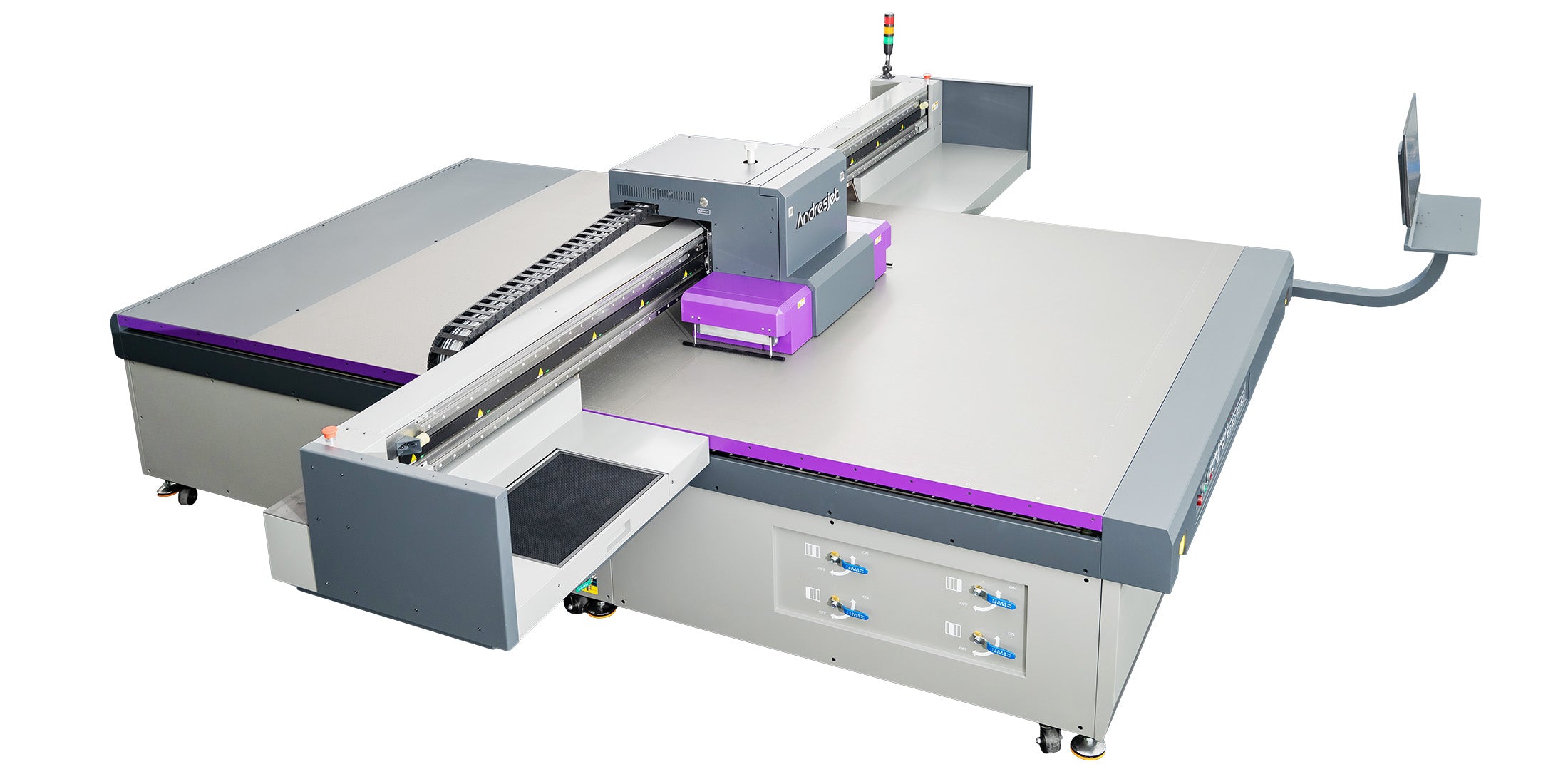
Optimize by matching mode to substrate and volume: test via AndresJet free samples, adjust RIP software like RIIN Print for passes/resolution, and use auto-height detection for consistency.
Start with substrate tests—draft for rigid signage, production for mixed runs. Leverage fiber optic interfaces and servo motors for precision. AndresJet's training ensures peak performance.
Mastering draft, production, and high-quality modes empowers industrial printers to balance speed and resolution, maximizing ROI across applications. AndresJet's high-speed UV flatbeds, with leading specs and support, deliver versatile solutions for your workflow. Visit AndresJet.com to explore models like AJ2130Ultra and request a free sample or consultation today.
What is the fastest AndresJet UV flatbed printer? The AJ3220EX reaches 154.3 m²/h in draft mode.
Does draft mode compromise too much quality? No, it's suitable for distance-viewed signage with acceptable results and ink savings.
Can high-quality mode still be fast? Yes, AJ2130Ultra hits 104.5 m²/h in premium quality.
How do modes affect ink costs? Draft/production save up to 30% via grayscale versus high-quality.
What warranty does AndresJet offer? 2 years comprehensive, plus 8 years spare parts.


