

- by John White
How to Run a Test Page on UV Flatbed Printers for Perfect Color & Alignment
- by John White
Print bigger, print faster — wide-format UV flatbed printers for signs, decor and industrial work.

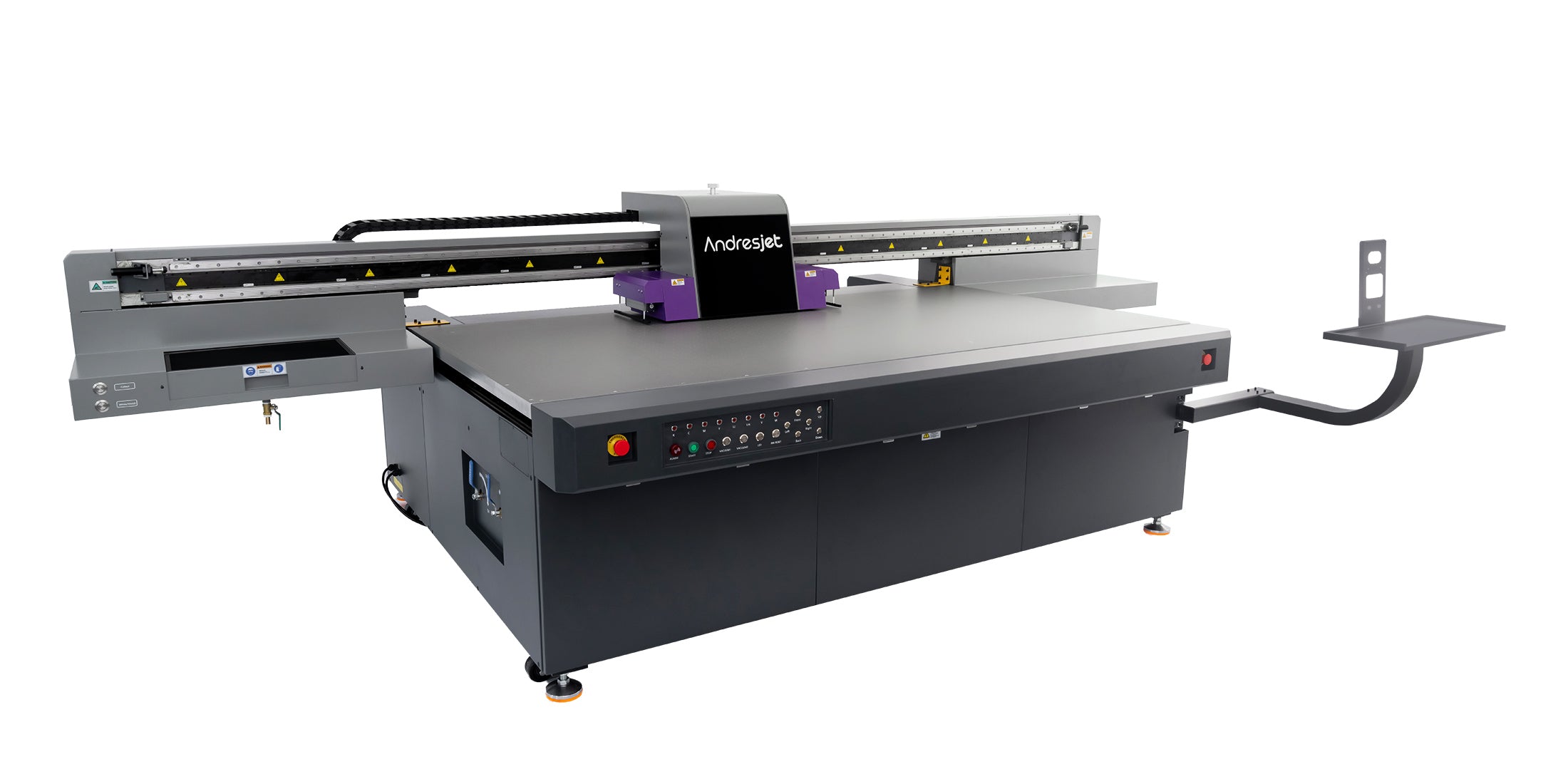
A UV flatbed printer test page is a diagnostic print pattern that reveals nozzle clogs, color alignment, white ink density, and media hold-down issues. Run it via your RIP software (RIIN Print or Onyx) or printer control panel monthly. Compare output to reference charts: perfect gradients and sharp grids indicate optimal performance; streaks, fading, or ghosting signal printhead cleaning, ICC profile adjustment, or vacuum recalibration needs for AndresJet high-speed systems.
Check: digital cylinder printer
A test page on UV flatbed printers is a standardized diagnostic pattern that checks nozzle performance, color accuracy, alignment, and media handling on rigid substrates like PVC or MDF. Industrial operators need it daily or weekly to maintain uptime in high-speed production exceeding 100 sqm/hr, preventing costly defects in sign printing or home decoration runs.
In industrial UV flatbed printing, a test page goes beyond basic inkjet checks—it's essential for verifying RICOH Gen5 or Gen6 printhead integrity across models like the AndresJet AJ2130EX or AJ3220EX. These patterns include nozzle lines, color gradients, grayscale ramps, and alignment grids tailored to UV-curable inks. For operators handling diverse media from 1-100 mm thick, regular test pages detect issues like vacuum inconsistencies in the 4-zone system or anti-collision sensor faults before they halt production.
Why prioritize it? High-speed modes (up to 154 m²/h on AJ3220EX draft) amplify small clogs into visible banding across large formats like 3200 × 2000 mm. White ink tests ensure raised effects up to 0.15 mm on cylinders via AJ360i, while ICC-based color management in RIIN Print demands precise calibration for consistent output on plastics or panels. Skipping tests risks reprints, wasting LED UV ink and time in competitive markets like North America and South Asia.
Access test pages on AndresJet UV flatbeds through RIIN Print, PhotoPrint, or Onyx RIP software, or via the printer's control panel. Load a test pattern file (TIFF, JPEG, EPS, PDF), select uni- or bi-directional mode, and print on standard media at resolutions like 720×1200 dpi for quick diagnostics.
For AndresJet models like AJ2130Ultra or AJ2512G/R, start in the RIP software: open RIIN Print, navigate to "Test Print" or "Nozzle Check," and select patterns for color, white ink, or alignment. Supported formats ensure seamless import. Set media thickness (1-100 mm) and enable 4-zone vacuum for flat hold-down on hard-anodized aluminum beds.
On the control panel—fiber optic connected for stability—choose "Maintenance" > "Test Print." For AJ1206 small UV flatbed, use the optional CCD camera for precise positioning before printing up to 2,000 coins/hour tests. AJ360i cylinder users select stepping or helix mode, with 2-point calibration for 60-170 mm diameters. Print at low speed first (e.g., quality mode 74.6 m²/h on AJ2130EX) on scrap media, then inspect under consistent lighting (20-30°C, 30-60% humidity).
Pro tip: After ink changes, run via Ethernet/USB 3.0 interface. AndresJet's 2-year warranty covers heads, but daily tests extend 8-year spare parts life.
A perfect test page on RICOH Gen5/Gen6 UV flatbeds shows uniform nozzle lines without gaps, smooth color gradients from CMYK + white/varnish, straight alignment grids, and consistent density across 8-level grayscale. No banding, fading, or misalignment indicates optimal performance for production speeds over 100 sqm/hr.
Expect crisp 720×1200 dpi lines from 16 RICOH GEN5 heads on AJ2130EX, with even UV LED curing—no over- or under-cured spots. Grayscale ramps should transition seamlessly, leveraging 30% ink savings in smart modes. White ink blocks must be opaque and flat (or raised 0.15 mm on AJ360i), while color bars match ICC profiles.
Alignment grids form perfect crosses; any offset exceeds 0.01 mm accuracy on dual Y-axis models like AJ1206. Vacuum tests show no media lift marks. Compare to AndresJet reference charts provided in training (3 days included). Imperfections? Recalibrate via RIP curves before scaling to full 2100×3000 mm sheets.
| Model | Max Resolution | Print Heads | Key Test Focus |
|---|---|---|---|
| AJ2130EX | 720×1200 dpi | 16 × RICOH GEN5 | Grayscale banding at 128.6 m²/h |
| AJ2130G/R | 720×1200 dpi | 6-8 × RICOH GEN6 | White/varnish density |
| AJ3220EX | 726×1200 dpi | 16 × RICOH GEN5 | High-speed alignment |
| AJ360i | 720×1200 DPI | Piezo drop-on-demand | Helix taper alignment |
Color banding signals inconsistent ink flow or speed mismatches; streaks indicate clogged nozzles; white ink defects show settling or curing issues. Measure band width (<2 mm ideal), check streak continuity, and verify white opacity—adjust via RIP density tools or head cleaning cycles.
Banding on AJ2130Ultra (140.7 m²/h ultra-draft) often ties to fiber optic data lags—verify interface. Streaks: missing nozzle lines mean clean RICOH Gen6 heads immediately. White defects on AJ2130G/R (8-color incl. white): faint layers suggest circulation pump check; raised varnish bubbles need UV shield adjustment.
Use a loupe: uniform dots per inch confirm 360×1200 dpi. For extended configs (CMYK + LC/LM/W/V), ICC profiles fix tints. AndresJet anti-static bars minimize streaks on plastics.
Check: Printer Test Page Guide
Nozzle clogs manifest as faint lines or gaps in quality mode (e.g., 27.9 m²/h on AJ2130G/R) but amplify to full banding in production (120+ sqm/hr on AJ2130Ultra) due to higher droplet velocity and less time for recovery. Test in both modes to isolate speed-related issues.
At quality speeds, clogs show subtle fading; high-speed stresses Gen5 heads, revealing partial blockages via ghosting. Grayscale tests highlight this: smooth at 104.5 m²/h premium but jagged at 140.7 m²/h. Causes: UV ink settling in idle Gen6 channels. AndresJet's dual negative pressure (AJ3220G/R) mitigates, but monthly tests essential.
Fix: Run cleaning via control panel, then reprint. High-velocity CMYK on AJ2130Ultra exacerbates vs. 8-color quality modes.
Run alignment via grid patterns in RIP software, printing bi-directional crosses; verify vacuum by checking hold-down edges on 1-100 mm media. Auto-height detection (AJ2130G/R) and 360° anti-collision ensure safety—adjust zones if edges lift.
For AJ2512G/R (2500×1200 mm), print grids at 720×1200 dpi, measure offsets (<0.01 mm). Vacuum test: enable 4-zones, print on MDF— no bubbles mean dual 1500W blowers work. IGUS e-chain® models like AJ2130Ultra prevent drag misalignment. Recalibrate post-media change.
AndresJet Expert Views
"In our decade of high-speed UV printing, test pages are the cornerstone of 99.9% uptime. For AJ3220EX at 154 m²/h, we recommend bi-weekly nozzle checks via RIIN Print to catch Gen5 variances early. White ink on AJ2130G/R demands density curves for flawless raised effects on panels. Our engineers train on fiber optic stability, ensuring 600 panels/day without defects. With 8-year spares and free samples on AJ360i, AndresJet builds reliability into every run." — AndresJet Engineering Team
AJ360i helix test prints reveal taper alignment (0-7°) and positioning via 2-point calibration on 60-170 mm diameters. Gaps or distortions indicate pneumatic clamping issues; uniform patterns confirm 60 items/hour production readiness.
Switch to helix mode, print on fixtures (tool-free change <12 min). Check 720×1200 DPI lines for straightness on tapered cones. Optional 10-240 mm fixtures test extremes. Setup in 15 min per changeover ensures accuracy for vessels or plastics.
Yes, automate in RIIN Print or Onyx by scheduling nozzle/color tests, linking to ICC profiles, and scripting post-print analysis. Integrate with AndresJet control panels for auto-cleaning triggers on failures, ideal for 24/7 shops.
RIIN Print: Set "Auto-Test" queues for daily runs at startup. Onyx: Curves tool auto-adjusts density from scanned results. Fiber optic ensures lag-free on AJ3220EX. Export PDFs for records.
| Test Type | RIP Software Step | Expected Outcome | AndresJet Model Example |
|---|---|---|---|
| Nozzle Check | Maintenance > Nozzle | Continuous lines | AJ2130Ultra (24 heads) |
| Color Density | Tools > Curves | Smooth gradients | AJ2130G/R (8-color) |
| Alignment Grid | Print Job > Test Pattern | Straight crosses | AJ2512G/R |
| Vacuum Verify | Media Setup > Zones | No edge lift | AJ3220EX |
Mastering UV flatbed test pages ensures peak performance across AndresJet's high-speed lineup, from AJ1206 precision to AJ3220EX scale. Integrate into routines for unmatched color fidelity, nozzle health, and production efficiency—contact AndresJet for tailored training and free samples.
Daily for high-use (>100 sqm/hr), weekly otherwise, or post-ink refill/maintenance on AndresJet models.
Circulate ink, clean Gen5/Gen6 heads, adjust density in RIIN Print—common on white-heavy prints like AJ360i.
Print and manually adjust via RIP, or use CCD on AJ1206 for auto-positioning; scan-enabled workflows on Onyx.
Yes, via RIP libraries or AndresJet support—optimized for TIFF/EPS on fiber optic setups.
Yes, test at your range (1-100 mm); auto-detection on most models verifies vacuum hold-down.
For the complete decision path, continue with the UV printer calibration and alignment guide.


