

Top 7 maintenance tips for small format UV flatbed printers: 1) Clean RICOH Gen5/Gen6 printheads daily with nozzle wetting cycles; 2) Circulate white ink to prevent settling; 3) Maintain 20–30°C and 40–60% humidity; 4) Inspect 4-zone vacuum weekly; 5) Run auto anti-collision checks; 6) Use OEM UV inks only; 7) Schedule bi-weekly full maintenance per manual for 2-year warranty compliance.
Check: Who Owns Brother Printer Company, China Or Japan?
Why Is Regular Printhead Cleaning Essential for RICOH Gen5/Gen6 UV Printers?
Regular printhead cleaning prevents clogs and ensures consistent print quality on RICOH Gen5/Gen6 UV printers by removing ink residue and debris daily through nozzle wetting cycles and gentle wiping.
In small format UV flatbed printers like the AndresJet AJ1206, equipped with up to 8 piezo drop-on-demand printheads, printhead maintenance is critical for 24/7 operations. These industrial RICOH Gen5 or Gen6 heads deliver resolutions up to 300×2400 DPI, but UV-curable inks can dry quickly if not managed properly. Dust, ink buildup, and residue from high-volume jobs—such as printing 2,000 coins per hour on the AJ1206—can block nozzles, causing streaks, misprints, or complete downtime.
Start with daily nozzle wetting cycles via the printer's built-in utility in RIIN Print or PhotoPrint RIP software. This flushes ink through the nozzles without manual intervention. For deeper cleans, power off the machine, then use a lint-free cloth dampened with manufacturer-approved cleaning solution (isopropyl alcohol 90%+ for non-abrasive action) to wipe the printhead surface gently. Never touch nozzles directly. AndresJet models feature redesigned capping and wiping systems that automate much of this process, reducing manual effort.
Perform bi-daily full cleans: run a purge cycle, inspect for debris, and verify ink flow patterns. This extends printhead life, vital since AndresJet guarantees 8 years of spare parts availability. Neglect here shortens lifespan and voids the 2-year comprehensive warranty.
| Model | Printheads | Resolution Options |
|---|---|---|
| AJ1206 | 4 standard (up to 8) | 300×1200, 300×1800, 300×2400 DPI |
| AJ2512G/R | 3–8 RICOH Gen6 | 720×600, 720×900, 720×1200 DPI |
Table shows key small format models where consistent cleaning sustains high-resolution output for sign printing and gifts.
How Do You Prevent White Ink Clogs in Small Format UV Flatbeds?
Prevent white ink clogs by circulating ink every 4–6 hours, using dual negative pressure systems, and running agitation cycles to keep pigments suspended in UV flatbed printers.
White ink in UV flatbeds like the AndresJet AJ2512G/R (with CMYK + White options) is prone to settling due to its high pigment load, especially in continuous production for home decoration panels or medals. Clogs disrupt 24/7 workflows, leading to uneven prints or head failures. AndresJet's Eco-Print UV inks require proactive circulation.
Implement a schedule: every 4 hours of idle time, activate the ink circulation pump via the control panel. Models with dual negative pressure (like AJ3220G/R) maintain stable flow automatically. Daily, run a 10-minute white ink agitation cycle before jobs. For storage, park heads in the capped position and enable auto-purge. Use only OEM UV-curable inks like Eco-Print 100 or 200 to match viscosity specs.
Monitor via the RIP software's ink status dashboard. If clogs occur, perform a strong flush with cleaning solution, but avoid over-purging to prevent waste. This practice ensures raised white effects up to 0.15mm (as in AJ360i) without interruptions, supporting speeds up to 35 sqm/hr on AJ2512G/R.
What Is the Best Daily Maintenance Schedule for UV Flatbed Printers?
The best daily schedule includes exterior wipe-down, ink level checks, nozzle tests, and self-clean cycles to keep small UV flatbeds clog-free and ready for production.
For machines running 24/7 in plastic product or sign printing, a structured daily routine minimizes downtime. Begin with a visual inspection: check for leaks, loose cables, and debris around the hard-anodized aluminum flatbed. Wipe exteriors with a soft, dry cloth—avoid corrosives.
Next, verify ink levels across 8 colors (CMYK + W + V + Lc/Lm/LK on AJ1206). Run nozzle check patterns to detect missing dots early. Execute wetting cycles and cap/wipe sequences. Clean the platen and vacuum zones lightly. End shifts with proper shutdown: park heads, circulate white ink, and power off via the AC servo drive system.
Weekly, lubricate moving parts like THK LM Guides (on select AndresJet models) with approved oils. This schedule aligns with AndresJet's 3-day training, ensuring operators maintain uptime on media up to 100mm thick.
How Can You Optimize the 4-Zone Vacuum System on Industrial Flatbeds?
Optimize the 4-zone vacuum by weekly inspections, cleaning dual 1500W blowers, and zonal adjustments to hold media securely without over-suction during high-speed prints.
AndresJet small format UV flatbeds, such as AJ2512G/R, use hard-anodized aluminum flatbeds with 4-zone vacuum systems powered by dual 1500W blowers. This holds irregular media like PVC panels or gifts firmly, enabling speeds up to 35 sqm/hr without shifts.
Daily: clear debris from zones with compressed air. Weekly: vacuum internals, check seals, and test zonal controls—adjust for media weight up to 50 kg/m². Ensure no over-suction deforms thin substrates (1mm min). Monthly, inspect blower filters. Proper optimization prevents misfeeds, sustaining bi-directional modes.
| Model | Print Speed (Standard Mode) | Vacuum System | Media Thickness |
|---|---|---|---|
| AJ1206 | Up to 2,000 coins/hr | Standard (implied) | 0–35 mm |
| AJ2512G/R | 17.71 m²/h | 4-zone sectional | 1–100 mm |
| AJ2130EX | 92.9 m²/h | 4-zone, dual 1500W | 1–100 mm |
Table highlights vacuum-equipped models for reliable small format production.
Why Maintain Proper Temperature and Humidity for UV Ink Performance?
Maintain 20–30°C temperature and 40–60% RH to preserve UV ink viscosity, prevent nozzle drying, and ensure LED UV curing consistency in flatbed printers.
UV-curable inks in AndresJet printers like AJ1206 demand stable environments: 20–30°C and 40–60% non-condensing humidity. Deviations thicken inks, causing clogs, or weaken curing, leading to adhesion issues on signage or decor.
Install HVAC controls and dehumidifiers in print rooms. Monitor with sensors linked to RIP software alerts. Avoid direct sunlight or drafts near fiber optic interfaces. This sustains ink savings up to 30% via grayscale printing and resolutions like 720×1200 DPI.
What Steps Ensure Anti-Collision System Reliability on AndresJet Printers?
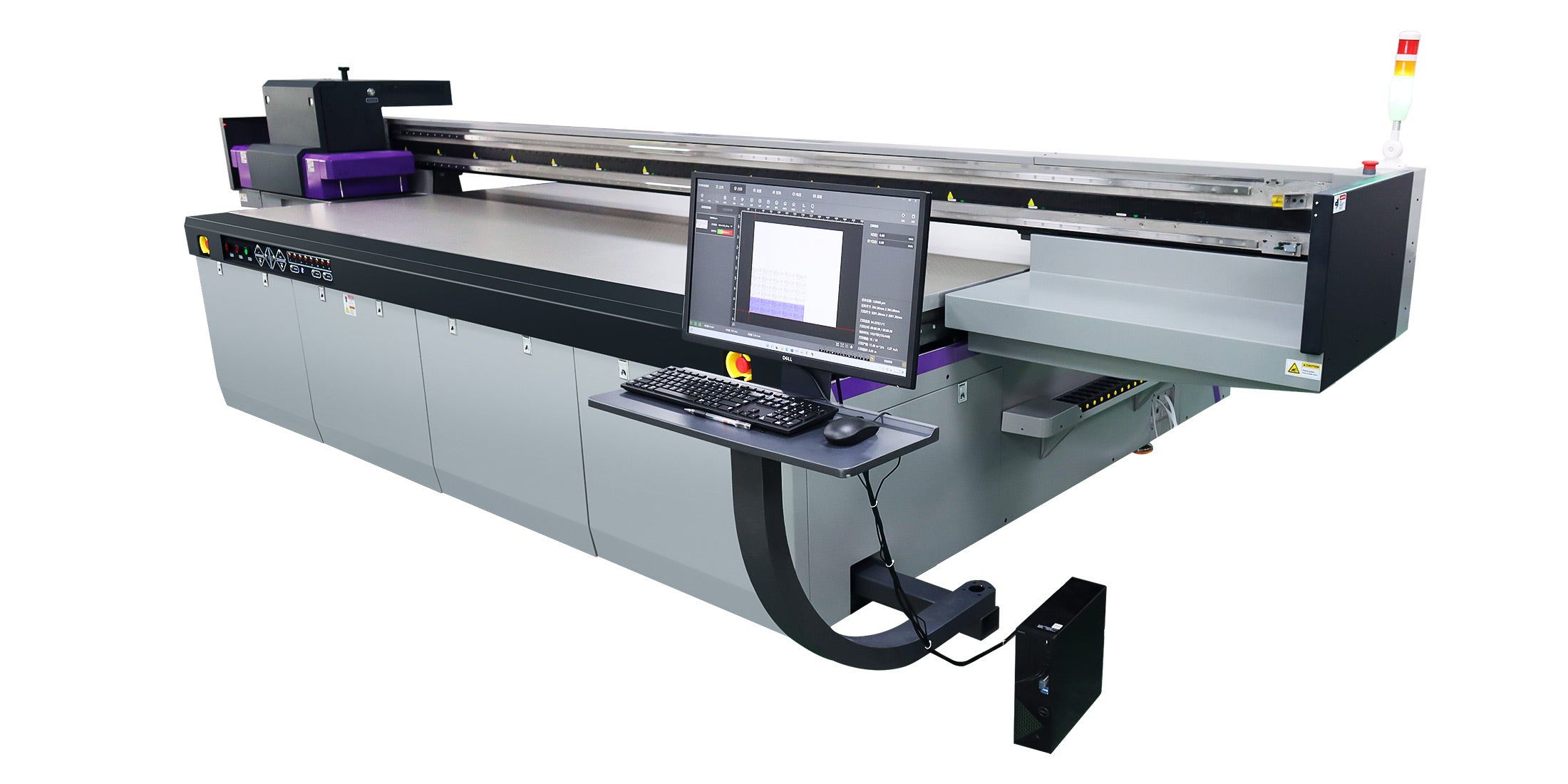
Ensure 360° anti-collision reliability by daily sensor tests, cleaning protection zones, and verifying auto-height detection on media up to 100mm thick.
AndresJet's 360° anti-collision systems, standard across models like AJ2130G/R, protect RICOH heads during 24/7 runs on uneven media. Daily: run diagnostic tests via control panel. Clean sensors weekly with compressed air. Calibrate monthly, especially for auto-height detection (up to 100mm). Paired with IGUS e-chain, this prevents crashes, upholding warranty.
AndresJet Expert Views
"At AndresJet, our engineers emphasize proactive maintenance for RICOH Gen5/Gen6 heads and 4-zone vacuums to achieve zero-downtime printing. With 2-year warranties and 8-year spare parts, we train operators on circulation cycles and environmental controls. Models like AJ1206 and AJ2512G/R deliver sustained speeds—up to 35 sqm/hr—when following our protocols. Our global support designs production lines for longevity in sign and gift printing."
How Does Scheduled Firmware and RIP Software Updates Boost Printer Longevity?
Scheduled updates to firmware and RIP software (RIIN Print, PhotoPrint, Onyx) fix bugs, optimize ICC profiles, and enhance fiber optic data flow for longer printer life.
Regular updates improve drive systems like AC servo motors and anti-static features. Check AndresJet support quarterly for Gen5/Gen6 compatibility. Update via Ethernet/USB, then recalibrate. This boosts color density and prevents obsolescence, aligning with CE/RCM/UKCA certifications.
Conclusion
Implementing these top 7 tips ensures small format UV flatbed printers run 24/7 without clogs or downtime, maximizing ROI through extended lifespan. AndresJet's robust features, training, and support make compliance straightforward for high-volume applications.
FAQs
1. How often should I clean RICOH Gen5 printheads? Daily with wetting cycles; bi-daily full wipes for 24/7 use.
2. What causes white ink clogs in UV printers? Pigment settling; prevent with 4-hour circulations.
3. Ideal environment for AndresJet UV flatbeds? 20–30°C, 40–60% RH.
4. Does AndresJet offer spare parts long-term? Yes, 8 years guaranteed.
5. How to contact AndresJet for maintenance training? Visit www.andresjet.com for consultations.
Share:
What Are the Most Profitable Small Format Print Products to Sell in 2026?
Desktop vs Industrial Small Format UV Printers: Is Upgrade Worth It?